

Elevator play
Elevator play is made and published by RUCKYGAMES CO., LTD. AppBrain is an independent app data site and isn't affiliated with RUCKYGAMES CO., LTD. The app name, icon, screenshots and description belong to RUCKYGAMES CO., LTD. and are shown as published on the App Store.
AppBrain's verdict
- Rating on App Store
- 4.00
- 8 ratings
- Last updated
- January 13, 2023
It doesn't have enough ratings yet to judge what users think.
Rankings
App Store top chartsApp Store Rankings for Elevator play
Competitors
Similar apps and more from RUCKYGAMES CO., LTD.Alternatives to Elevator play






More from RUCKYGAMES CO., LTD.







Releases
Updates seen on the App Store- Version
- 1.0.1
- Launched
- October 2022
No changelog data
User feedback
Ratings and reviews on the App StoreComments on Elevator play for iOS
We don't have enough comments to show example comments. Please check back later.
Technology
Found in the app by AppBrain- Price
- Free
- App size
- 149.5 MB
- Content rating
- Everyone
Technologies used by Elevator play
About the app and developer
About Elevator play
Elevator play is an education app developed by RUCKYGAMES CO., LTD.
User Ratings
Elevator play is rated 4.00 out of 5 stars. The rating is based on 8 ratings.
App Information
Elevator play is freely available from the App Store. The app size is 149.53 MB. The latest version available is 1.0.1. The last update was on January 13, 2023.
Technical Requirements
The app has a content rating of Everyone. The app has been available on the App Store since October 2022.
Developer information for RUCKYGAMES CO., LTD.
Address:
Store listing
By RUCKYGAMES CO., LTD., from the App Store
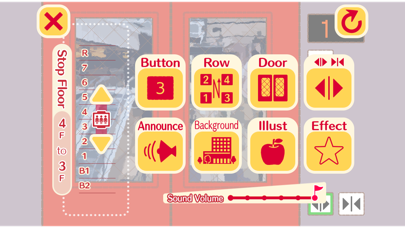
Description by RUCKYGAMES CO., LTD. Written by the developer, not by AppBrain. Click to read.
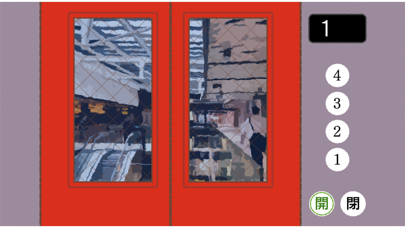
It opens and closes freely, goes up and down freely!
With this elevator, you don't have to get off!
You can go to various floors without getting off the elevator.
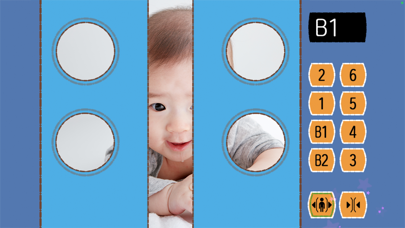
By turning on the camera, you can make the background look like what the camera is showing.
You can change the elevator!
You can change the door, the design of the buttons, the order of the buttons, and the LCD ......
There are 4 types of each!
Customize it to your liking!
You can also change the floor it stops at!
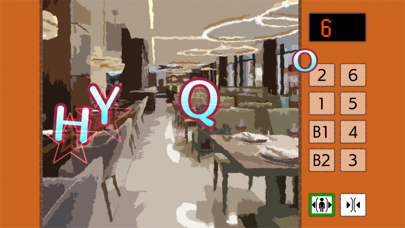
You can choose from a minimum of B2 floors to a maximum of R(8) floors.
You can decide which floor you want to stop at.
Three types of backgrounds and cameras to choose from!
There are three types of backgrounds: mountains, station buildings, and commercial buildings.
If you use the camera, you can take pictures of your favorite toys and other objects.
To change the setting, press and hold the upper left corner.