

Emaki - Manga & Image Viewer
Emaki - Manga & Image Viewer is made and published by Masashi Kanamori. AppBrain is an independent app data site and isn't affiliated with Masashi Kanamori. The app name, icon, screenshots and description belong to Masashi Kanamori and are shown as published on the App Store.
AppBrain's verdict
- Last updated
- October 21, 2026
Rankings
App Store top chartsApp Store Rankings for Emaki - Manga & Image Viewer
Competitors
Similar apps and more from Masashi KanamoriAlternatives to Emaki - Manga & Image Viewer


Releases
Updates seen on the App Store- Version
- 1.16.0
- Launched
- September 2026
No changelog data
User feedback
Ratings and reviews on the App StoreComments on Emaki - Manga & Image Viewer for iOS
We don't have enough comments to show example comments. Please check back later.
Technology
Found in the app by AppBrain- Price
- Free
- App size
- 35.8 MB
- Content rating
- High
Technologies used by Emaki - Manga & Image Viewer
About the app and developer
About Emaki - Manga & Image Viewer
Emaki - Manga & Image Viewer is a books app developed by Masashi Kanamori.
User Ratings
The app has no ratings yet.
App Information
Emaki - Manga & Image Viewer is freely available from the App Store. The app size is 35.85 MB. The latest version available is 1.16.0. The last update was on October 21, 2026.
Technical Requirements
The app has a content rating of High Maturity. The app has been available on the App Store since September 2026.
Developer information for Masashi Kanamori
Address:
Store listing
By Masashi Kanamori, from the App Store
Description by Masashi Kanamori Written by the developer, not by AppBrain. Click to read.
Use cover or list views, search/filter tags, add whole-book notes and organize series across stores, including manual merge/separation. Each purchase retains its own reading link. Send candidates from supported shelves displayed in Safari using the share sheet.
Japanese page OCR runs on-device. Use a correctly read ISBN to request NDL title-correction candidates and compare them with existing metadata. The replacement title starts unselected; only selected fields are staged in the editor, and existing metadata changes only when you save. Search terms/ISBNs are sent to NDL; ISBN cover requests use openBD.
Universal purchase scope
The universal unlock removes reading limits on Mac, iPhone and iPad with the same Apple Account. It does not add another OS's exclusive features. The iOS unlock covers iPhone/iPad; adding Mac requires an active iOS unlock plus Upgrade to universal. Universal and legacy full-reading purchases can be restored.
Mac Creator Tools (saving corrected images, batch export, eyedropper, etc.) is a separate purchase, not included in the reading unlock; it does not unlock reading by itself. Direct licenses, books, external-service fees and DRM removal are not included. Restoring purchases does not copy book files.
Comparison: https://piktoo.com/emaki-ios/support-en#platform-differences
Free version and one-time unlock
Download for free and read the first 20 pages of each archive, PDF, or image folder. A non-consumable In-App Purchase removes the reading limit. No monthly fees. Photos library, videos, connections, and bookshelf browsing are free. This purchase unlocks app functionality, not books or third-party content. Before purchase, Read Aloud covers about the first 12,000 characters of each text book.
Supported formats
ZIP / CBZ, RAR / CBR (both RAR4 and RAR5), 7z / CB7, PDF, JPEG, PNG, GIF, TIFF, HEIC, WebP, AVIF, and more.
Speech bubble translation
Translate speech bubbles on-device with Apple frameworks. Images/text are not uploaded. Machine translation may miss handwriting or sound effects. Try the first 20 pages free.
Support
Emaki is developed and maintained by Piktoo Studio, an independent developer. For questions or bug reports, write to support@piktoo.com in English or Japanese. We read every message and reply in turn. One purchase, no subscription.
Privacy
No Emaki account, ads, usage analytics, or tracking. Reading history and connection details are stored on your device. When Sync Across Devices is on, viewing history, favorites, and bookmarks are stored in your iCloud and are not sent to the developer's servers. Komga integration syncs reading progress to the server you specify. Purchases and restoration use Apple In-App Purchase.
The web bookshelf does not import purchased files or bypass DRM. It opens links you added in the provider's app or website.
About the screenshots
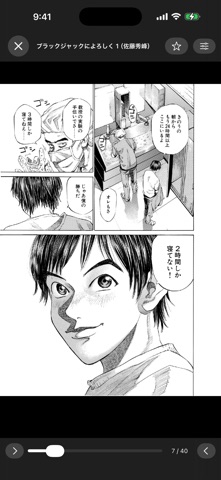
The works shown are "Give My Regards to Black Jack" by Shuho Sato, "Hokusai Manga" by Katsushika Hokusai, and "Choju-jinbutsu-giga." The first is used under the author's free secondary-use permission; the others are public domain. No works are bundled with this app.
Saved pages and text
Open WebScrapBook folders, HTZ and MAFF files. Read HTML and text in full for free. Long-press a folder and choose Open as Web Page to open index.html or index.htm. Saved-page reading is separate from the Web Bookshelf link collection.