

Ember PDF: Scan, Edit, Sign
Ember PDF: Scan, Edit, Sign is made and published by AHMET REMZI ALATAS. AppBrain is an independent app data site and isn't affiliated with AHMET REMZI ALATAS. The app name, icon, screenshots and description belong to AHMET REMZI ALATAS and are shown as published on the App Store.
AppBrain's verdict
- Last updated
- March 30, 2026
Rankings
App Store top chartsApp Store Rankings for Ember PDF: Scan, Edit, Sign
Competitors
Similar apps and more from AHMET REMZI ALATASMore from AHMET REMZI ALATAS


Releases
Updates seen on the App Store- Version
- 1.0.3
- Launched
- March 2026
No changelog data
User feedback
Ratings and reviews on the App StoreComments on Ember PDF: Scan, Edit, Sign for iOS
We don't have enough comments to show example comments. Please check back later.
Technology
Found in the app by AppBrain- Price
- Free
- App size
- 6.19 MB
- Content rating
- Everyone
Technologies used by Ember PDF: Scan, Edit, Sign
About the app and developer
About Ember PDF: Scan, Edit, Sign
Ember PDF: Scan, Edit, Sign is a productivity app developed by AHMET REMZI ALATAS.
User Ratings
The app has no ratings yet.
App Information
Ember PDF: Scan, Edit, Sign is freely available from the App Store. The app size is 6.19 MB. The latest version available is 1.0.3. The last update was on March 30, 2026.
Technical Requirements
The app has a content rating of Everyone. The app has been available on the App Store since March 2026.
Developer information for AHMET REMZI ALATAS
Address:
Store listing
By AHMET REMZI ALATAS, from the App Store


Description by AHMET REMZI ALATAS Written by the developer, not by AppBrain. Click to read.
Scan documents, convert files, compress PDFs, organize pages and manage images without getting lost in complicated menus. Ember PDF is designed to feel simple from the first second, while still giving you the tools you need for real work.
With Ember PDF you can:
• Scan receipts, invoices and documents
• Convert images to PDF
• Convert PDF pages into images
• Create PDFs from text and documents
• Merge and split PDF files
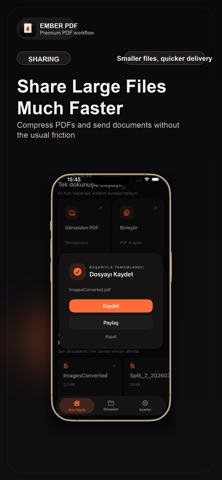
• Compress PDFs and images
• Lock and unlock PDF files
• Annotate and work with your files in one organized space
Why Ember PDF:
• Clean and calm interface
• Fast everyday workflows
• Powerful PDF tools without clutter
• File management that stays easy to use
• Built for people who want results quickly
Whether you need to scan a document, convert a file, compress a PDF or keep everything organized, Ember PDF helps you do it in a way that feels lightweight and clear.
Terms of Use (EULA): https://www.apple.com/legal/internet-services/itunes/dev/stdeula/
Privacy Policy: https://sites.google.com/view/emberpdfgizliliken/ana-sayfa