

Emme Japanese is made and published by Gwansik Yi. AppBrain is an independent app data site and isn't affiliated with Gwansik Yi. The app name, icon, screenshots and description belong to Gwansik Yi and are shown as published on the App Store.
AppBrain's verdict
- Last updated
- September 14, 2026
Rankings
App Store top chartsApp Store Rankings for Emme Japanese
Competitors
Similar apps and more from Gwansik YiAlternatives to Emme Japanese





More from Gwansik Yi


Releases
Updates seen on the App Store- Version
- 3.03
- Launched
- March 2019
No changelog data
User feedback
Ratings and reviews on the App StoreComments on Emme Japanese for iOS
We don't have enough comments to show example comments. Please check back later.
Technology
Found in the app by AppBrain- Price
- Free
- App size
- 183.6 MB
- Content rating
- Everyone
Technologies used by Emme Japanese
About the app and developer
About Emme Japanese
Emme Japanese is an education app developed by Gwansik Yi.
User Ratings
The app has no ratings yet.
App Information
Emme Japanese is freely available from the App Store. The app size is 183.62 MB. The latest version available is 3.03. The last update was on September 14, 2026.
Technical Requirements
The app has a content rating of Everyone. The app has been available on the App Store since March 2019.
Developer information for Gwansik Yi
Address:
Frequently asked questions about Emme Japanese
Is Emme Japanese free?
Yes. Emme Japanese is free on the App Store.
Is Emme Japanese still available?
Yes. Emme Japanese is on the App Store, and the last update we saw was on September 14, 2026.
How large is Emme Japanese?
Emme Japanese is 183.62 MB.
Is Emme Japanese suitable for children?
App Store rates the content of Emme Japanese as suitable for everyone.
Who made Emme Japanese?
Emme Japanese was developed by Gwansik Yi. It is listed in the education category on the App Store.
What are the best alternatives to Emme Japanese?
People looking at Emme Japanese also look at these education apps: JP Number:数字, Numbers in Japanese language, Connect Study NIHONGO, Fluent Numerals, Learn Kanji: 1st Grade Writing.
Store listing
By Gwansik Yi, from the App Store


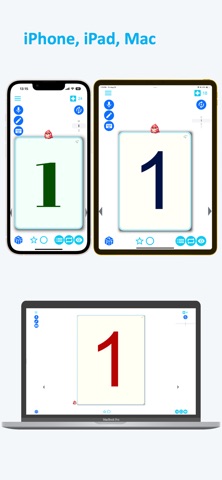
Description by Gwansik Yi Written by the developer, not by AppBrain. Click to read.
· Learn associatively by looking at words and images together.
· You can read each language-specific character.
· Japanese alphabets.
· Japanese Numbers from 1, 2, 3 to 100 are also provided.
● Listening
· When you press a word, letter, or number, the pronunciation of the selected learning language is heard.
· You can select various Japan voices.
● Write
· If you press the handwriting button and write text with your finger on the smartphone screen, it will be recognized.
· Check that handwriting and set characters are the same.
● Speaking
· Recognize the spoken Nipon with AI.
· Compare and check the selected word and pronunciation.
● Quiz learning
· Reading, listening, speaking, and writing learning quizzes are provided.
· Click on the moving image that matches the word you hear.
· A quiz game where you click moving letters or numbers.
· Hint level, etc. are set according to the difficulty.
· Review with a quiz. Children especially like it.
● Word reminder
· Word notifications come at the selected time.
· You can also set word alerts every 20 minutes to 1 hour.
· Random words, translated words, and word images are delivered.
● Voice and font selection
· Set dozens of fonts such as Gothic, Times New Roman, Lobsters, and Serif.
· The default is a black and white theme, but a colorful theme is also set.
● Translation
· Translate input sentences by machine learning.
· Translated sentences appear within 0.1 seconds without an internet connection.
· The translated text is read in the corresponding language.
● Learning points
· A certain number of learning points are charged every day.
· You can use unlimited learning points during 'unlimited' or 'subscription period' by making in-app purchases or in-app subscriptions.
· If you make in-app purchases or in-app subscriptions, word restrictions, quiz restrictions, etc. are all released and you can use all the features.
● Request only necessary permissions
Recording: Permissions required for speech language machine learning analysis
· Speech Recognition: Permissions required for speech language recognition
Start learning Japanese with the Emme Japanese app. Reading, listening, speaking and writing are all ready. It is more accurate and easier to learn than a book.
Before going to Japanese academy, learn the alphabet and basic words with Emme Japanese at an affordable price. You can enjoy colorful Japanese content. Learn Japanese from the basics by listening and speaking the correct Japanese pronunciation. It uses AI voice recognition technology to confirm Japanese pronunciation. You can also practice writing with AI handwriting recognition technology.
Japanese words such as fruits, flowers, and sports are also available with images, letters, and sounds. Learn languages in a fun way with Emme Japanese Quiz. Word games, speaking games, etc. are prepared and scores are recorded.
Content suitable for Japanese beginner. Emme Japanese is easy and fun for Japanese beginners, basic Japanese learning.