

Encryptall is made and published by 启铮 石. AppBrain is an independent app data site and isn't affiliated with 启铮 石. The app name, icon, screenshots and description belong to 启铮 石 and are shown as published on the App Store.
AppBrain's verdict
- Last updated
- September 18, 2025
Rankings
App Store top chartsApp Store Rankings for Encryptall
This app is not ranked
Competitors
Similar apps and more from 启铮 石Alternatives to Encryptall








More from 启铮 石








Releases
Updates seen on the App Store- Version
- 1.3
- Launched
- July 2025
No changelog data
User feedback
Ratings and reviews on the App StoreComments on Encryptall for iOS
We don't have enough comments to show example comments. Please check back later.
Technology
Found in the app by AppBrain- Price
- Free
- App size
- 47.1 MB
- Content rating
- Everyone
Technologies used by Encryptall
About the app and developer
About Encryptall
Encryptall is an utilities app developed by 启铮 石.
User Ratings
The app has no ratings yet.
App Information
Encryptall is freely available from the App Store. The app size is 47.05 MB. The latest version available is 1.3. The last update was on September 18, 2025.
Technical Requirements
The app has a content rating of Everyone. The app has been available on the App Store since July 2025.
Developer information for 启铮 石
Address:
Store listing
By 启铮 石, from the App Store


Screenshots by 启铮 石, from the the App Store listing
Description by 启铮 石 Written by the developer, not by AppBrain. Click to read.
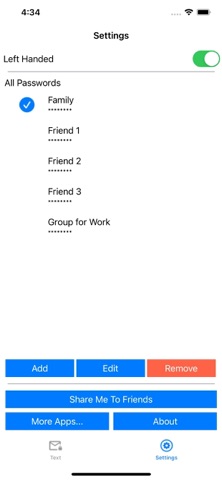
Quickly encrypt and decrypt text with a custom password, ideal for protecting your messages in chats. Large buttons make copying and pasting easy. You can create multiple passwords and switch between them for different conversations.
How it works:
Step 1:
Install this app on both your and your friend’s iPhone, and use the same password created.
Step 2:
Type or paste your message into the app. It will instantly encrypt the text into a coded message.
Copy the encrypted message and paste it into any chat app — such as WhatsApp, Messenger, or SMS — then send it.
Step 3:
When your friend receives the encrypted message, they can paste it into the app to decrypt and read the original text.
How it works:
Step 1:
Install this app on both your and your friend’s iPhone, and use the same password created.
Step 2:
Type or paste your message into the app. It will instantly encrypt the text into a coded message.
Copy the encrypted message and paste it into any chat app — such as WhatsApp, Messenger, or SMS — then send it.
Step 3:
When your friend receives the encrypted message, they can paste it into the app to decrypt and read the original text.