

ENO install
ENO install is made and published by Ecological Innovation. AppBrain is an independent app data site and isn't affiliated with Ecological Innovation. The app name, icon, screenshots and description belong to Ecological Innovation and are shown as published on the App Store.
AppBrain's verdict
- Last updated
- June 3, 2026
Rankings
App Store top chartsApp Store Rankings for ENO install
Competitors
Similar apps and more from Ecological InnovationAlternatives to ENO install




More from Ecological Innovation


Releases
Updates seen on the App Store- Version
- 1.0.1
- Launched
- October 2025
No changelog data
User feedback
Ratings and reviews on the App StoreComments on ENO install for iOS
We don't have enough comments to show example comments. Please check back later.
Technology
Found in the app by AppBrain- Price
- Free
- App size
- 29.6 MB
- Content rating
- Everyone
Technologies used by ENO install
About the app and developer
About ENO install
ENO install is an utilities app developed by Ecological Innovation.
What is the rating of ENO install?
ENO install has no ratings yet.
Is ENO install free?
ENO install is free. The app size is 29.60 MB. The latest version available is 1.0.1. The last update was on June 3, 2026.
What are the requirements for ENO install?
The app has a content rating of Everyone. The app has been available on the App Store since October 2025.
Developer information for Ecological Innovation
Address:
Store listing
By Ecological Innovation, from the App Store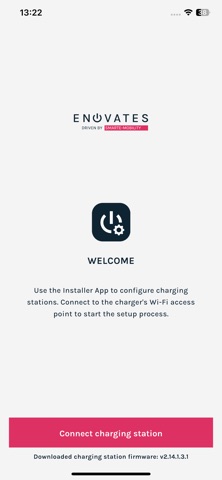


Description by Ecological Innovation Written by the developer, not by AppBrain. Click to read.
ENO install makes commissioning an ENO charger fast and stress‑free. By creating a private Wi‑Fi connection to the charger, installers can configure everything in one app, without extra cables or laptops.
Key features:
- Simple connection: Scan the QR authorization code and connect directly via Wi‑Fi access point; no internet required.
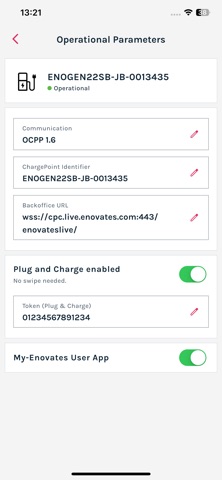
- Configure with confidence: Adjust back‑office settings, choose network options, set installation parameters (e.g. single/three‑phase, max current) and fine‑tune energy‑management features such as active or dynamic load‑balancing.
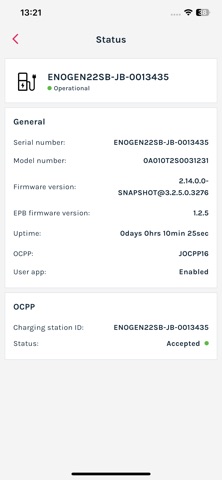
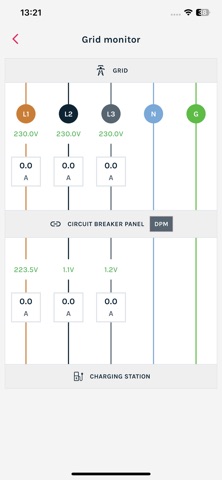
- Monitor health: See network and back‑office status at a glance and view live voltages and currents in the electrical cabinet to diagnose wiring issues.
- Keep firmware up to date: Upgrade the charger to the latest software version and bring new features or bug fixes over the air.
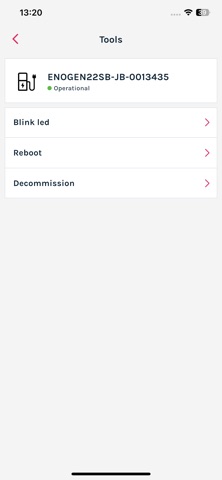
- Decommission when needed: Use the factory‑reset function to safely remove or repurpose chargers at the end of a project.
This release supports ENO one chargers only.