

eParakstsLV
eParakstsLV is made and published by VAS Latvijas valsts radio un televīzijas centrs. AppBrain is an independent app data site and isn't affiliated with VAS Latvijas valsts radio un televīzijas centrs. The app name, icon, screenshots and description belong to VAS Latvijas valsts radio un televīzijas centrs and are shown as published on the App Store.
AppBrain's verdict
Established- Rating on App Store
- 1.00
- 2 ratings
- Last updated
- May 27, 2026
It doesn't have enough ratings yet to judge what users think.
Rankings
App Store top chartsApp Store Rankings for eParakstsLV
Competitors
Similar apps and more from VAS Latvijas valsts radio un televīzijas centrsAlternatives to eParakstsLV






Releases
Updates seen on the App Store- Version
- 1.2.0
- Launched
- August 2018
No changelog data
User feedback
Ratings and reviews on the App StoreComments on eParakstsLV for iOS
We don't have enough comments to show example comments. Please check back later.
Technology
Found in the app by AppBrain- Price
- Free
- App size
- 13.3 MB
- Content rating
- Everyone
Technologies used by eParakstsLV
About the app and developer
About eParakstsLV
eParakstsLV is a productivity app developed by VAS Latvijas valsts radio un televīzijas centrs.
User Ratings
eParakstsLV is rated 1.00 out of 5 stars. The rating is based on 2 ratings.
App Information
eParakstsLV is freely available from the App Store. The app size is 13.25 MB. The latest version available is 1.2.0. The last update was on May 27, 2026.
Technical Requirements
The app has a content rating of Everyone. The app has been available on the App Store since August 2018.
Developer information for VAS Latvijas valsts radio un televīzijas centrs
Store listing
By VAS Latvijas valsts radio un televīzijas centrs, from the App Store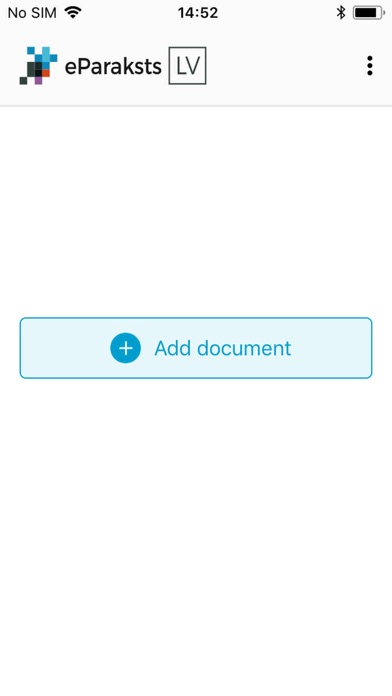




Description by VAS Latvijas valsts radio un televīzijas centrs Written by the developer, not by AppBrain. Click to read.
Mobilā lietotne eParakstsLV nodrošina dokumentu parakstīšanu viedierīcē ar drošu elektronisku parakstu, kā arī jau parakstītu dokumentu pārbaudi. Lai parakstītu dokumentus lietotnē eParakstsLV, ir jāiegūst lietotne eParaksts mobile un jāizveido eParaksta parole un PIN kods.
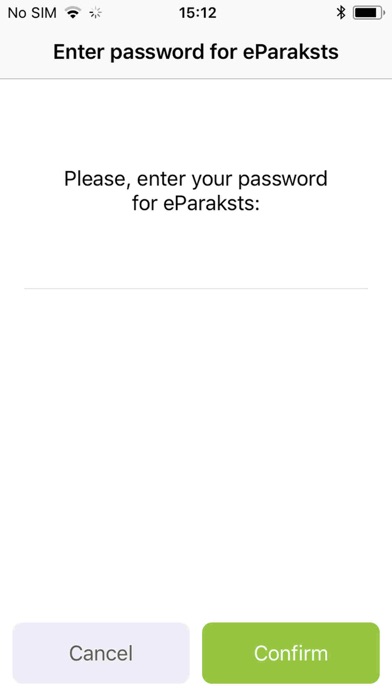
Sākot dokumenta parakstīšanu, lietotnē ir jāapliecina identitāte, ievadot e-Identitātes PIN, ko izmanto lietotnē eParaksts mobile. Kad e-Identitāte apliecināta, varēsi dokumentu eParakstīt, ievadot eParaksta paroli.
Parakstītu dokumentu vari nosūtīt adresātam e-pastā, kā arī viedtālrunī pieejamās lietotnēs vai noglabāt sev ērtākajā datņu apmaiņas servisā.
ENG:
Mobile application eParakstsLV allows signing documents with a safe electronic signature on a smart device, as well as verification of already signed documents. To sign document in the application app, you need to apply for the eParaksts mobile app and create signature password and PIN.
When signing the document, you will verify your identity by entering the e-Identity PIN used in the eParaksts mobile app. After verifying the identity, you can sign the document by entering e-signature password.
The signed document can be sent to the addressee in an e-mail as well as via applications on the smart device, and the document can also be saved in a file transfer service most convenient to the user.
RU:
Мобильное приложение eParakstsLV обеспечивает подписание документов с помощью безопасной электронной подписи в смарт-устройстве, а также проверку уже подписанных документов.Чтобы подписать документы в приложении eParakstsLV, вам необходимо получить мобильное приложение eParaksts и создать пароль электронной подписи и PIN-код.
Для подписания документа, в приложении необходимо удостоверить свою личность, введя PIN-код э-Идентичности, используемый в приложении eParaksts mobile. После удостоверения личности можно подписать документ с помощью электронной подписи, введя пароль электронной подписи.
Подписанный документ можно отправить адресату по электронной почте, а также с помощью имеющихся в смартфоне приложений или сохранить, воспользовавшись наиболее удобным для себя сервисом для обмена файлами.