

EPS Viewer
EPS Viewer is made and published by Vaibhav Singhal. AppBrain is an independent app data site and isn't affiliated with Vaibhav Singhal. The app name, icon, screenshots and description belong to Vaibhav Singhal and are shown as published on the App Store.
AppBrain's verdict
- Rating on App Store
- 1.00
- 1 ratings
- Last updated
- October 13, 2026
It doesn't have enough ratings yet to judge what users think.
Rankings
App Store top chartsApp Store Rankings for EPS Viewer
Competitors
Similar apps and more from Vaibhav SinghalMore from Vaibhav Singhal


Releases
Updates seen on the App Store- Version
- 1.8
- Launched
- December 2025
No changelog data
User feedback
Ratings and reviews on the App StoreComments on EPS Viewer for iOS
We don't have enough comments to show example comments. Please check back later.
Technology
Found in the app by AppBrain- Price
- Free
- App size
- 34.9 MB
- Content rating
- Everyone
Technologies used by EPS Viewer
About the app and developer
About EPS Viewer
EPS Viewer is a graphics & design app developed by Vaibhav Singhal.
What is the rating of EPS Viewer?
EPS Viewer is rated 1.00 out of 5 stars, based on one rating ratings.
Is EPS Viewer free?
EPS Viewer is free. The app size is 34.92 MB. The latest version available is 1.8. The last update was on October 13, 2026.
What are the requirements for EPS Viewer?
The app has a content rating of Everyone. The app has been available on the App Store since December 2025.
Developer information for Vaibhav Singhal
Address:
Store listing
By Vaibhav Singhal, from the App Store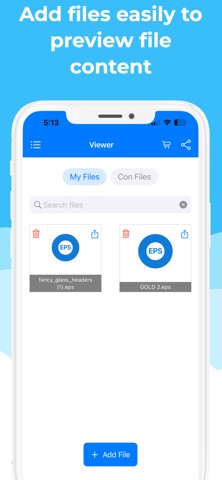

Description by Vaibhav Singhal Written by the developer, not by AppBrain. Click to read.
Easily preview, open, and convert EPS (Encapsulated PostScript) files to PNG, JPG, and PDF formats with a simple, user-friendly interface.
Key Features
Offline File Processing: Process supported EPS files directly on your device without needing to upload them to a server.
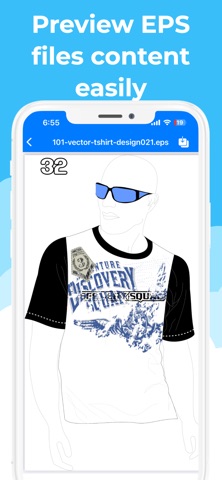
Preview EPS Files: Open and view EPS file content quickly and easily.
Convert EPS Files: Convert EPS files to PNG, JPG, and PDF formats.
Easy Sharing: Share converted files directly from within the app.
Dark & Light Themes: Choose between dark and light appearances for a comfortable viewing experience.
Simple Interface: Easily add files, preview their content, and convert them in just a few steps.
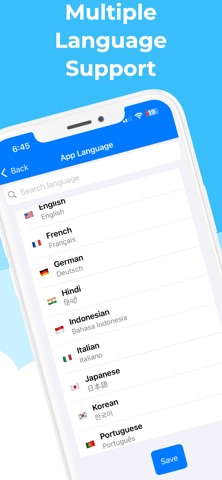
Multiple Language Support: Available in Arabic, Bangla, Chinese, Hindi, English, French, German, Indonesian, Italian, Japanese, Korean, Portuguese, Spanish, Russian, Thai, and Vietnamese.
Whether you need to view EPS artwork, convert graphics for other applications, or share files in a more accessible format, EPS Viewer makes the process simple and convenient.
Terms of Use (EULA):
https://www.apple.com/legal/internet-services/itunes/dev/stdeula/