

Epsom Printer is made and published by Petr Polasek. AppBrain is an independent app data site and isn't affiliated with Petr Polasek. The app name, icon, screenshots and description belong to Petr Polasek and are shown as published on the App Store.
AppBrain's verdict
Well rated- Rating on App Store
- 4.22
- 450 ratings
- Last updated
- August 29, 2025
- Size
- 48.5 MB
Users rate it well: 4.2 stars from 450 ratings. Its best ranking is #84 in Top Grossing, Business in Poland.
User feedback
Ratings and reviews on the App StoreComments on Epsom Printer for iOS
We don't have enough comments to show example comments. Please check back later.
Store listing
By Petr Polasek, from the App Store


Description by Petr Polasek Written by the developer, not by AppBrain. Click to read.
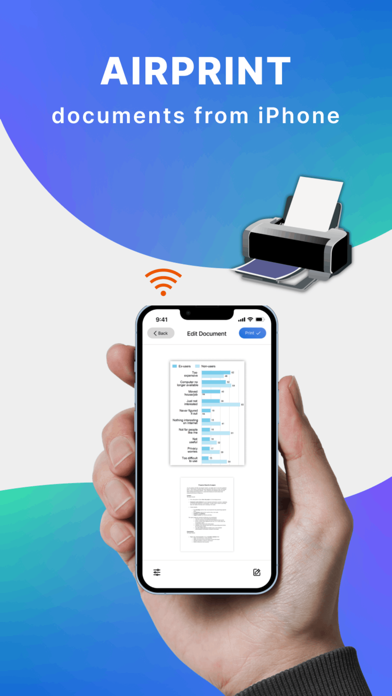
Smart Printer, you can print:
- Any photos from your Camera Roll.
- Any web pages, emails, and attachments.
- Any information from your Clipboard.
- Specific contacts or full Contact List.
- Over 30 file types supported, including: PDF, DOC, XLS, and PPT.
Smart Print Features:
- Over 1,200 printer models supported.
- iCloud, Google Drive, and Dropbox support.
- Convert any high-quality, multi-page PDF documents.
Extended printing settings:
- Paper size
- Paper type
- Page orientation
- Printing range
- Number of copies
- One- and two-sided printing
- With and without borders
- Color and grayscale documents
- And many more customizable options!
Printer app supports over 1,200 printer models, including Canon, Dell, Epson, Xerox, HP, Kyocera, Lenovo, Lexmark, Oki, Ricoh, Samsung, Sharp, Brother and other printer models that support AirPrint technology. And we add new printer models with each app update! Use the test print option on install to determine whether your printer model is supported.
Printer app is free to use with limited functions. Unlimited access to all functions of the application is available with a subscription. Premium version provides unlimited access to all app’s features and offers regular reviews, news, and useful printing tech tips.
Payment will be charged to iTunes Account at confirmation of purchase. Subscription automatically renews unless auto-renew is turned off at least 24-hours before the end of the current period. Account will be charged for renewal within 24-hours prior to the end of the current period, and identify the cost of the renewal. Subscriptions may be managed by the user and auto-renewal may be turned off by going to the user's Account Settings after purchase. Any unused portion of a free trial period, if offered, will be forfeited when the user purchases a subscription to that publication.
Terms of service: https://www.code4flutter.in/com/terms-printer/
Privacy policy: https://www.code4flutter.in/privacy-printer/
Safety and technology
Found in the app by AppBrain- Price
- Free
- App size
- 48.5 MB
- Content rating
- Everyone
Technologies used by Epsom Printer
Releases
Updates seen on the App Store- Version
- 1.0.15
- Launched
- July 2022
No changelog data
Alternatives
Similar apps and more from Petr PolasekAlternatives to Epsom Printer




More from Petr Polasek


Rankings
App Store top charts- Highest rank
- #84
- Chart
- Top Grossing
- Business
- Country
- Poland
App Store Rankings for Epsom Printer
Top rankings
| Rank | Country | Category | List |
|---|---|---|---|
| 84 | Poland | Business | Top Grossing |
Ranking history in Poland
About the app and developer
About Epsom Printer
Epsom Printer is a business app developed by Petr Polasek.
User Ratings
Epsom Printer is rated 4.22 out of 5 stars. The rating is based on 450 ratings.
App Information
Epsom Printer is freely available from the App Store. The app size is 48.47 MB. The latest version available is 1.0.15. The last update was on August 29, 2025.
Technical Requirements
The app has a content rating of Everyone. The app has been available on the App Store since July 2022.
Developer information for Petr Polasek
Address: