

eScan EMM
eScan EMM is made and published by MicroWorld Technologies Inc. AppBrain is an independent app data site and isn't affiliated with MicroWorld Technologies Inc. The app name, icon, screenshots and description belong to MicroWorld Technologies Inc and are shown as published on the App Store.
AppBrain's verdict
- Last updated
- January 5, 2026
Rankings
App Store top chartsApp Store Rankings for eScan EMM
Competitors
Similar apps and more from MicroWorld Technologies IncMore from MicroWorld Technologies Inc


Releases
Updates seen on the App Store- Version
- 1.0.3
- Launched
- May 2025
No changelog data
User feedback
Ratings and reviews on the App StoreComments on eScan EMM for iOS
We don't have enough comments to show example comments. Please check back later.
Technology
Found in the app by AppBrain- Price
- Free
- App size
- 41.2 MB
- Content rating
- Everyone
Technologies used by eScan EMM
About the app and developer
About eScan EMM
eScan EMM is a productivity app developed by MicroWorld Technologies Inc.
User Ratings
The app has no ratings yet.
App Information
eScan EMM is freely available from the App Store. The app size is 41.16 MB. The latest version available is 1.0.3. The last update was on January 5, 2026.
Technical Requirements
The app has a content rating of Everyone. The app has been available on the App Store since May 2025.
Developer information for MicroWorld Technologies Inc
Address:
Frequently asked questions about eScan EMM
Is eScan EMM free?
Yes. eScan EMM is free on the App Store.
Is eScan EMM still available?
Yes. eScan EMM is on the App Store, and the last update we saw was on January 5, 2026.
How large is eScan EMM?
eScan EMM is 41.16 MB.
Is eScan EMM suitable for children?
App Store rates the content of eScan EMM as suitable for everyone.
Who made eScan EMM?
eScan EMM was developed by MicroWorld Technologies Inc. It is listed in the productivity category on the App Store.
Store listing
By MicroWorld Technologies Inc, from the App Store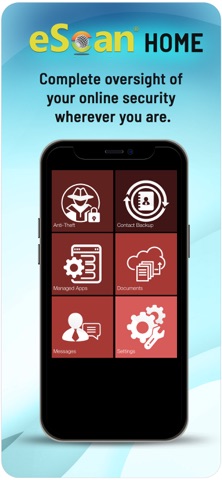


Description by MicroWorld Technologies Inc Written by the developer, not by AppBrain. Click to read.
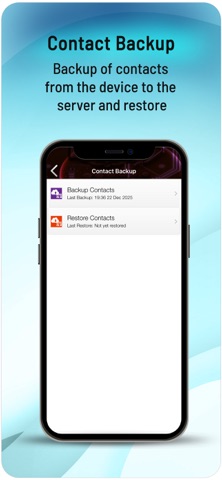
Backup and Restore – Administrators can securely back up critical contacts and other essential data from the enrolled device onto the management console. This data can be restored to the device whenever needed, ensuring business continuity and data protection.
Application Management – The app provides administrators with complete control over application deployment and management across enrolled devices. It allows for the remote installation, uninstallation, and filtering of applications, ensuring compliance with organizational policies and security standards.
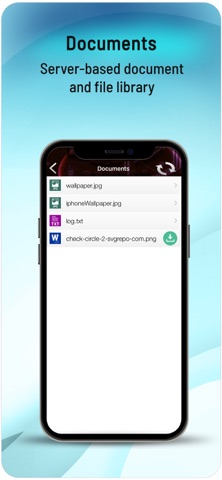
Enterprise Content Library – Organizations can seamlessly distribute important enterprise files such as DOC, PDF, JPEG, and other frequently used formats directly to enrolled devices. This ensures that critical business documents remain accessible whenever needed, improving productivity and information availability.
Broadcast Messaging – The management console enables administrators to instantly broadcast messages to multiple enrolled devices. This facilitates the real-time sharing of crucial information across teams, ensuring quick communication during business operations or emergencies.
Centralized Device Management Across Organizations – The application integrates a Company ID-based management system, allowing enterprises to manage multiple devices across various organizations efficiently. Each enrolled device is mapped to its respective company, enabling IT administrators to enforce specific policies, control access, and monitor devices within different organizational structures. This ensures a secure, scalable, and streamlined device management experience.