

EscapeGame FacelessRoom
EscapeGame FacelessRoom is made and published by Kensuke Horikoshi. AppBrain is an independent app data site and isn't affiliated with Kensuke Horikoshi. The app name, icon, screenshots and description belong to Kensuke Horikoshi and are shown as published on the App Store.
AppBrain's verdict
Loved by users- Rating on App Store
- 4.79
- 233 ratings
- Last updated
- October 7, 2025
Users love it: 4.8 stars from 233 ratings.
Rankings
App Store top chartsApp Store Rankings for EscapeGame FacelessRoom
Competitors
Similar apps and more from Kensuke Horikoshi


Releases
Updates seen on the App Store- Version
- 1.20
- Launched
- December 2022
No changelog data
User feedback
Ratings and reviews on the App StoreComments on EscapeGame FacelessRoom for iOS
We don't have enough comments to show example comments. Please check back later.
Technology
Found in the app by AppBrain- Price
- Free
- App size
- 182.0 MB
- Content rating
- Low
Technologies used by EscapeGame FacelessRoom
About the app and developer
About EscapeGame FacelessRoom
EscapeGame FacelessRoom is a games app developed by Kensuke Horikoshi.
What is the rating of EscapeGame FacelessRoom?
EscapeGame FacelessRoom is rated 4.79 out of 5 stars, based on 230 ratings.
Is EscapeGame FacelessRoom free?
EscapeGame FacelessRoom is free. The app size is 182.03 MB. The latest version available is 1.20. The last update was on October 7, 2025.
What are the requirements for EscapeGame FacelessRoom?
The app has a content rating of Low Maturity. The app has been available on the App Store since December 2022.
Developer information for Kensuke Horikoshi
Address:
Store listing
By Kensuke Horikoshi, from the App Store


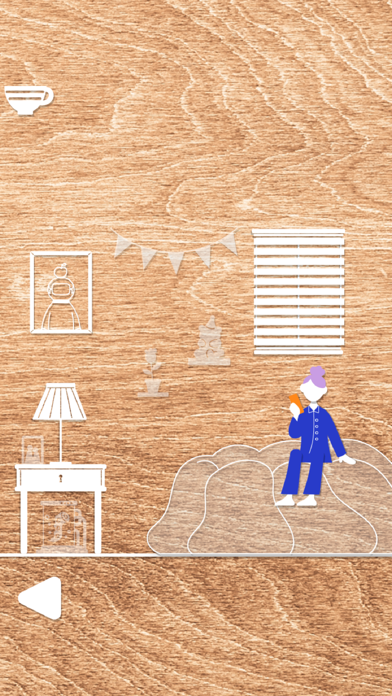


Description by Kensuke Horikoshi Written by the developer, not by AppBrain. Click to read.
This is a simple escape game.
Let's get out of this world by solving the items and gimmicks scattered in the mysterious world.
EscapeGame FacelessRoom
【service charge】 Free
【Features】
-Easy to start for first players
-The world of mysterious art and sound.
-Auto-save function
-Hints function.
【How to play】
・Let's tap the part of the screen that interests you.
・Tap the right and left buttons to swipe the window.
・To check the hint from menu window.
・Light up the item. tap the gimmick, then you can use it.
Program,Sound KensukeHorikosshi
Graphic Taniguchi
If you like this game, please play other games!