It doesn't have enough ratings yet to judge what users think.
eSign: Fill and Sign Documents is made and published by
Timon Scherzinger.
AppBrain is an independent app data site and isn't affiliated with Timon Scherzinger.
The app name, icon, screenshots and description belong to Timon Scherzinger and are shown as
published on the App Store.
About eSign: Fill and Sign Documents
eSign: Fill and Sign Documents is an utilities app developed by Timon Scherzinger.
What is the rating of eSign: Fill and Sign Documents?
eSign: Fill and Sign Documents is rated 4.33 out of 5 stars, based on 18 ratings.
Is eSign: Fill and Sign Documents free?
eSign: Fill and Sign Documents is free. The app size is 30.17 MB. The latest version available is 1.0.1. The last update was on March 27, 2025.
What are the requirements for eSign: Fill and Sign Documents?
The app has a content rating of Everyone. The app has been available on the App Store since March 2025.
Description by Timon Scherzinger(from the App Store)
Easily sign and send documents with Scan, eSign & Fill Documents, all at your fingertips. It’s the simplest solution for your business needs, without any login or registration, and no expensive subscription charges.
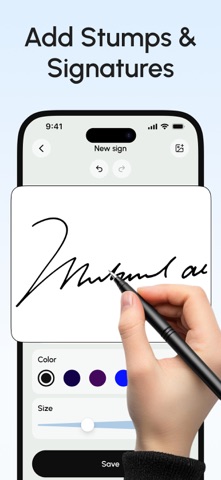
You can easily scan a document using your device’s camera, fill your documents within the app, and add your real signature with your finger or using a stylus. If you prefer a pen-drawn signature, you can simply sign on paper, capture a photo, and insert it into your document. Import and prepare your document entirely on your device and share it instantly.
KEY FEATURES:
SCAN: Quickly create a PDF scan from your camera within the app and digitize your paper documents.
FILL: Fill out documents and forms with multiple options for adding Text, Checkmarks, Date, Images, QR Code, and more.
SIGN: Sign realistically with hand-drawn signatures or add Initials within the app and digitally sign your documents.
IMPORT: Import documents from Dropbox, OneDrive, Google Drive, iTunes Share, URL, and through other apps with “Open In” functionality.
ATTACH DOCUMENTS: Attach any document at the end of your ready PDF and send it wherever you like.
PRINT: You may even print your documents directly from your device and handle paperwork efficiently.
Privacy Policy: https://telegra.ph/Privacy-Policy-03-04-99 Terms of use: https://telegra.ph/Terms-of-Use-03-04-2
Each subscription will automatically renew 3 days before the expiration date for
the same time period. Subscriptions can be cancelled at any time before the renewal.