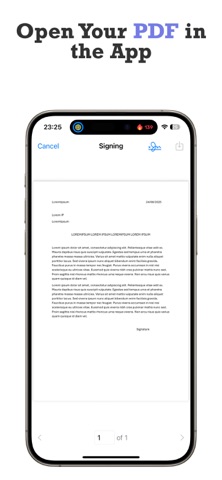
eSign: Sign Documents, PDF is an utilities app developed by Harun Mert Gokcegoz.
What is the rating of eSign: Sign Documents, PDF?
eSign: Sign Documents, PDF has no ratings yet.
Is eSign: Sign Documents, PDF free?
eSign: Sign Documents, PDF is free. The app size is 8.65 MB. The latest version available is 1.0.1. The last update was on June 16, 2026.
What are the requirements for eSign: Sign Documents, PDF?
The app has a content rating of Everyone. The app has been available on the App Store since September 2025.
Description by Harun Mert Gokcegoz(from the App Store)
eSign turns your iPhone & iPad into a complete e-signature tool — create a signature, sign any PDF, and share it in seconds. No printer, no scanner, no paper.
• Sign PDF documents anywhere, anytime • Create a signature 3 ways: draw, scan from paper, or import a photo • Fill & sign forms, then flatten to a secure, share-ready PDF • Signature Library with iCloud sync across all your devices • 100% on-device processing — your documents stay private
CREATE YOUR PERFECT SIGNATURE Your signature is personal, so eSign gives you full control over how you make it: • Draw with precision — sign directly on screen with your finger or Apple Pencil for a smooth, natural result. • Scan from paper — point your camera at a pen-and-paper signature and our image processing removes the background automatically, leaving a crisp, transparent signature. • Import from your library — already have a digital signature? Import it from Photos and reuse it instantly.
eSIGN DOCUMENTS IN SECONDS 1. Import your PDF — open any document from Files, iCloud Drive, or any connected cloud service. 2. Place your signature — tap to add it, then move, resize, and rotate it to fit any form field perfectly. 3. Save & share — export a new, secure PDF and send it via email, AirDrop, Messages, or back to the cloud.
YOUR SIGNATURE & DOCUMENT HUB • Signature Library — store every signature you create in one secure place and manage multiple signatures for personal or professional use. With iCloud Sync they're always available across your iOS devices. • Document Management — keep all your signed documents organized; view, search, and sort to find what you need fast.
Download eSign today and stop printing, scanning, and mailing paper. Create your signature, sign your documents, and go fully digital.
Privacy Policy: https://sites.google.com/view/esign-privacy-policy/home Terms of Use: https://sites.google.com/view/esign-terms-of-service/home
Each subscription will automatically renew 3 days before the expiration date for
the same time period. Subscriptions can be cancelled at any time before the renewal.