

Exif Frame - Pro Photo Widget
Exif Frame - Pro Photo Widget is made and published by Hidenobu Yuki. AppBrain is an independent app data site and isn't affiliated with Hidenobu Yuki. The app name, icon, screenshots and description belong to Hidenobu Yuki and are shown as published on the App Store.
AppBrain's verdict
- Last updated
- November 4, 2026
- Size
- 1.27 MB
User feedback
Ratings and reviews on the App StoreComments on Exif Frame - Pro Photo Widget for iOS
We don't have enough comments to show example comments. Please check back later.
Store listing
By Hidenobu Yuki, from the App Store



Description by Hidenobu Yuki Written by the developer, not by AppBrain. Click to read.
Most photo widgets crop your work into a square. Exif Frame doesn't. Whether it's 3:2, 4:3, 16:9, a vertical portrait, or a wide panorama, your photo appears complete, exactly as you composed it—paired with the EXIF data behind it: camera model, lens, shutter speed, aperture, and ISO.
[Key Features ]
• Never Cropped, Never Distorted
Your composition is your work. Exif Frame fits every photo inside the widget in its original aspect ratio—3:2, 4:3, 16:9, square, or panoramic—so nothing gets cut from the edges. Choose a background color that complements the frames
• Auto-Extract EXIF Data
Beautifully showcase your photo alongside key EXIF details, including camera model, lens, shutter speed, aperture, and ISO.
• Minimalist, Refined Design
Clean, elegant typography and a restrained interface keep the focus entirely on your photography.
• Auto-Shuffle (Pro Feature)
Create dedicated albums and let the widget automatically shuffle your photos, bringing serendipity to your Home Screen every day.
[ Unlock Exif Frame Pro ]
Exif Frame is free to download and includes everything you need to get started. Upgrade to Pro—a one-time purchase, no subscriptions—to unlock:
• Large widget sizes
• Auto-Shuffle albums
[ How to Add the Widget ]
1.Touch and hold an empty area on your Home Screen.
2.Tap the "+" button, then search for "Exif Frame".
3.Select your preferred widget size and tap "Add Widget".
4. Tap the widget to open the app and view your photo at full resolution—zoom in to check every detail. From here you can also add albums and photos, and give them titles.
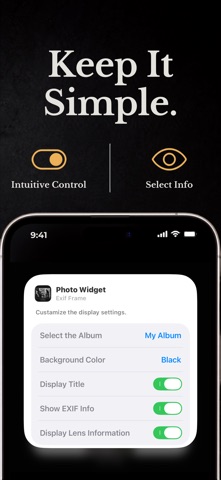
4.Touch and hold the widget and tap "Edit Widget" to customize its appearance—choose an album, set a background color, and toggle EXIF data visibility.
Safety and technology
Found in the app by AppBrain- Price
- Free
- App size
- 1.27 MB
- Content rating
- Everyone
Technologies used by Exif Frame - Pro Photo Widget
Releases
Updates seen on the App Store- Version
- 1.0
- Launched
- November 2026
No changelog data
Rankings
App Store top chartsApp Store Rankings for Exif Frame - Pro Photo Widget
About the app and developer
About Exif Frame - Pro Photo Widget
Exif Frame - Pro Photo Widget is a photo & video app developed by Hidenobu Yuki.
User Ratings
The app has no ratings yet.
App Information
Exif Frame - Pro Photo Widget is freely available from the App Store. The app size is 1.27 MB. The latest version available is 1.0. The last update was on November 4, 2026.
Technical Requirements
The app has a content rating of Everyone. The app has been available on the App Store since November 2026.
Developer information for Hidenobu Yuki
Address:
Frequently asked questions about Exif Frame - Pro Photo Widget
Is Exif Frame - Pro Photo Widget free?
Yes. Exif Frame - Pro Photo Widget is free on the App Store.
Is Exif Frame - Pro Photo Widget still available?
Yes. Exif Frame - Pro Photo Widget is on the App Store, and the last update we saw was on November 4, 2026.
How large is Exif Frame - Pro Photo Widget?
Exif Frame - Pro Photo Widget is 1.27 MB.
Is Exif Frame - Pro Photo Widget suitable for children?
App Store rates the content of Exif Frame - Pro Photo Widget as suitable for everyone.
Who made Exif Frame - Pro Photo Widget?
Exif Frame - Pro Photo Widget was developed by Hidenobu Yuki. It is listed in the photo & video category on the App Store.