

Expense Rabbit is made and published by Pedro Diaz. AppBrain is an independent app data site and isn't affiliated with Pedro Diaz. The app name, icon, screenshots and description belong to Pedro Diaz and are shown as published on the App Store.
AppBrain's verdict
- Last updated
- June 27, 2024
Rankings
App Store top chartsApp Store Rankings for Expense Rabbit
Competitors
Similar apps and more from Pedro DiazMore from Pedro Diaz

Releases
Updates seen on the App Store- Version
- 2.0.2
- Launched
- February 2024
No changelog data
User feedback
Ratings and reviews on the App StoreComments on Expense Rabbit for iOS
We don't have enough comments to show example comments. Please check back later.
Technology
Found in the app by AppBrain- Price
- Free
- App size
- 16.1 MB
- Content rating
- Everyone
Technologies used by Expense Rabbit
About the app and developer
About Expense Rabbit
Expense Rabbit is a finance app developed by Pedro Diaz.
User Ratings
The app has no ratings yet.
App Information
Expense Rabbit is freely available from the App Store. The app size is 16.06 MB. The latest version available is 2.0.2. The last update was on June 27, 2024.
Technical Requirements
The app has a content rating of Everyone. The app has been available on the App Store since February 2024.
Developer information for Pedro Diaz
Address:
Frequently asked questions about Expense Rabbit
Is Expense Rabbit free?
Yes. Expense Rabbit is free on the App Store.
Is Expense Rabbit still available?
Yes. Expense Rabbit is on the App Store, and the last update we saw was on June 27, 2024.
How large is Expense Rabbit?
Expense Rabbit is 16.06 MB.
Is Expense Rabbit suitable for children?
App Store rates the content of Expense Rabbit as suitable for everyone.
Who made Expense Rabbit?
Expense Rabbit was developed by Pedro Diaz. It is listed in the finance category on the App Store.
Store listing
By Pedro Diaz, from the App Store


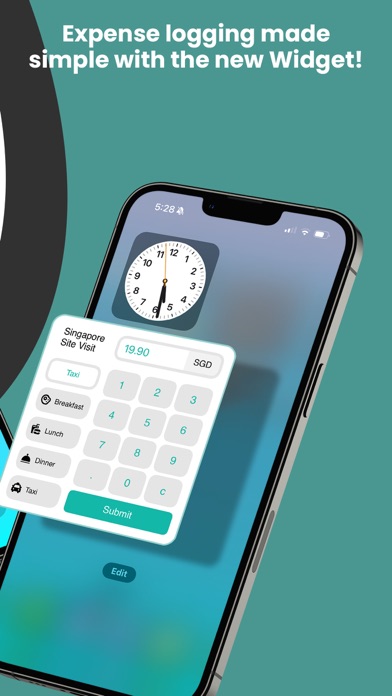

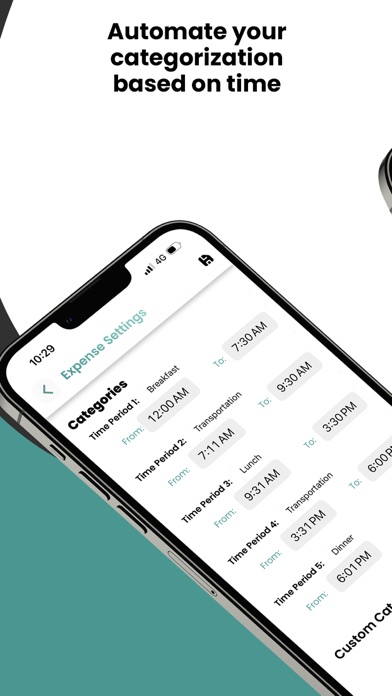
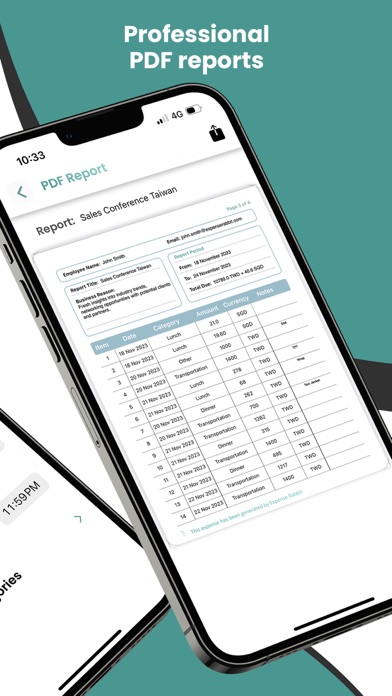
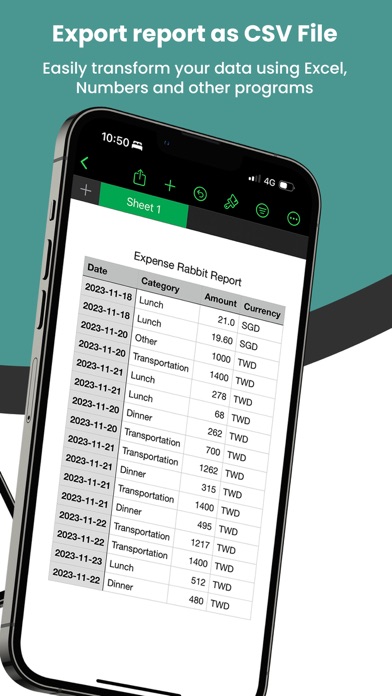
Description by Pedro Diaz Written by the developer, not by AppBrain. Click to read.
- Quick Capture: Log expenses with minimal taps.
- Custom Categories: Tailor your expense categories for personalized tracking.
- Smart Time Frames: Set preferred times for regular expense input.
- Location-Based Currency: Records expenses in the local currency automatically.
- Export Options: Generate PDF reports or download CSV files for easy sharing and analysis.
New Features:
- New Lock Screen Widget: See the total of your active Expense Reports atop your Lock Screen's Time for at-a-glance updates.
- Quick Access: Use the Lock Screen Widget for direct access to the Expense Rabbit Homepage.
- Large Widget: Easily enter expenses directly from your Home Screen or Today View without unlocking your phone—just swipe right and log your expenses.
- New Lock Screen Shortcuts: Instantly access a full-screen camera or scanner with our new Lock Screen Widgets.
- Lock Screen Totals: Keep track of your expense totals right on your Lock Screen.
Terms of Service: https://www.expenserabbit.com/terms-of-services
Privacy Policy: https://www.expenserabbit.com/privacy-policy