

ExpensePoint
ExpensePoint is made and published by GlobalPoint Technologies Incorporated. AppBrain is an independent app data site and isn't affiliated with GlobalPoint Technologies Incorporated. The app name, icon, screenshots and description belong to GlobalPoint Technologies Incorporated and are shown as published on the App Store.
AppBrain's verdict
Established- Rating on App Store
- 1.41
- 17 ratings
- Last updated
- October 7, 2026
It doesn't have enough ratings yet to judge what users think.
Rankings
App Store top chartsApp Store Rankings for ExpensePoint
Competitors
Similar apps and more from GlobalPoint Technologies IncorporatedAlternatives to ExpensePoint



Also available on Google Play

Releases
Updates seen on the App Store- Version
- 3.11.41
- Launched
- November 2019
No changelog data
User feedback
Ratings and reviews on the App StoreComments on ExpensePoint for iOS
We don't have enough comments to show example comments. Please check back later.
Technology
Found in the app by AppBrain- Price
- Free
- App size
- 70.6 MB
- Content rating
- Everyone
Technologies used by ExpensePoint
About the app and developer
About ExpensePoint
ExpensePoint is a business app developed by GlobalPoint Technologies Incorporated.
User Ratings
ExpensePoint is rated 1.41 out of 5 stars. The rating is based on 17 ratings.
App Information
ExpensePoint is freely available from the App Store. The app size is 70.65 MB. The latest version available is 3.11.41. The last update was on October 7, 2026.
Technical Requirements
The app has a content rating of Everyone. The app has been available on the App Store since November 2019.
Developer information for GlobalPoint Technologies Incorporated
Frequently asked questions about ExpensePoint
Is ExpensePoint free?
Yes. ExpensePoint is free on the App Store.
Is ExpensePoint still available?
Yes. ExpensePoint is on the App Store, and the last update we saw was on October 7, 2026.
How large is ExpensePoint?
ExpensePoint is 70.65 MB.
Is ExpensePoint suitable for children?
App Store rates the content of ExpensePoint as suitable for everyone.
How do people rate ExpensePoint?
ExpensePoint scores 1.41 out of 5 stars, from 17 ratings on the App Store.
Who made ExpensePoint?
ExpensePoint was developed by GlobalPoint Technologies Incorporated. It is listed in the business category on the App Store.
What are the best alternatives to ExpensePoint?
People looking at ExpensePoint also look at these business apps: Astea Mobile, Texas Center for the Judiciary, Etherio Connect, NuORDER 4.0, eCompliance – Safety App.
Store listing
By GlobalPoint Technologies Incorporated, from the App Store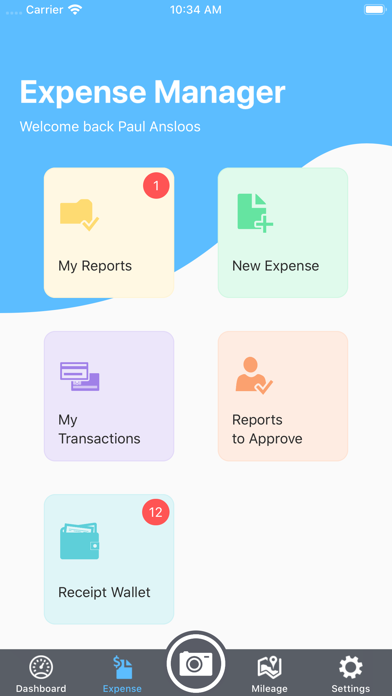
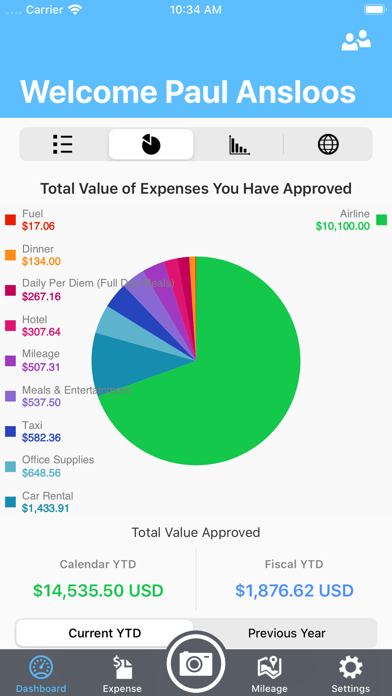
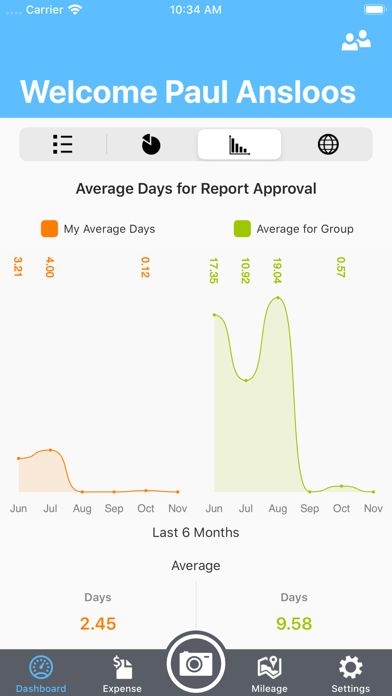
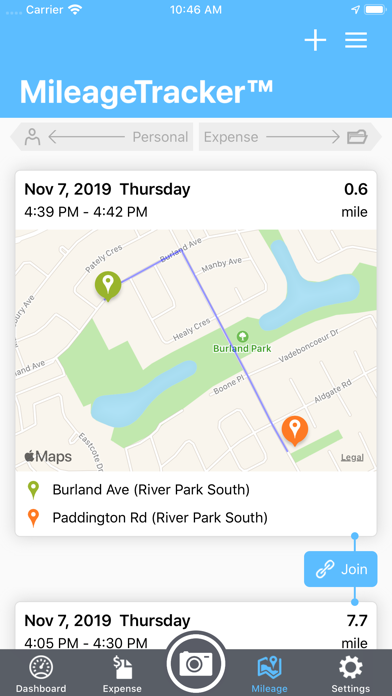
Description by GlobalPoint Technologies Incorporated Written by the developer, not by AppBrain. Click to read.
“It’s simple to use, I can add expenses and receipts to my report as they occur. I never have to block time to do my expense report….I love it!!”…. Ryan Santschi
EXPENSE ENTRY
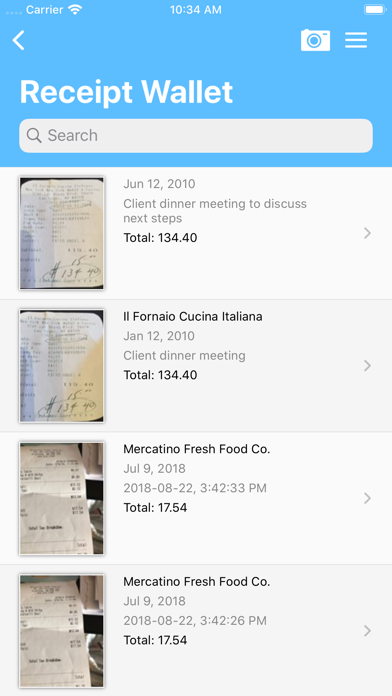
ExpensePoint Mobile allows you to manage your entire expense reporting process effortlessly. Capturing expenses is now a snap! With this easy to use mobile interface you can add any expense in seconds. With our Receipt Reader system you can just take a photo of your receipts and we’ll read them automatically for you and we’ll even match them to your imported Corporate Card transactions. ExpensePoint will also automatically track your mileage on the go with our GPS MileageTracker™ system making the expensing of mileage an absolute breeze.
Reports can be viewed in summary, detail or even by a rich color graph view which displays the percentage of spend by category.
Users can also see reports that are pending manager approval and reports that have been approved.
REPORT APPROVAL
Managers can even review and approve expense reports and easily see all associated expenses and receipts via report summary or detailed view screens. Managers can approve or decline expenses at the whole report level at the individual expense level.
Access all of your company links and documents as well via the Company Links button.
Everything entered in ExpensePoint Mobile is automatically available when you log into your regular ExpensePoint account.
• Create expense reports
• Receipt Reader™
• MileageTracker™
• Add expenses via easy user interface
• Assign credit card charges to reports
• Link receipt images to expense items
• Split expenses
• Report summary view
• Report detail view
• Report graph view
• Approve reports
• Approve or decline single line items
• Add cash advances and advance returns
• See reports in progress, reports you have submitted for approval and all your approved reports
• See your company links and documents