

EZPZ Unit Converter
EZPZ Unit Converter is made and published by Martin Engelsgjerd. AppBrain is an independent app data site and isn't affiliated with Martin Engelsgjerd. The app name, icon, screenshots and description belong to Martin Engelsgjerd and are shown as published on the App Store.
AppBrain's verdict
Established- Rating on App Store
- 4.78
- 50 ratings
- Last updated
- January 24, 2023
It doesn't have enough ratings yet to judge what users think.
Rankings
App Store top chartsApp Store Rankings for EZPZ Unit Converter
Competitors
Similar apps and more from Martin EngelsgjerdAlternatives to EZPZ Unit Converter








More from Martin Engelsgjerd

Releases
Updates seen on the App Store- Version
- 3.0
- Launched
- February 2016
No changelog data
User feedback
Ratings and reviews on the App StoreComments on EZPZ Unit Converter for iOS
We don't have enough comments to show example comments. Please check back later.
Technology
Found in the app by AppBrain- Price
- Free
- App size
- 5.59 MB
- Content rating
- Everyone
Technologies used by EZPZ Unit Converter
About the app and developer
About EZPZ Unit Converter
EZPZ Unit Converter is an utilities app developed by Martin Engelsgjerd.
What is the rating of EZPZ Unit Converter?
EZPZ Unit Converter is rated 4.78 out of 5 stars, based on 50 ratings.
Is EZPZ Unit Converter free?
EZPZ Unit Converter is free. The app size is 5.59 MB. The latest version available is 3.0. The last update was on January 24, 2023.
What are the requirements for EZPZ Unit Converter?
The app has a content rating of Everyone. The app has been available on the App Store since February 2016.
Developer information for Martin Engelsgjerd
Address:
Store listing
By Martin Engelsgjerd, from the App Store


Description by Martin Engelsgjerd Written by the developer, not by AppBrain. Click to read.
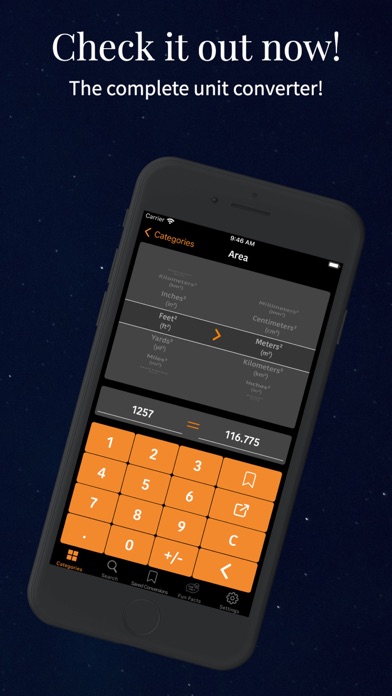
Save your conversions that you use a lot, and add the EZPZ Saved Conversions widget for very easy access.
EZPZ Unit converter also provides fun facts involving the units used in the conversions, making the App not only very practical, but fun to use as well.
Swipe right and use the search bar to search for units/currencies instead of choosing the category and manually picking the unit. When searching for a currency in the search field it will change the left column (the from currency), and if you search again it will change the right column (the to currency).
This App is completely free.
The menus, icons, and colors that comprise the Apps’ design, allows it to be very user friendly, pleasant to look at, and easy to navigate. Enabling the user to conveniently access the conversions in the fastest possible way. Enjoy!