

F3A Zone Pro
F3A Zone Pro is made and published by Andrew Palmer. AppBrain is an independent app data site and isn't affiliated with Andrew Palmer. The app name, icon, screenshots and description belong to Andrew Palmer and are shown as published on the App Store.
AppBrain's verdict
- Last updated
- September 15, 2025
Rankings
App Store top chartsApp Store Rankings for F3A Zone Pro
Competitors
Similar apps and more from Andrew PalmerAlternatives to F3A Zone Pro








Releases
Updates seen on the App Store- Version
- 2.0
- Launched
- October 2017
No changelog data
User feedback
Ratings and reviews on the App StoreComments on F3A Zone Pro for iOS
We don't have enough comments to show example comments. Please check back later.
Technology
Found in the app by AppBrain- Price
- $0.99
- App size
- 2.17 MB
- Content rating
- Everyone
Technologies used by F3A Zone Pro
About the app and developer
About F3A Zone Pro
F3A Zone Pro is an utilities app developed by Andrew Palmer.
User Ratings
The app has no ratings yet.
App Information
F3A Zone Pro costs $0.99. The app size is 2.17 MB. The latest version available is 2.0. The last update was on September 15, 2025.
Technical Requirements
The app has a content rating of Everyone. The app has been available on the App Store since October 2017.
Developer information for Andrew Palmer
Address:
Frequently asked questions about F3A Zone Pro
Is F3A Zone Pro free?
No. F3A Zone Pro costs $0.99 on the App Store.
Is F3A Zone Pro still available?
Yes. F3A Zone Pro is on the App Store, and the last update we saw was on September 15, 2025.
How large is F3A Zone Pro?
F3A Zone Pro is 2.17 MB.
Is F3A Zone Pro suitable for children?
App Store rates the content of F3A Zone Pro as suitable for everyone.
Who made F3A Zone Pro?
F3A Zone Pro was developed by Andrew Palmer. It is listed in the utilities category on the App Store.
What are the best alternatives to F3A Zone Pro?
People looking at F3A Zone Pro also look at these utilities apps: alladin Nettest, File Glider, Calc Pro - The Top Calculator, Chess Lens.ai, StudioXm.
Store listing
By Andrew Palmer, from the App Store

Description by Andrew Palmer Written by the developer, not by AppBrain. Click to read.
When you are practicing aerobatics (or setting up a competition site) there is no really good way of setting up some box markers to identify the F3A ‘box’. Most often you will see someone kneeling on the ground with a sighting board moving about on top of a transmitter case, with some guys guessing where 150m may be (and its usually a big guess), and trying to position the box marker poles. There is lots of arm waving and phone calling to sort out where they should be placed.
Being a keen F3A pilot, I have come up with something of a solution to these problems – F3A Zone. It is an app for iPhone and is available for FREE on the apple app store (just search for ‘F3A Zone’).
First the limitations: The app uses GPS, which has ‘variable’ accuracy. This app is a superb way of getting all 3 box markers at 150m (plus/minus a few meters) – in fact, it is the only practical way of doing this. As far as the 60 degree box angle goes, I have found the GPS positions to be at least as accurate and reproducible as a sighting board. I would be interested to hear how you get on! Remember, you can always use a sighting board to confirm the angles, knowing at least all 3 poles are at 150m.
You only need to follow a few simple steps:
1. Select how far out you want the poles positioned – typically 150m out from the pilot – other distance options are there if you have a river, etc in your way!
2. On the next screen, wait for the GPS indicator to turn green.
3. Stand where the pilot will stand and hit ‘pilot position’
4. Walk directly toward center – at least 10m – and for best accuracy a bit further like 50m or more and hit ‘on the way to center’. The further you walk here the better – this is important.
5. Now select ‘draw box’. The box marker positions are drawn on the map, along with lines joining these to the pilot position.
6. Now walk toward where the first box marker needs to go. You can zoom in on the map as you get close to the box pole positions, and locate them really accurately. Zoom back out as you head to the next marker position.
Notes:
When you start the app, wait until your GPS fix becomes accurate (green indicator) before selecting the pilot position.
The positioning relies on GPS – this app is about the only practical way to position all 3 poles at 150m. In our experience, we would say the 60 degree box angles are more reproducible with this app than a sighting board wobbling on a transmitter case. But check these angles till you have confidence in the app at your location.
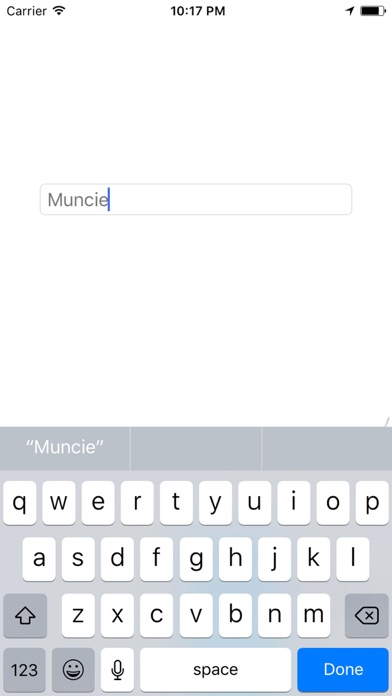
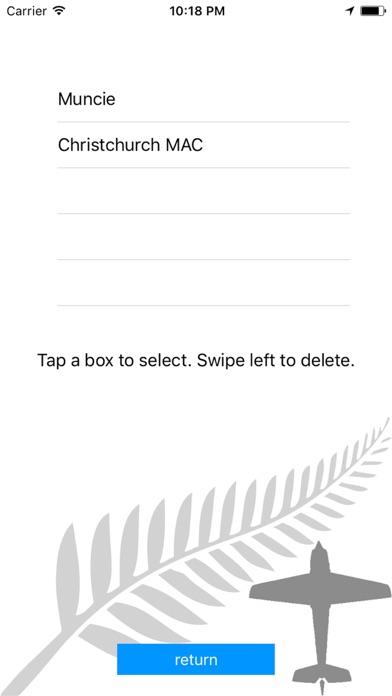
You can of course ‘save the box’ – saved boxes can be retrieved at a later date to set up exactly the same site again.
The app additionally reports both distance from pilot position (just for fun), and also distance out perpendicular to the no fly line. This provides an easy method of seeing how far out someone is flying. Define the pilot position and ‘on the way to center’ as normal, then walk to say one corner of the box (somewhere safe) in line with where a pilot is flying – the ‘distance out’ is reported. Airfield elevation is also shown.
Remember, the app uses GPS – so it is not accurate enough to use to mark a ‘close in box’ at the far edge of the strip for practicing. It is good for marking out a box at 150m.