

Face Mesh is made and published by Tech Positive. AppBrain is an independent app data site and isn't affiliated with Tech Positive. The app name, icon, screenshots and description belong to Tech Positive and are shown as published on the App Store.
AppBrain's verdict
Established- Rating on App Store
- 3.38
- 16 ratings
- Last updated
- April 25, 2025
It doesn't have enough ratings yet to judge what users think.
Rankings
App Store top chartsApp Store Rankings for Face Mesh
Competitors
Similar apps and more from Tech PositiveAlternatives to Face Mesh





More from Tech Positive


Releases
Updates seen on the App Store- Version
- 1.0.3
- Launched
- October 2018
No changelog data
User feedback
Ratings and reviews on the App StoreComments on Face Mesh for iOS
We don't have enough comments to show example comments. Please check back later.
Technology
Found in the app by AppBrain- Price
- $19.99
- App size
- 1.15 MB
- Content rating
- Everyone
Technologies used by Face Mesh
About the app and developer
About Face Mesh
Face Mesh is an overall app developed by Tech Positive.
User Ratings
Face Mesh is rated 3.38 out of 5 stars. The rating is based on 16 ratings.
App Information
Face Mesh costs $19.99. The app size is 1.15 MB. The latest version available is 1.0.3. The last update was on April 25, 2025.
Technical Requirements
The app has a content rating of Everyone. The app has been available on the App Store since October 2018.
Developer information for Tech Positive
Address:
Store listing
By Tech Positive, from the App Store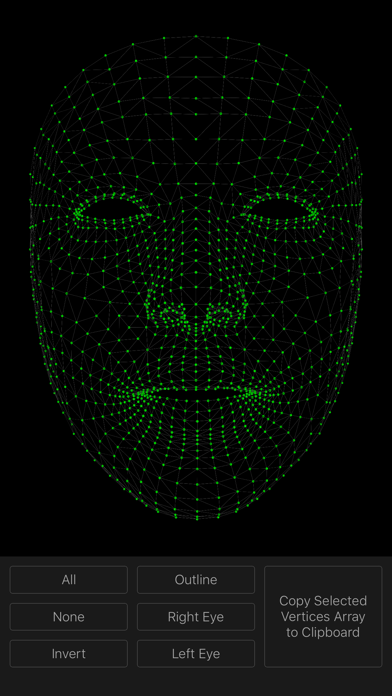
Description by Tech Positive Written by the developer, not by AppBrain. Click to read.
These vertex indices are very important for working in ARKit and especially for developing FaceTracking apps.
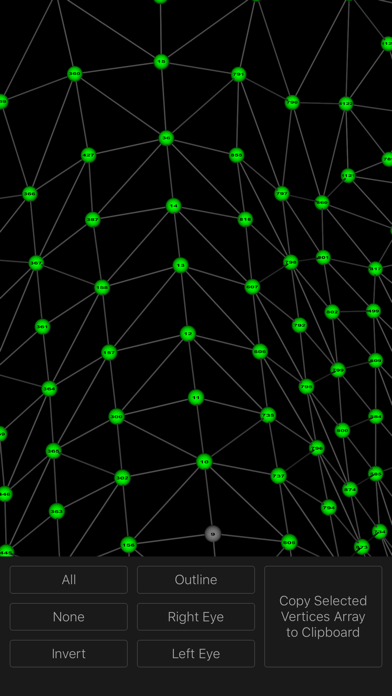
You will be able to see the actual location of each vertex in the 3D face mesh grid. Each vertex is labeled with its index as it exists in ARFaceGeometry.vertices()
• Tap on individual vertices to select/deselect.
• Use All, None & Invert options to easily build complex selections.
• Easily select face geometry outline and individual eyes.
• Export your selections as an array of indices with one tap.
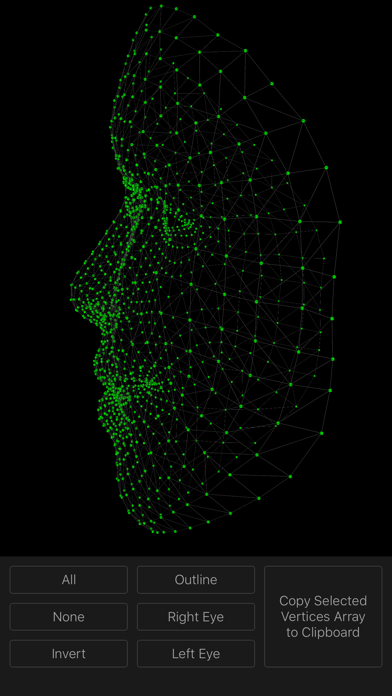
How to move around the face mesh?
- Pinch to zoom in/out
- Pan with one finger to rotate
- Pan with two fingers to move
- Rotate with two fingers to rotate on the z-axis