

FacePiP is made and published by Patrick Bridgeman. AppBrain is an independent app data site and isn't affiliated with Patrick Bridgeman. The app name, icon, screenshots and description belong to Patrick Bridgeman and are shown as published on the App Store.
AppBrain's verdict
- Rating on App Store
- 5.00
- 1 ratings
- Last updated
- September 11, 2026
It doesn't have enough ratings yet to judge what users think.
Rankings
App Store top chartsApp Store Rankings for FacePiP
Competitors
Similar apps and more from Patrick BridgemanAlternatives to FacePiP





More from Patrick Bridgeman


Releases
Updates seen on the App Store- Version
- 3.0.0
- Launched
- December 2025
No changelog data
User feedback
Ratings and reviews on the App StoreComments on FacePiP for iOS
We don't have enough comments to show example comments. Please check back later.
Technology
Found in the app by AppBrain- Price
- Free
- App size
- 5.45 MB
- Content rating
- Everyone
Technologies used by FacePiP
About the app and developer
About FacePiP
FacePiP is an utilities app developed by Patrick Bridgeman.
User Ratings
FacePiP is rated 5.00 out of 5 stars. The rating is based on one rating ratings.
App Information
FacePiP is freely available from the App Store. The app size is 5.45 MB. The latest version available is 3.0.0. The last update was on September 11, 2026.
Technical Requirements
The app has a content rating of Everyone. The app has been available on the App Store since December 2025.
Developer information for Patrick Bridgeman
Address:
Frequently asked questions about FacePiP
Is FacePiP free?
Yes. FacePiP is free on the App Store.
Is FacePiP still available?
Yes. FacePiP is on the App Store, and the last update we saw was on September 11, 2026.
How large is FacePiP?
FacePiP is 5.45 MB.
Is FacePiP suitable for children?
App Store rates the content of FacePiP as suitable for everyone.
How do people rate FacePiP?
FacePiP has one rating of 5.00 stars on the App Store.
Who made FacePiP?
FacePiP was developed by Patrick Bridgeman. It is listed in the utilities category on the App Store.
What are the best alternatives to FacePiP?
People looking at FacePiP also look at these utilities apps: See Yourself Scroll, Face Checker・AI People Search, Voicy: Speech to Text Keyboard, PHP Viewer & Converter, Battery Day.
Store listing
By Patrick Bridgeman, from the App Store

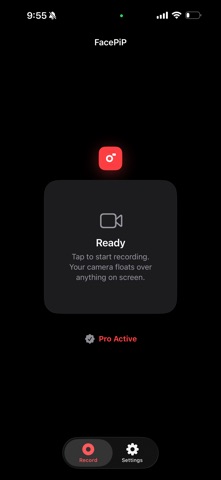


Description by Patrick Bridgeman Written by the developer, not by AppBrain. Click to read.
overlay follows you into any app — no timelines, no layers, no editor.
Hit record, post, done.
PERFECT FOR
• TikTok reaction videos
• Instagram Reels and Stories
• YouTube Shorts
• Gaming playthroughs
• Tutorials and walkthroughs
• Commentary and educational videos
• Live-style social content
NEW — PROOF OF HUMAN
In an era where AI-generated video is becoming indistinguishable from
reality, how do you prove you're real?
Turn on the Identity Watermark and FacePiP turns every recording into
its own certificate of authenticity — three layers deep.
1. SIGNED BY YOUR IPHONE
Your signing key is generated inside the Secure Enclave, the dedicated
security chip that protects Face ID and Apple Pay. It cannot be copied
off your device — not by an attacker, not by us. That signature is
woven into your video as a living watermark that refreshes as you move.
2. SEALED TO YOUR FOOTAGE
This is what makes a stolen code worthless. Every watermark carries a
cryptographic fingerprint of the exact moment it appears in. Lift one
off a real video, paste it over a deepfake, and verification fails —
the footage underneath doesn't match what the code promises. It can't
be edited to fit, because changing a single character destroys the
signature. And it can't be re-signed without your phone in hand.
3. PROVEN HUMAN
Using the TrueDepth camera, FacePiP measures the true three-dimensional
contour of your face as you record. A real face has depth. A screen
replaying AI-generated video is flat — and can never earn the human
seal, however convincing the image on it is.
VERIFY FROM A SINGLE SCREENSHOT
No account. No uploads. No original file. Screenshot any frame,
long-press the watermark to open it in FacePiP, and get a verdict in
three plain steps: signed by a real iPhone, a live person was present,
and matches this video.
A single frame carries its own proof — so it survives being reposted,
re-shared and re-compressed across the internet.
PRIVACY BY DESIGN
• Camera overlay only. FacePiP is a camera overlay and nothing more.
• Your video never leaves your phone. Verification reads the proof out
of the picture itself — there is nothing to upload.
• Nothing is stored per video. The only thing FacePiP publishes is a
public verification key, once, so others can check your work.
• Native iOS security. All screen recording, audio and video
synchronisation are handled directly by the iOS system recorder.
Your face. Your proof. Your reality.
Identity Watermark requires the Tall shape and FacePiP Pro.
Liveness verification requires an iPhone with Face ID.