

Facesticks
Facesticks is made and published by Kurt Nathan Dyer. AppBrain is an independent app data site and isn't affiliated with Kurt Nathan Dyer. The app name, icon, screenshots and description belong to Kurt Nathan Dyer and are shown as published on the App Store.
AppBrain's verdict
Established- Rating on App Store
- 5.00
- 3 ratings
- Last updated
- September 28, 2023
It doesn't have enough ratings yet to judge what users think.
Rankings
App Store top chartsApp Store Rankings for Facesticks
Competitors
Similar apps and more from Kurt Nathan DyerAlternatives to Facesticks







Releases
Updates seen on the App Store- Version
- 4.3
- Launched
- October 2016
No changelog data
User feedback
Ratings and reviews on the App StoreComments on Facesticks for iOS
We don't have enough comments to show example comments. Please check back later.
Technology
Found in the app by AppBrain- Price
- $0.29
- App size
- 66.3 MB
- Content rating
- Medium
Technologies used by Facesticks
About the app and developer
About Facesticks
Facesticks is a stickers app developed by Kurt Nathan Dyer.
What is the rating of Facesticks?
Facesticks is rated 5.00 out of 5 stars, based on 3 ratings.
Is Facesticks free?
Facesticks costs $0.29. The app size is 66.26 MB. The latest version available is 4.3. The last update was on September 28, 2023.
What are the requirements for Facesticks?
The app has a content rating of Medium Maturity. The app has been available on the App Store since October 2016.
Developer information for Kurt Nathan Dyer
Address:
Store listing
By Kurt Nathan Dyer, from the App Store




Description by Kurt Nathan Dyer Written by the developer, not by AppBrain. Click to read.
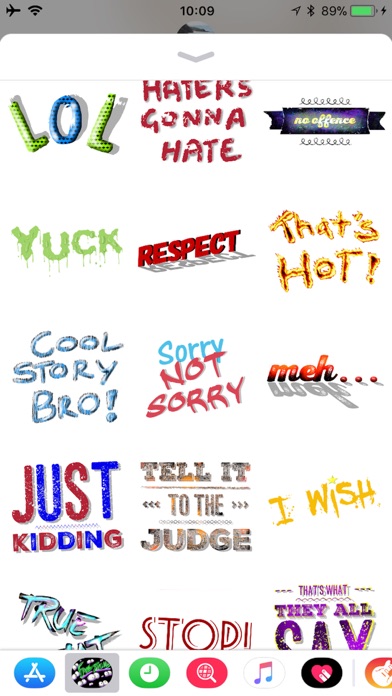
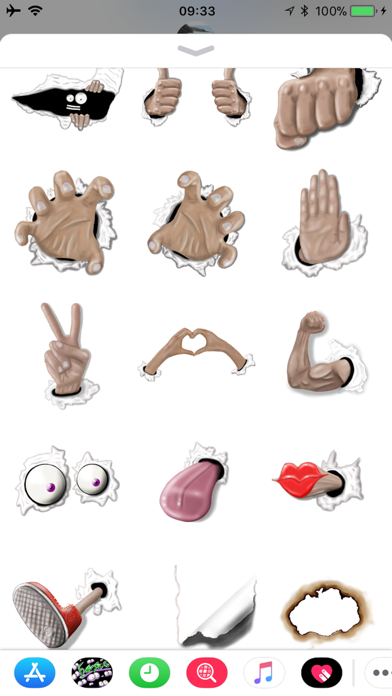
Say no to boring messages! Add some fun to your conversations with funny expressions, faces, awesome hats, funny beards, moustaches, stamps, glasses, masks, food, awesome ripped message stickers, hands coming through the screen stickers!! and so much more!!
Stickers can also be resized and rotated easily to stick on your messages or pictures!
Facesticks has over 300+ stickers and has some stickers ready for all events including Halloween, Christmas, Birthdays, Easter and New years! with more to come in the next update!
All Facesticks stickers have been hand drawn with the Apple Pencil on the iPad Pro :)
Having trouble finding stickers after downloading?
iOS 10 :
1. Open a message with a friend tap the ">" button to the left of the text box. If you don't see the ">" follow the next step
2. Tap the button that looks like "A" then tap the button that looks like 4 circles in the lower left of the screen
3. Tap the Facesticks icon in the iMessage app draw and you are ready to send awesome stickers all over your messages
4. If it’s not in your iMessage app draw tap the "store" icon then tap "manage" in the top right hand corner and tap the slider on Facesticks and you’re good to go :) Enjoy!
iOS 11 :
1. Open a message with a friend below the text box will be your "App Draw" slide along the app draw with your finger to find Facesticks ( If you don’t see the app draw click on the “A” to the left of the text box )
2. If you can’t find Facesticks after you have downloaded it slide along the app draw and tap on “more…” then click on Facesticks
3. If you can’t see it after tapping “more…” tap “Edit” in the top right hand corner and scroll down till you see Facesticks then slide the slider next to Facesticks to turn it on :)
iOS 17:
1. Open a iMessage with a friend, next to the text box click the "+" button
2. Tap Stickers, done! :)
if not there scroll across your stickers apps to find facesticks or click edit to rearrange
Enjoy!! :)
Got sticker suggestions? send to Facesticks@hotmail.com :)
Any problems? I’m more then happy to help. Email me at Facesticks@hotmail.com and i will get back to you as quick as i can!
Facesticks are the best stickers for iMessage! :)