Fade In is made and published by
Kent Tessman.
AppBrain is an independent app data site and isn't affiliated with Kent Tessman.
The app name, icon, screenshots and description belong to Kent Tessman and are shown as
published on the App Store.
About Fade In
Fade In is a productivity app developed by Kent Tessman.
User Ratings
The app has no ratings yet.
App Information
Fade In costs $89.99. The app size is 13.91 MB. The latest version available is 5.0.15. The last update was on October 2, 2026.
Technical Requirements
The app has a content rating of Low Maturity. The app has been available on the App Store since March 2012.
Description by Kent Tessman(from the App Store)
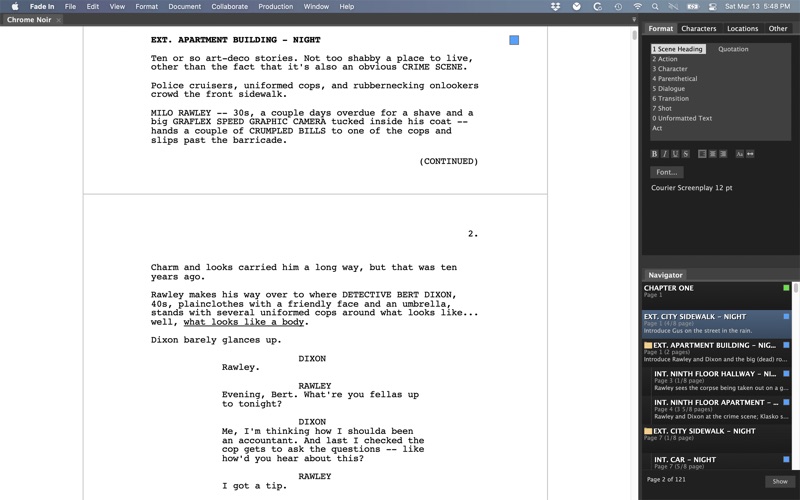
Fade In Professional Screenwriting Software is a complete application for writing motion picture screenplays, including tools for outlining, organizing, navigating, and collaborating, plus extensive screenplay formatting and robust tools for managing rewrites and revisions.
Fade In's modern, state-of-the-art application interface does everything professional screenwriters need and expect their software to do. Its extensive formatting capabilities take care of formatting for you, automatically transitioning from scene headings to action to dialogue as you type. It includes a full range of standard screenplay styles: you can use the built-in default styles, customize them, or create your own. The software keeps track of the character names and locations you use and can provide as-you-type autocompletion suggestions. Spend less time typing and more time writing.
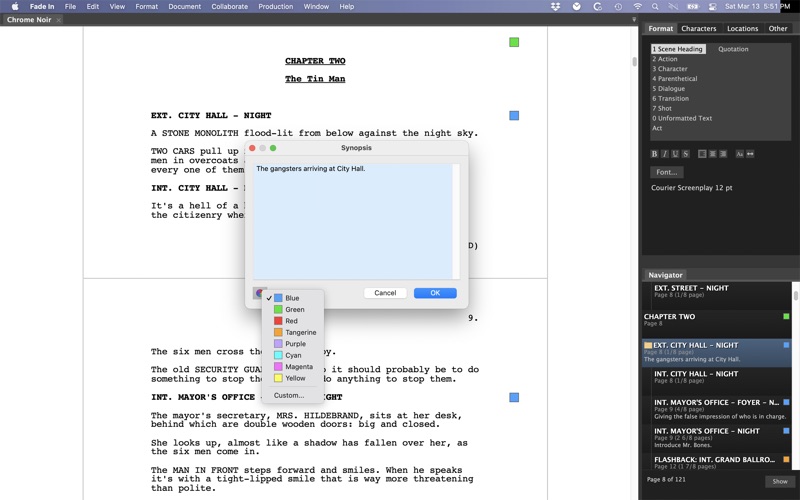
You can organize your screenplay however you like, marking and color-coding significant sequences, plot points, themes, characters, and other story elements so you'll always have a clear overview of your work. Use the Navigator to quickly move around your script and reorder scenes.
Use advanced writing capabilities such as the built-in Dialogue Tuner to view and edit all of a character’s dialogue in one place.
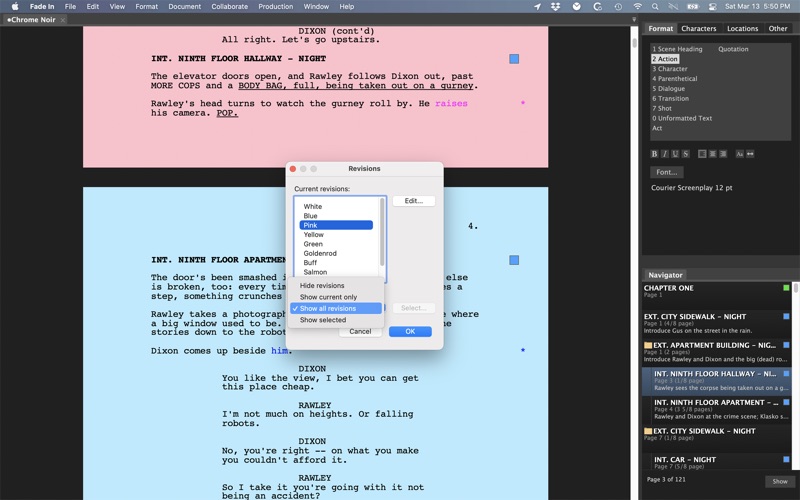
• Production tools - Manage revisions, page locking, scene locking, omitted scenes and more. Easily generate industry standard script breakdowns and production reports.
• No distractions - A page-only, no-distractions, full-screen mode allows you to concentrate on the most important thing: writing.
• Fade In Access - Integrates with Fade In's optional online service for cloud storage, backup, version history, online editing, collaboration, sharing, and publishing.
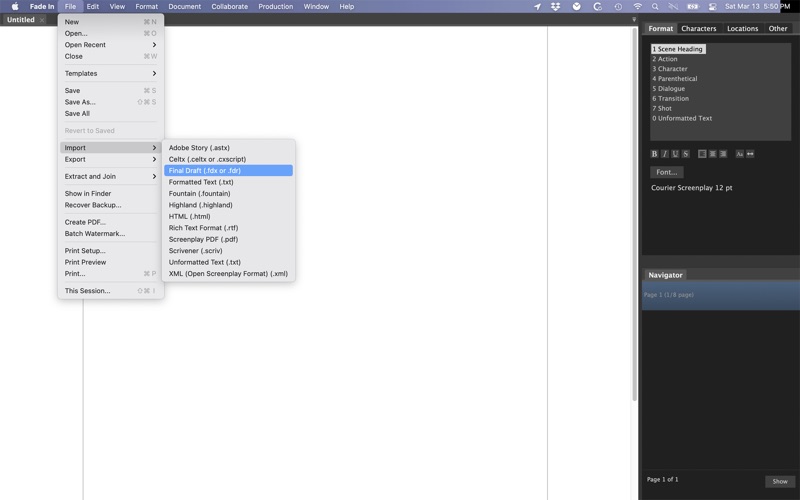
• Support for multiple file formats - Importing and exporting multiple file formats is easy with support for everything from text to HTML to XML. Opening, editing and saving Final Draft documents is a snap — as is importing and exporting Rich Text Format (.rtf), such as from Movie Magic Screenwriter, and opening Celtx files.
• Open file format - Unlike screenwriting applications that use a proprietary binary storage format, Fade In uses the Open Screenplay Format: a straightforward, XML-based file format for saving your scripts, providing maximum accessibility, compatibility, and future-proofing.
• And more:
Output directly to PDF. Batch generate securely watermarked copies. Customize the application layout. Edit your title page. Insert images. Add sticky notes. Easily modify page layout and formatting elements. Live spell-checking, custom user dictionaries, language tools, and integrated help.
Like using Fade In? Please think about rating it here on the App Store. Thank you!
* Please note that the Mac App Store version of Fade In Professional Screenwriting Software is for Mac only. It DOES NOT include a registration key for installing on other operating systems. *
Each subscription will automatically renew 3 days before the expiration date for
the same time period. Subscriptions can be cancelled at any time before the renewal.