

FadeInOut: Video Fade Editor
FadeInOut: Video Fade Editor is made and published by Taichi Kasugai. AppBrain is an independent app data site and isn't affiliated with Taichi Kasugai. The app name, icon, screenshots and description belong to Taichi Kasugai and are shown as published on the App Store.
AppBrain's verdict
- Rating on App Store
- 4.50
- 8 ratings
- Last updated
- January 26, 2026
It doesn't have enough ratings yet to judge what users think.
Rankings
App Store top chartsApp Store Rankings for FadeInOut: Video Fade Editor
Competitors
Similar apps and more from Taichi KasugaiMore from Taichi Kasugai







Releases
Updates seen on the App Store- Version
- 1.5.1
- Launched
- May 2025
No changelog data
User feedback
Ratings and reviews on the App StoreComments on FadeInOut: Video Fade Editor for iOS
We don't have enough comments to show example comments. Please check back later.
Technology
Found in the app by AppBrain- Price
- Free
- App size
- 6.38 MB
- Content rating
- Everyone
Technologies used by FadeInOut: Video Fade Editor
About the app and developer
About FadeInOut: Video Fade Editor
FadeInOut: Video Fade Editor is a photo & video app developed by Taichi Kasugai.
What is the rating of FadeInOut: Video Fade Editor?
FadeInOut: Video Fade Editor is rated 4.50 out of 5 stars, based on 8 ratings.
Is FadeInOut: Video Fade Editor free?
FadeInOut: Video Fade Editor is free. The app size is 6.38 MB. The latest version available is 1.5.1. The last update was on January 26, 2026.
What are the requirements for FadeInOut: Video Fade Editor?
The app has a content rating of Everyone. The app has been available on the App Store since May 2025.
Developer information for Taichi Kasugai
Address:
Store listing
By Taichi Kasugai, from the App Store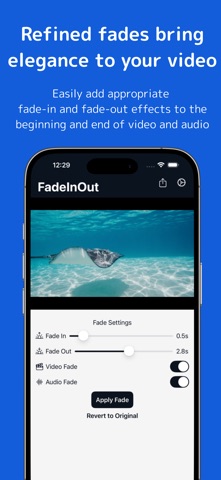

Description by Taichi Kasugai Written by the developer, not by AppBrain. Click to read.
By adding natural fade effects to the beginning and end of both visuals and audio, you can instantly elevate the quality of your video. This app makes it easy for anyone to achieve a professional finish without the complexity of advanced editing tools.
What You Can Do:
・Add fade-in and fade-out effects to the beginning and end of your video
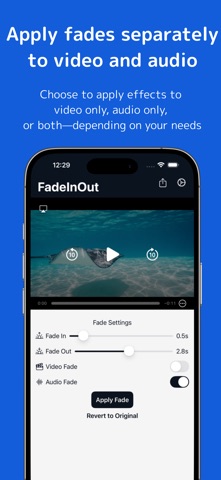
・Choose to apply the effect to either the visuals, audio, or both
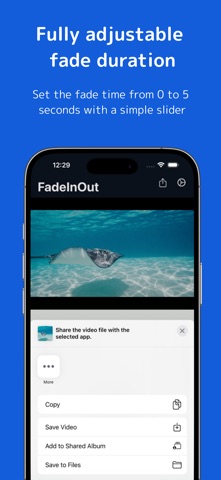
・Adjust the fade duration from 0 to 5 seconds using a slider
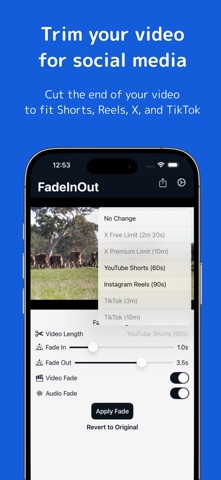
・Trim the end of your video to fit social media limits (e.g., X, YouTube Shorts, Instagram Reels)
・Export your video with just one tap
・All processing is done locally on your device — no uploads required
・The app also supports audio-only files
Perfect For:
・People looking to quickly polish their videos for YouTube or social media
・Those wanting to smoothly end captions and music
・Users who find editing tools complex but still want to ensure high-quality results
Appropriate fade and length adjustments make your visuals appear more polished and beautiful.
Terms of Use:
https://www.apple.com/legal/internet-services/itunes/dev/stdeula/