

Fairland Smart Pool
Fairland Smart Pool is made and published by FAIRLAND HOLDINGS CO.,LTD. AppBrain is an independent app data site and isn't affiliated with FAIRLAND HOLDINGS CO.,LTD. The app name, icon, screenshots and description belong to FAIRLAND HOLDINGS CO.,LTD and are shown as published on the App Store.
AppBrain's verdict
Established- Rating on App Store
- 4.88
- 8 ratings
- Last updated
- October 21, 2025
It doesn't have enough ratings yet to judge what users think.
Rankings
App Store top chartsApp Store Rankings for Fairland Smart Pool
Competitors
Similar apps and more from FAIRLAND HOLDINGS CO.,LTDAlternatives to Fairland Smart Pool






More from FAIRLAND HOLDINGS CO.,LTD


Releases
Updates seen on the App Store- Version
- 1.1.3
- Launched
- December 2018
No changelog data
User feedback
Ratings and reviews on the App StoreComments on Fairland Smart Pool for iOS
We don't have enough comments to show example comments. Please check back later.
Technology
Found in the app by AppBrain- Price
- Free
- App size
- 187.1 MB
- Content rating
- Everyone
Technologies used by Fairland Smart Pool
About the app and developer
About Fairland Smart Pool
Fairland Smart Pool is an utilities app developed by FAIRLAND HOLDINGS CO.,LTD.
User Ratings
Fairland Smart Pool is rated 4.88 out of 5 stars. The rating is based on 8 ratings.
App Information
Fairland Smart Pool is freely available from the App Store. The app size is 187.13 MB. The latest version available is 1.1.3. The last update was on October 21, 2025.
Technical Requirements
The app has a content rating of Everyone. The app has been available on the App Store since December 2018.
Developer information for FAIRLAND HOLDINGS CO.,LTD
Address:
Store listing
By FAIRLAND HOLDINGS CO.,LTD, from the App Store
Description by FAIRLAND HOLDINGS CO.,LTD Written by the developer, not by AppBrain. Click to read.
Function
1. Smart connection, bring your heat pump in the pocket
2. Control you heat pump anytime anywhere
3. Share with you family, easier and relaxed life style
4. Multi-language support, 12 languages available for different countries
Software operation
When first time to access App, please register following below steps: Click desktop icon ->Register-> Entering a phone number or email-> Send verification code -> Enter the verification code ->Enter password->Register success:
User loading
After register success, please follow below steps to load:
1. Click desktop icon ->Enter phone number and password->Load:
2. Click “add device” ->I need match new device ->Enter Wi-Fi password(please make sure the phone connects the Wi-Fi network)->Match success (Remarks: if match failed, please follow the tips to repeat the match operation.)
Main Interface
After logging into the main interface, you can do the following operation:
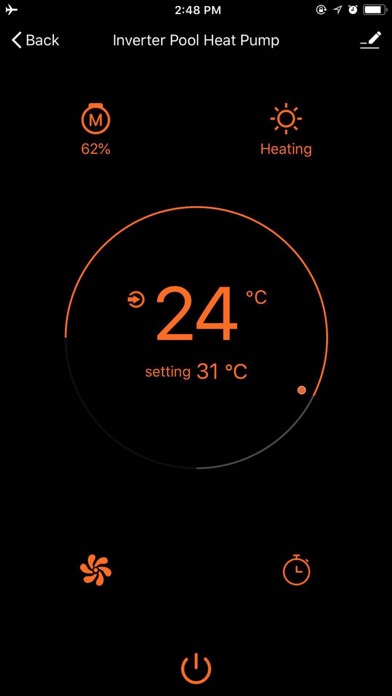
1. Temperature setting
The temperature can be set by sliding the dash board in the middle of the main interface
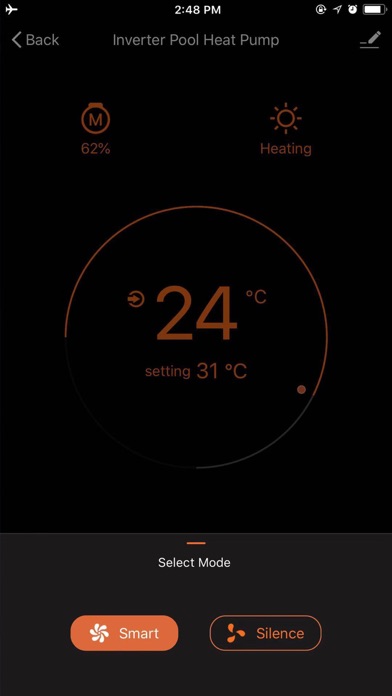
2. Switching mode --Smart/Silence
Click bottom “Smart/Silence” to switch mode
3. Switching mode--Heat/Cool
Click bottom “Heat/Cool” to switch mode
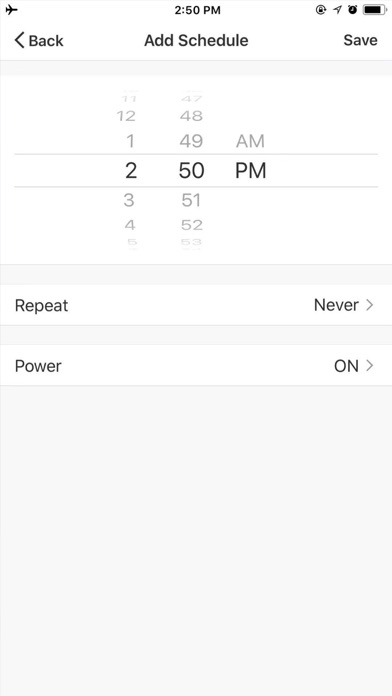
4. Timer
Click the bottom “Timer” to set the switch time
Manual
End user can enter “Manual”to operate “Switch Device””Device Management””User Center””General”as below:
1. Switch Device
If app bind several devices, “Switch Device”can select different devices to operate.
2. Device Management
“Device Management” ->Add new device as picture 1 ->Edit device as picture 2
3. User Center
“User Center”set User Name and Password as below:
4. General
Set language and temperature unit.