

Family Link: Phone Tracker
Family Link: Phone Tracker is made and published by Alan White. AppBrain is an independent app data site and isn't affiliated with Alan White. The app name, icon, screenshots and description belong to Alan White and are shown as published on the App Store.
AppBrain's verdict
- Rating on App Store
- 3.00
- 2 ratings
- Last updated
- June 30, 2025
It doesn't have enough ratings yet to judge what users think.
Rankings
App Store top chartsApp Store Rankings for Family Link: Phone Tracker
Releases
Updates seen on the App Store- Version
- 1.2
- Launched
- June 2025
No changelog data
User feedback
Ratings and reviews on the App StoreComments on Family Link: Phone Tracker for iOS
We don't have enough comments to show example comments. Please check back later.
Technology
Found in the app by AppBrain- Price
- Free
- App size
- 30.6 MB
- Content rating
- Everyone
Technologies used by Family Link: Phone Tracker
About the app and developer
About Family Link: Phone Tracker
Family Link: Phone Tracker is a navigation app developed by Alan White.
What is the rating of Family Link: Phone Tracker?
Family Link: Phone Tracker is rated 3.00 out of 5 stars, based on 2 ratings.
Is Family Link: Phone Tracker free?
Family Link: Phone Tracker is free. The app size is 30.59 MB. The latest version available is 1.2. The last update was on June 30, 2025.
What are the requirements for Family Link: Phone Tracker?
The app has a content rating of Everyone. The app has been available on the App Store since June 2025.
Developer information for Alan White
Address:
Frequently asked questions about Family Link: Phone Tracker
Is Family Link: Phone Tracker free?
Yes. Family Link: Phone Tracker is free on the App Store.
Is Family Link: Phone Tracker still available?
Yes. Family Link: Phone Tracker is on the App Store, and the last update we saw was on June 30, 2025.
How large is Family Link: Phone Tracker?
Family Link: Phone Tracker is 30.59 MB.
Is Family Link: Phone Tracker suitable for children?
App Store rates the content of Family Link: Phone Tracker as suitable for everyone.
How do people rate Family Link: Phone Tracker?
Family Link: Phone Tracker scores 3.00 out of 5 stars, from 2 ratings on the App Store.
Who made Family Link: Phone Tracker?
Family Link: Phone Tracker was developed by Alan White. It is listed in the navigation category on the App Store.
Store listing
By Alan White, from the App Store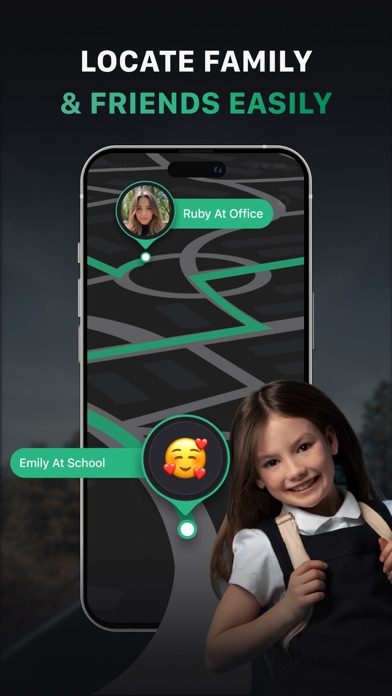


Description by Alan White Written by the developer, not by AppBrain. Click to read.
In a world where work, school, and endless errands pull families apart, staying connected shouldn't feel like another chore. Geofinder transforms location sharing into quiet reassurance – that morning relief when you see your kids arrive safely at school, that steady breath when aging parents check in from their afternoon walk, that unspoken confidence your people are close even when life scatters you across the city.
At its core lies our """"silent tracking"""" technology, working seamlessly even with spotty connections while preserving battery life. No more """"Where are you?"""" texts – just open the app to see real-time locations without unnecessary pings.
How it weaves into your life:
Set temporary access for babysitters or dog walkers with automatic expiration
Receive gentle arrival alerts when family enters predefined safe zones
Create custom """"Family Routes"""" between home, school, and activities
Low-power mode ensures all-day tracking without draining devices
This isn't surveillance – it's your digital sixth sense for the people who anchor your world. Simple enough for technophobes, robust enough for scattered modern families.
With Premium, experience even deeper peace of mind:
- Unlimited safe zones to monitor every important place in your family’s routine;
- Priority alerts that cut through notification noise for critical moments
- 30-day location history to revisit patterns and ease your mind retroactively
- Enjoy ad-free simplicity with no distractions from what matters
Your comfort - our Premium:
- Weekly plan;
- Monthly plan;
- Annual.
If you choose to purchase premium plan, payment will be charged to your Apple account, and your account will be charged for renewal within 24 hours prior to the end of the current period. Auto-renewal may be turned off at any time by going to your settings in the App Store after purchase. No cancellation of the current subscription is allowed during the active subscription period.
Privacy and Support:
- You can view our Privacy Policy here:https://docs.google.com/document/d/1bZnM7lYhLs2hxbOzWOCCSF4X8cFI1Kv2ErI1ox13soo/edit?usp=sharing
- Terms of Use:https://docs.google.com/document/d/1fWQI3_qxNJU3Dax50UFAdz57kT6ML3bvPlxiZ6VRvvQ/edit?usp=sharing
- Support:a.white@unitycreowhite.digital
Download Geofinder today – because the people you love should always feel within reach.