It doesn't have enough ratings yet to judge what users think.
Fast Print: Printer Scanner is made and published by
琪琪 陶.
AppBrain is an independent app data site and isn't affiliated with 琪琪 陶.
The app name, icon, screenshots and description belong to 琪琪 陶 and are shown as
published on the App Store.
About Fast Print: Printer Scanner
Fast Print: Printer Scanner is a business app developed by 琪琪 陶.
User Ratings
Fast Print: Printer Scanner is rated 4.50 out of 5 stars. The rating is based on 30 ratings.
App Information
Fast Print: Printer Scanner is freely available from the App Store. The app size is 38.48 MB. The latest version available is 1.0.3. The last update was on August 1, 2023.
Technical Requirements
The app has a content rating of Everyone. The app has been available on the App Store since April 2023.
Description by 琪琪 陶(from the App Store)
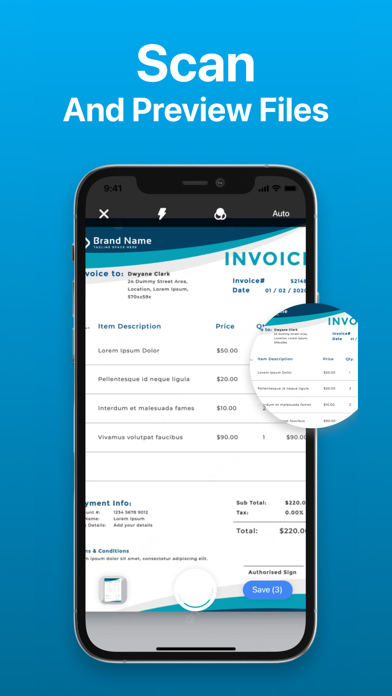
Fast Print is an all-in-one printer app which can help you print and scan your documents and photos easily.
Fast Print can allow you to print photos & documents from your iPhone anywhere. Our app supports more than 7,500 models from a wide range of printers brands!
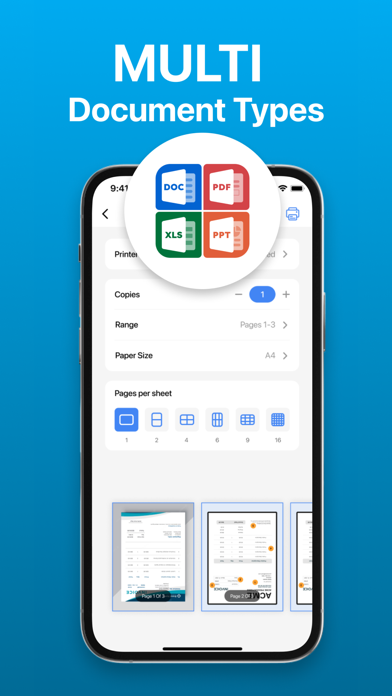
Key Features: ► Print photos and documents from your phone ► Scan documents and photos quickly with your camera ► Print different kinds of files and supports more than 7,500printer models in the market ► Choose advanced options, release print jobs
Notes: Our app is not affiliated with the mentioned companies in any way.
Subscription Policy
- Subscriptions are billed weekly or annually at the rate selected depending on the subscription plan. Payment models for Premium subscription: - Weekly Subscription : $2.99 /Week - Monthly Subscription: $9.99/week - Yearly Subscription : $39.99 / year - Payment will be charged to iTunes Account at confirmation of purchase - Account will be charged for renewal within 24-hours prior to the end of the current period, and identify the cost of the renewal - Subscriptions auto-renew at the cost of the chosen package, unless cancelled 24-hours in advance prior to the end of the current period. Subscriptions may be managed by going to your iTunes Account Settings after purchase. You may manage your subscription and turn off auto-renewal by going to your Account Settings after purchase.
Terms of Use: https://sites.google.com/view/hp-printer-terms-of-use/home Privacy Policy: https://sites.google.com/view/hp-print-privacy-policy/home
Each subscription will automatically renew 3 days before the expiration date for
the same time period. Subscriptions can be cancelled at any time before the renewal.