

FAX from iPhone: Send Document
FAX from iPhone: Send Document is made and published by GEODELIC, L.L.C. AppBrain is an independent app data site and isn't affiliated with GEODELIC, L.L.C. The app name, icon, screenshots and description belong to GEODELIC, L.L.C. and are shown as published on the App Store.
AppBrain's verdict
EstablishedLoved by users- Rating on App Store
- 4.83
- 2,320 ratings
- Last updated
- October 15, 2026
- Size
- 47.0 MB
Users love it: 4.8 stars from 2,320 ratings.
User feedback
Ratings and reviews on the App StoreComments on FAX from iPhone: Send Document for iOS
We don't have enough comments to show example comments. Please check back later.
Store listing
By GEODELIC, L.L.C., from the App Store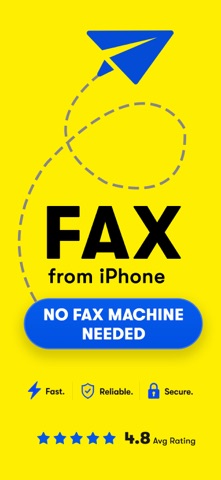


Description by GEODELIC, L.L.C. Written by the developer, not by AppBrain. Click to read.
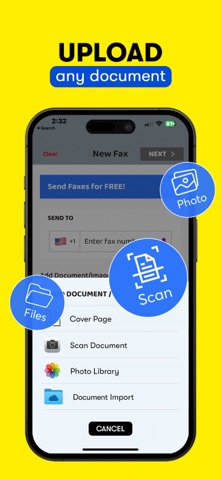
SpeedyFax makes it simple to send a fax directly from your iPhone. Scan a document with your camera or import a PDF from Files, iCloud, Google Drive, or Dropbox.
FAST FAX SENDING
Send important documents in just a few steps:
Scan or import your document
Enter the fax number
Tap Send
BUILT FOR IMPORTANT DOCUMENTS
SpeedyFax is useful for sending:
• Business documents
• Legal forms
• Medical records
• Receipts and Contracts
• Office paperwork
SMART DOCUMENT TOOLS
• Scan documents with your camera
• Import PDFs from Files, iCloud, Google Drive, and Dropbox
• Create clean fax-ready PDFs
• Add professional cover pages
• Track real-time fax delivery status
• View fax history and retry failed faxes
AI HELP FOR FAILED FAXES
If a fax does not go through, SpeedyFax can help you understand what went wrong. With your permission, our AI assistant can review the issue, prioritize reporting the failed transmission to the business, and help you get your document delivered successfully.
SUBSCRIPTION & TERMS
Payment is charged to your Apple ID account if you choose to upgrade. Subscriptions automatically renew unless canceled at least 24 hours before the end of the current billing period.
You can manage or cancel your subscription anytime in your Apple ID account settings.
Privacy Policy: https://geodelic.net/Privacy.pdf
Terms of Use: https://geodelic.net/Terms.pdf
Terms of Use (EULA): https://www.apple.com/legal/internet-services/itunes/dev/stdeula/
Safety and technology
Found in the app by AppBrain- Price
- Free
- App size
- 47.0 MB
- Content rating
- Everyone
Technologies used by FAX from iPhone: Send Document
Releases
Updates seen on the App Store- Version
- 3.1.4
- Launched
- August 2018
No changelog data
Alternatives
Similar apps and more from GEODELIC, L.L.C.Alternatives to FAX from iPhone: Send Document




Rankings
App Store top chartsApp Store Rankings for FAX from iPhone: Send Document
About the app and developer
About FAX from iPhone: Send Document
FAX from iPhone: Send Document is a business app developed by GEODELIC, L.L.C.
User Ratings
FAX from iPhone: Send Document is rated 4.83 out of 5 stars. The rating is based on 2.3 thousand ratings.
App Information
FAX from iPhone: Send Document is freely available from the App Store. The app size is 47.01 MB. The latest version available is 3.1.4. The last update was on October 15, 2026.
Technical Requirements
The app has a content rating of Everyone. The app has been available on the App Store since August 2018.
Developer information for GEODELIC, L.L.C.
Address: