

FCUV is made and published by 富柯斯(深圳)科技有限公司. AppBrain is an independent app data site and isn't affiliated with 富柯斯(深圳)科技有限公司. The app name, icon, screenshots and description belong to 富柯斯(深圳)科技有限公司 and are shown as published on the App Store.
AppBrain's verdict
- Last updated
- October 19, 2026
Rankings
App Store top chartsApp Store Rankings for FCUV
This app is not ranked
Competitors
Similar apps and more from 富柯斯(深圳)科技有限公司Alternatives to FCUV


Releases
Updates seen on the App Store- Version
- 1.2.0
- Launched
- December 2023
No changelog data
User feedback
Ratings and reviews on the App StoreComments on FCUV for iOS
We don't have enough comments to show example comments. Please check back later.
Technology
Found in the app by AppBrain- Price
- Free
- App size
- 60.2 MB
- Content rating
- Everyone
Technologies used by FCUV
About the app and developer
About FCUV
FCUV is a lifestyle app developed by 富柯斯(深圳)科技有限公司.
What is the rating of FCUV?
FCUV has no ratings yet.
Is FCUV free?
FCUV is free. The app size is 60.20 MB. The latest version available is 1.2.0. The last update was on October 19, 2026.
What are the requirements for FCUV?
The app has a content rating of Everyone. The app has been available on the App Store since December 2023.
Developer information for 富柯斯(深圳)科技有限公司
Address:
Store listing
By 富柯斯(深圳)科技有限公司, from the App Store
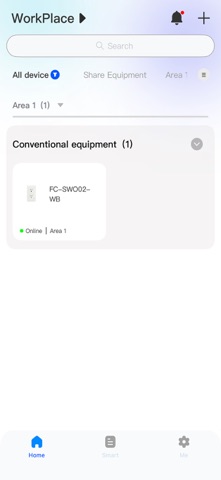


Screenshots by 富柯斯(深圳)科技有限公司, from the the App Store listing
Description by 富柯斯(深圳)科技有限公司 Written by the developer, not by AppBrain. Click to read.
FCUV is an intelligent IoT management platform that supports unified access and centralized control of multiple smart devices, helping users quickly build a stable and convenient smart living environment.
Through a simple network configuration and device binding process, users can connect their devices to the platform and enable control and automation. The app allows devices to be managed by room and area, and with scene-based control and one‑tap execution features, devices can work together more efficiently.
Even in no‑network or weak‑network conditions, the app still supports scene triggering and device control, ensuring core functionality remains stable and reliable while improving responsiveness and dependability.
Through a simple network configuration and device binding process, users can connect their devices to the platform and enable control and automation. The app allows devices to be managed by room and area, and with scene-based control and one‑tap execution features, devices can work together more efficiently.
Even in no‑network or weak‑network conditions, the app still supports scene triggering and device control, ensuring core functionality remains stable and reliable while improving responsiveness and dependability.