

Feelmatic
Feelmatic is made and published by Foosoft SRL. AppBrain is an independent app data site and isn't affiliated with Foosoft SRL. The app name, icon, screenshots and description belong to Foosoft SRL and are shown as published on the App Store.
AppBrain's verdict
Established- Rating on App Store
- 2.00
- 1 ratings
- Last updated
- January 21, 2021
It doesn't have enough ratings yet to judge what users think.
Rankings
App Store top chartsApp Store Rankings for Feelmatic
Competitors
Similar apps and more from Foosoft SRLAlternatives to Feelmatic








Releases
Updates seen on the App Store- Version
- 2.38
- Launched
- September 2018
No changelog data
User feedback
Ratings and reviews on the App StoreComments on Feelmatic for iOS
We don't have enough comments to show example comments. Please check back later.
Technology
Found in the app by AppBrain- Price
- Free
- App size
- 39.5 MB
- Content rating
- Medium
Technologies used by Feelmatic
About the app and developer
About Feelmatic
Feelmatic is a photo & video app developed by Foosoft SRL.
What is the rating of Feelmatic?
Feelmatic is rated 2.00 out of 5 stars, based on one rating ratings.
Is Feelmatic free?
Feelmatic is free. The app size is 39.48 MB. The latest version available is 2.38. The last update was on January 21, 2021.
What are the requirements for Feelmatic?
The app has a content rating of Medium Maturity. The app has been available on the App Store since September 2018.
Developer information for Foosoft SRL
Address:
Store listing
By Foosoft SRL, from the App Store
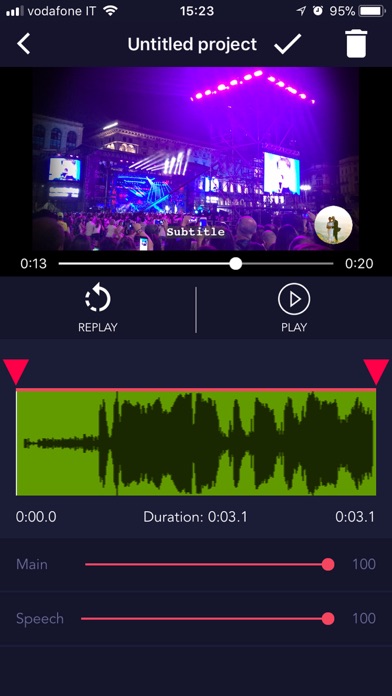

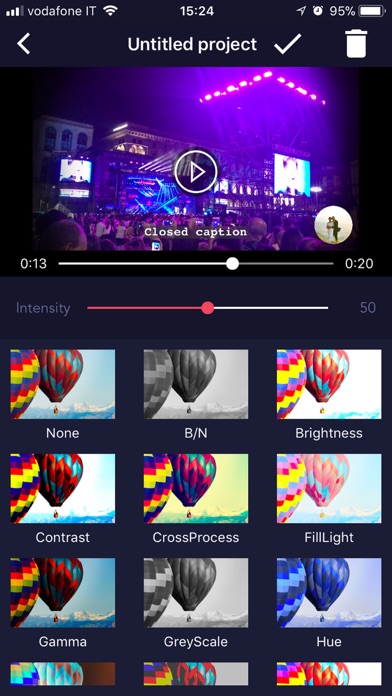


Description by Foosoft SRL Written by the developer, not by AppBrain. Click to read.
◆ What's special
・All-in-one video-news editing app, from camera to publishing
・High-quality videos
・Export formats for each media
・Suited for mobile journalists, editors, freelancers, newsrooms, broadcasters
・Access to the worldwide network
・Video co-creation up to 2 collaborators
・Invitation to an event from/to people around the world
・Calendar
◆ Camera highlights
・Focus
・Exposure (automatic, manual with one finger scroll)
・Zoom (manual with one finger scroll)
・Camera view settings (grid, angle, full screen)
・Flash (manual)
・ISO (automatic)
・Recording settings (VIDEO: bitrate, size, frame rate - AUDIO: bitrate, channels, sample rate)
◆ Editing highlights
・Clip manipulation (select and distribute all the collaborators’ clips on the timeline)
・Cut-to-frame (cut, duplicate, re-sequence, etc. It enables the precise splicing of video clips to produce a professional quality final cut)
・Subtitles (set font size, color, speech recognition text entry)
・Special effects across whole or part(s) of the final cut
・Clip-to-clip transitions
・Additional content (videos, stills and graphics) from the gallery or the camera roll
・Logo
・Pre-roll
・PIP (picture in picture)
・Voice-over audio track (you can add and mix a second audio track, and adjust the levels of both tracks)
・Metadata (geolocation, timestamp, your name, title, description, category, tags, privacy)
Any suggestions? Write us to info@feelmatic.com, we are all ears :)