

Figure calculator ShapeInfo
Figure calculator ShapeInfo is made and published by Noriyasu Kutsuzawa. AppBrain is an independent app data site and isn't affiliated with Noriyasu Kutsuzawa. The app name, icon, screenshots and description belong to Noriyasu Kutsuzawa and are shown as published on the App Store.
AppBrain's verdict
EstablishedLoved by users- Rating on App Store
- 4.67
- 146 ratings
- Last updated
- September 29, 2026
Users love it: 4.7 stars from 146 ratings.
Rankings
App Store top chartsApp Store Rankings for Figure calculator ShapeInfo
Competitors
Similar apps and more from Noriyasu KutsuzawaAlternatives to Figure calculator ShapeInfo

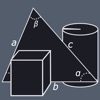

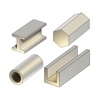



More from Noriyasu Kutsuzawa


Releases
Updates seen on the App Store- Version
- 4.2.0
- Launched
- September 2014
No changelog data
User feedback
Ratings and reviews on the App StoreComments on Figure calculator ShapeInfo for iOS
We don't have enough comments to show example comments. Please check back later.
Technology
Found in the app by AppBrain- Price
- Free
- App size
- 31.7 MB
- Content rating
- Everyone
Technologies used by Figure calculator ShapeInfo
About the app and developer
About Figure calculator ShapeInfo
Figure calculator ShapeInfo is a productivity app developed by Noriyasu Kutsuzawa.
What is the rating of Figure calculator ShapeInfo?
Figure calculator ShapeInfo is rated 4.67 out of 5 stars, based on 150 ratings.
Is Figure calculator ShapeInfo free?
Figure calculator ShapeInfo is free. The app size is 31.72 MB. The latest version available is 4.2.0. The last update was on September 29, 2026.
What are the requirements for Figure calculator ShapeInfo?
The app has a content rating of Everyone. The app has been available on the App Store since September 2014.
Developer information for Noriyasu Kutsuzawa
Address:
Store listing
By Noriyasu Kutsuzawa, from the App Store



Description by Noriyasu Kutsuzawa Written by the developer, not by AppBrain. Click to read.
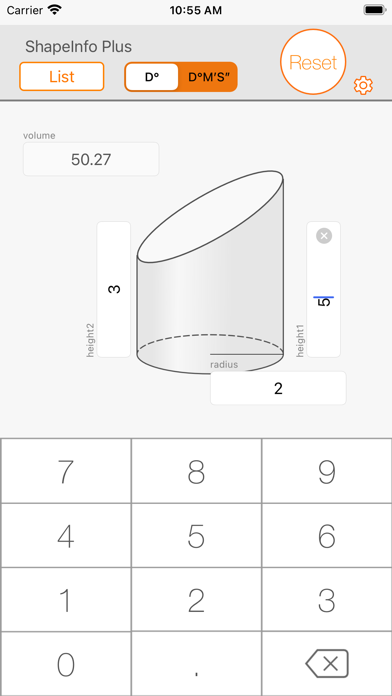
The ShapeInfo is useful application for calculating shape lengths, angles and area. You can get some calculated values, lengths and angles of the shape, from choosing and entering values in the text boxes.
How to use
1. Choosing shape from the list.
2. Enter the value to the box upon the orange points. You can change the formation of the orange points by "NEXT" button (orange color) or tapping orange/gray point near the box that you are going to enter the value.
3. You can get calculated values of the shape, immediately after entering values.
Applications
- For the software developer, the mechanical engineer, the dynamics engineer and the surveying engineer.
- Study mathematics for high school students.
Functions
- Calculate lengths, angles and the area for the right triangle, the triangle, the sector, the circle and ellipse.
- Calculate volume for the triangular pyramid, the triangular prism, the circular cone, circular cylinder and the sphere.
Shapes
- Right triangle
- Triangle
- Sector
- Circle
- Ellipse
- Triangular pyramid
- Triangular prism
- Circular cone
- Circular cylinder
- Oblique cutting circular cylinder
- Sphere
Disclaimer
Appsys does not accept responsibility for any loss, which may arise from reliance on the software or materials published on this site.