

File manager - Document Editor
File manager - Document Editor is made and published by Bhalala Hiren Bharatbai. AppBrain is an independent app data site and isn't affiliated with Bhalala Hiren Bharatbai. The app name, icon, screenshots and description belong to Bhalala Hiren Bharatbai and are shown as published on the App Store.
AppBrain's verdict
EstablishedWell rated- Rating on App Store
- 4.46
- 721 ratings
- Last updated
- July 10, 2026
- Size
- 107.0 MB
Users rate it well: 4.5 stars from 721 ratings.
User feedback
Ratings and reviews on the App StoreComments on File manager - Document Editor for iOS
We don't have enough comments to show example comments. Please check back later.
Store listing
By Bhalala Hiren Bharatbai, from the App Store
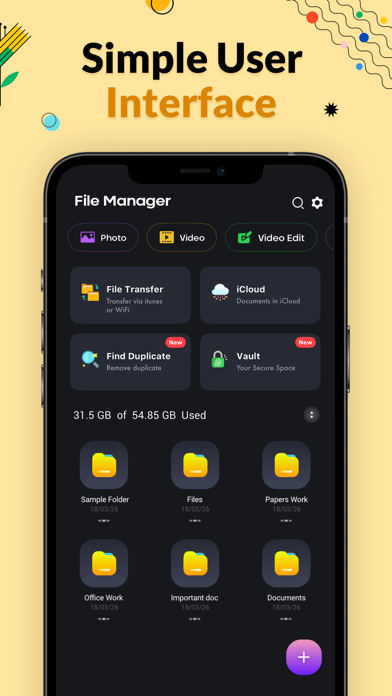

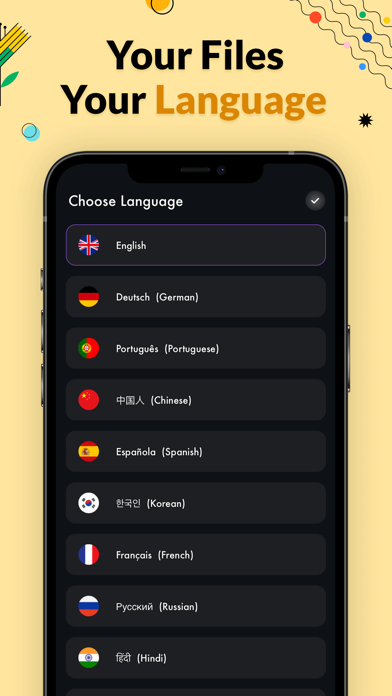


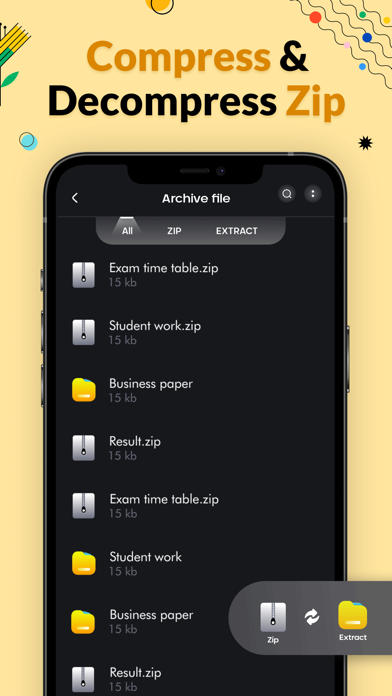
Description by Bhalala Hiren Bharatbai Written by the developer, not by AppBrain. Click to read.
With File Manager You can easily manage your files and folders on
your device, Network-attached storage. Main Storage
Internal Storage you can manage all files and folders on both your
storage and iCloud.
You can find how many files & apps you have on your device at a glance
immediately after opening File manager. It supports every file management
actions File explorer like open, search, navigate directory, copy and paste, cut, delete,
rename, compress, decompress, transfer, download. File Manager Plus supports
media files and major file formats including app.
File Manager File explorer Attractive material Design UI/UX is a Light & smooth,
Simple & clean, Multi themes support. Browse files easily by category right from File Manager’s
home screen: images, videos, music, applications, downloaded.
Manage FIle is to Easy and Powerful File View/Manage for Devices.
you also get a Process Manager and
Backup Manager included within as a bonus. File Commander - File Manager - File Viewer,
Supports Media Files and Major File Formats.
SD File Manager will transfer content between internal storage, usb flash
drive, and cloud storage.
This is a dual-pane Manager, there are two folders shown at same time, and
common operation such as copying files are done from one pane to another
and file manager shows folder hierarchy in a tree view for clear orientation
and fast switching to other location. File Manager Features Open Source, File explorer Pro
light and smooth and based on Material Design guidelines.
file management actions (open, search, navigate directory, copy and paste, cut, delete, rename, compress, decompress, transfer, download, bookmark, and organize). File storage supports media files and major file formats
Full-Featured File Storage Tool
Find powerless to manage tons of files on your mobile device? Try File Manager , see and manage all files, apps, videos and photos downloaded on your local device. Search and erase unused items to free up more space with this document manager tool.
Storage analysis : You can analyze local storages to clean up useless files. You can find out which files take up the most space used File storage.
• Internal image viewer / Internal music player/ Internal text editor : You can choose to use built-in utilities for faster and better performance.
Features
- Search and share files
- Basic features like cut, copy, delete etc. easily accessible
- Images: You can manage image and picture files in your storages. Image preview is available.
- Audios: You can manage all music and sound related files.
- Videos: You can manage all video files in your device.
[File Manager Pro Subscription]
- With a File Manager Pro Unlimited subscription, you have access to all features and App Passcode, Keep folder private etc.
advertisements will be removed automatically.
- File Manager Pro subscription is billed weekly, monthly or annually at the rate corresponding to the selected plan. In addition, a one-time payment will be offered if needed, which is not one of the subscription plan.
- Payment will be charged to iTunes Account at confirmation of purchase.
- Subscription automatically renews unless auto-renew is turned off at least 24-hours before the end of the current period.
- Account will be charged for renewal within 24-hours prior to the end of the current period, and identify the cost of the renewal.
- Subscriptions may be managed by the user and auto-renewal may be turned off by going to the user's Account Settings after purchase.
- Any unused portion of a free trial period, if offered, will be forfeited when the user purchases a subscription to that publication, where applicable.
[Terms of Use]
https://skyinfotechdeveloper.com/FileManager_TermsOfUse.html
[Privacy Policy]
https://skyinfotechdeveloper.com/FileManager_PrivacyPolicy.html
Safety and technology
Found in the app by AppBrain- Price
- Free
- App size
- 107.0 MB
- Content rating
- Everyone
Technologies used by File manager - Document Editor
Releases
Updates seen on the App Store- Version
- 1.0.18
- Launched
- February 2020
No changelog data
Alternatives
Similar apps and more from Bhalala Hiren BharatbaiAlternatives to File manager - Document Editor







More from Bhalala Hiren Bharatbai


Rankings
App Store top chartsApp Store Rankings for File manager - Document Editor
About the app and developer
About File manager - Document Editor
File manager - Document Editor is an utilities app developed by Bhalala Hiren Bharatbai.
User Ratings
File manager - Document Editor is rated 4.46 out of 5 stars. The rating is based on 720 ratings.
App Information
File manager - Document Editor is freely available from the App Store. The app size is 106.99 MB. The latest version available is 1.0.18. The last update was on July 10, 2026.
Technical Requirements
The app has a content rating of Everyone. The app has been available on the App Store since February 2020.
Developer information for Bhalala Hiren Bharatbai
Address: