AppBrain
AppBrain
  • Apps
  • Apps being viewed right now Trending apps today Most popular apps All-time most installed apps Top rated apps iPhone and iPad apps
  • Intelligence ▾
    Intelligence overview → Track any Android app or your whole market
    Track & analyze
    Keyword Tracker & OptimizerTrack & improve Play rankings App Performance ReportOne-off PDF for any app StatisticsFree Android & Play market stats
    Promote your app
    Featured Apps App Links
  • Intelligence
  • Pricing
  • Dashboard
  • Sign up
  • Log in
App Store Apps > Utilities > File Sharing - Quick Share
File Sharing - Quick Share icon

File Sharing - Quick Share

1.0
Siddharth Kevadiya
0.00
0 reviews
Free

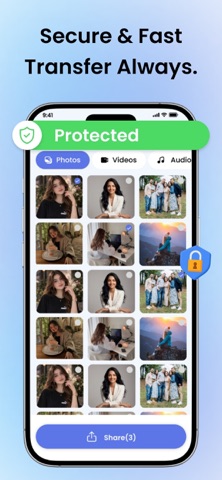
File Sharing - Quick Share Screenshot 1 of 6
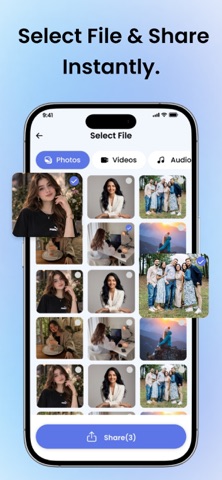
File Sharing - Quick Share Screenshot 2 of 6
File Sharing - Quick Share Screenshot 3 of 6
File Sharing - Quick Share Screenshot 4 of 6
File Sharing - Quick Share Screenshot 5 of 6
File Sharing - Quick Share Screenshot 6 of 6
Screenshots by Siddharth Kevadiya, from the the App Store listing
View on the App Store

AppBrain's verdict

Last updated
May 28, 2026
Size
62.8 MB
Official page on the App Store

User feedback

Ratings and reviews on the App Store

Comments on File Sharing - Quick Share for iOS

We don't have enough comments to show example comments. Please check back later.

Store listing

By Siddharth Kevadiya, from the App Store
Description by Siddharth Kevadiya Written by the developer, not by AppBrain. Click to read.
File Sharing - Quick Share is a fast, reliable, and easy-to-use solution for transferring files between devices. Whether you're sending photos, videos, or documents this app ensures smooth and instant sharing without unnecessary delays.

Designed for speed and simplicity, it allows you to quick share files anytime without complicated setup. Just select your files and transfer them in seconds using a seamless and efficient process.

Key Features
Quick Share Technology
Transfer files instantly with high-speed performance.

Secure File Transfer
Your data stays private during every transfer.

Simple Interface
Easy steps to send and receive files quickly.

Cross Device Compatibility
Works smoothly across different devices.

How It Works
Open the app
Connect to the nearby device
Select files you want to share
Tap send and transfer instantly

Why Choose This App?
Ultra-fast File Sharing experience
Smooth and reliable Quick Share functionality
No complicated setup required
Perfect for daily file transfers

Whether you need to send important documents or share memories with friends, File Sharing - Quick Share makes the process fast, simple, and efficient.

User should have to purchase premium once their free limit is exhaust.

For More Information :

Privacy Policy : https://siddharthkevadiya.blogspot.com/2025/11/siddharth-kevadiyas-privacy-policy.html
Terms of Use : https://siddharthkevadiya.blogspot.com/2025/11/siddharth-kevadiyas-terms-of-use.html

Safety and technology

Found in the app by AppBrain
Price
Free
App size
62.8 MB
Content rating
Everyone

Technologies used by File Sharing - Quick Share

Releases

Updates seen on the App Store
Version
1.0
Launched
May 2026

No changelog data

Alternatives

Similar apps and more from Siddharth Kevadiya

Alternatives to File Sharing - Quick Share

Ruijie  Cybrey icon Ruijie Cybrey
RUIJIE NETWORKS CO., LTD.
0.0
Free
Quick Share : ShareWith icon Quick Share : ShareWith
Serhii Blyshchak
0.0
Free
Sahab Athan icon Sahab Athan
SAHAB LLC
5.0
Free
1 ratings
Vehicle Checks icon Vehicle Checks
IDOWU BANJO
0.0
Free
DateTimeAtIsland icon DateTimeAtIsland
Sungkwon Jung
0.0
Free
PYN Charger icon PYN Charger
合肥盘元智能科技有限公司
0.0
Free
Match Scoreboard icon Match Scoreboard
Daniel Nowendsztern
5.0
Free
1 ratings
File Transfer: Phone to PC icon File Transfer: Phone to PC
ZENBYTE DIJITAL TEKNOLOJILER LIMITED SIRKETI
5.0
Free
1 ratings

More from Siddharth Kevadiya

Thermometer - Outdoor & Indoor icon Thermometer - Outdoor & Indoor
Siddharth Kevadiya
4.0
Free
18 ratings
Boom Chips Challenge Game icon Boom Chips Challenge Game
Siddharth Kevadiya
4.9
Free
10 ratings
SPK Cleaner - Volume Booster icon SPK Cleaner - Volume Booster
Siddharth Kevadiya
4.2
Free
6 ratings
Face Checker・AI People Search icon Face Checker・AI People Search
Siddharth Kevadiya
3.0
Free
5 ratings
WiFyX - WiFi Password Finder icon WiFyX - WiFi Password Finder
Siddharth Kevadiya
5.0
Free
4 ratings
Drum Pad - Beat Maker Pro icon Drum Pad - Beat Maker Pro
Siddharth Kevadiya
2.0
Free
4 ratings
Comic Reader - Comic Book Find icon Comic Reader - Comic Book Find
Siddharth Kevadiya
4.0
Free
4 ratings
Photo & Video BG Remover icon Photo & Video BG Remover
Siddharth Kevadiya
3.7
Free
3 ratings

Rankings

App Store top charts

App Store Rankings for File Sharing - Quick Share

This app is not ranked

About the app and developer

About File Sharing - Quick Share

File Sharing - Quick Share is an utilities app developed by Siddharth Kevadiya.

What is the rating of File Sharing - Quick Share?

File Sharing - Quick Share has no ratings yet.

Is File Sharing - Quick Share free?

File Sharing - Quick Share is free. The app size is 62.80 MB. The latest version available is 1.0. The last update was on May 28, 2026.

What are the requirements for File Sharing - Quick Share?

The app has a content rating of Everyone. The app has been available on the App Store since May 2026.

File Sharing - Quick Share is made and published by Siddharth Kevadiya. AppBrain is an independent app data site and isn't affiliated with Siddharth Kevadiya. The app name, icon, screenshots and description belong to Siddharth Kevadiya and are shown as published on the App Store.

Developer information for Siddharth Kevadiya

Siddharth Kevadiya

Address:

Share File Sharing - Quick Share

Apps other people are watching Top new apps Today's trending apps Popular Utilities Apps Price drops on Google Play
Ruijie  Cybrey icon Ruijie Cybrey
Quick Share : ShareWith icon Quick Share : ShareWith
Sahab Athan icon Sahab Athan
Vehicle Checks icon Vehicle Checks
DateTimeAtIsland icon DateTimeAtIsland
PYN Charger icon PYN Charger
Match Scoreboard icon Match Scoreboard
File Transfer: Phone to PC icon File Transfer: Phone to PC
Overview Alternatives Reviews Rankings Technology
AppBrain Intelligence premium content

Subscribe now to get full and unlimited access to AppBrain Intelligence. You'll have access to:

  • App Intelligence dashboard (performance timeline, competitor comparison, country rankings, insight cards)
  • Detailed ranking data per app
  • Full timeline per developer
  • Device market shares data per country
  • Unlimited keyword tracking
1 Month

$75/mo
(billed every month)

SAVE 0%
Subscribe
3 Months

$65/mo
($195 billed every 3 months)

SAVE 13%
Subscribe
1 Year

$57.50/mo
($690 billed every year)

SAVE 23%
Subscribe
Each subscription will automatically renew 3 days before the expiration date for the same time period. Subscriptions can be cancelled at any time before the renewal.

AppBrain is an app data site, we track rankings, ratings, installs for all apps and games on Google Play and the App Store. AppBrain doesn't host app files or APKs, all install links go directly to the official store. All trademarks are owned by their respective owners.

More apps

  • Top Android apps being viewed
  • Rumble Beans Android App
  • Movies Now (Movies + TV Shows)
  • South Park Soundboard

App statistics

  • Android statistics
  • Google Play Developer stats
  • Trending Android Apps
  • Trending iOS apps
  • Top popular Apps
  • Buy the best Android phone
  • Buy & sell app businesses

About AppBrain

  • Contact
  • Privacy
  • Documentation
  • DMCA takedowns
  • Blog
  • How to improve the earnings of your ad units
© 2010-2026 - AppBrain