

FileBrowser Professional
FileBrowser Professional is made and published by Stratospherix Ltd. AppBrain is an independent app data site and isn't affiliated with Stratospherix Ltd. The app name, icon, screenshots and description belong to Stratospherix Ltd and are shown as published on the App Store.
AppBrain's verdict
EstablishedLoved by usersTop 10- Best rank
- #2
- Top Paid, Belgium
- Rating on App Store
- 4.67
- 1,556 ratings
- Last updated
- August 25, 2026
Users love it: 4.7 stars from 1,556 ratings. Its best ranking is #2 in Top Paid, Business in Belgium.
Rankings
App Store top charts- Highest rank
- #2
- Chart
- Top Paid
- Business
- Country
- Belgium
App Store Rankings for FileBrowser Professional
Top rankings
| Rank | Country | Category | List |
|---|---|---|---|
| 2 | Belgium | Business | Top Paid |
| 4 | Germany | Business | Top Paid |
| 3 | Italy | Business | Top Paid |
| 4 | Mexico | Business | Top Paid |
| 12 | United States | Business | Top Paid |
| 5 | United Kingdom | Business | Top Paid |
| 5 | South Korea | Business | Top Paid |
| 11 | France | Business | Top Paid |
| 6 | Poland | Business | Top Paid |
| 7 | Turkey | Business | Top Paid |
Ranking history in Belgium
Competitors
Similar apps and more from Stratospherix LtdAlternatives to FileBrowser Professional






More from Stratospherix Ltd





Releases
Updates seen on the App Store- Version
- 26.6
- Launched
- April 2014
No changelog data
User feedback
Ratings and reviews on the App StoreComments on FileBrowser Professional for iOS
We don't have enough comments to show example comments. Please check back later.
Technology
Found in the app by AppBrain- Price
- $14.99
- App size
- 85.4 MB
- Content rating
- Everyone
Technologies used by FileBrowser Professional
About the app and developer
About FileBrowser Professional
FileBrowser Professional is a business app developed by Stratospherix Ltd.
User Ratings
FileBrowser Professional is rated 4.67 out of 5 stars. The rating is based on 1.6 thousand ratings.
App Information
FileBrowser Professional costs $14.99. The app size is 85.41 MB. The latest version available is 26.6. The last update was on August 25, 2026.
Technical Requirements
The app has a content rating of Everyone. The app has been available on the App Store since April 2014.
Developer information for Stratospherix Ltd
Address:
Store listing
By Stratospherix Ltd, from the App Store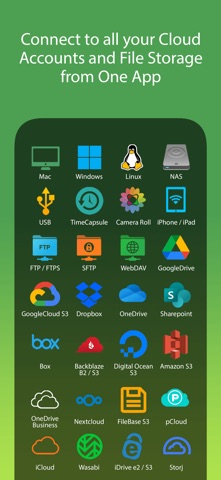


Description by Stratospherix Ltd Written by the developer, not by AppBrain. Click to read.
“Maximize the potential of what you can do with files on iOS” - Cult of Mac
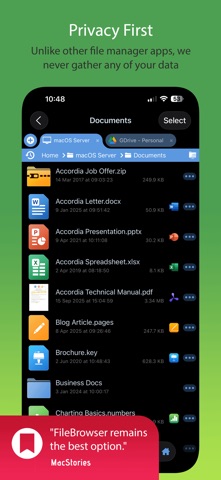
“FileBrowser remains the best option” - MacStories
Direct and secure file access to your computers, servers and other storage devices on home or company networks.
Core Features
- Access file servers and cloud storage
- View documents and optionally store them for offline viewing
- Present a video, PowerPoint or Keynote direct from the server
- Copy and move between any type of storage, from single files to whole directories
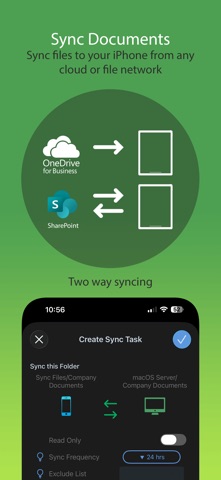
- Bi-directional automatic sync of network folders to your iPad/iPhone
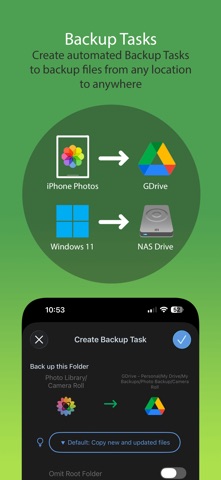
- Backup local files to a network file server or cloud storage
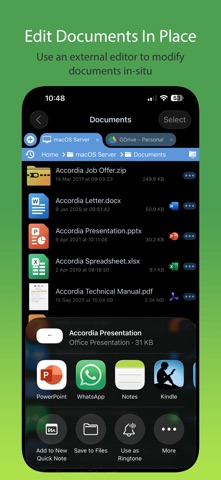
- Integrates with other apps allowing you to edit, save and share files while on the go
- Integrates with your existing infrastructure, including Active Directory
- Integrates with iOS data protection, utilising hardware-based encryption to secure content
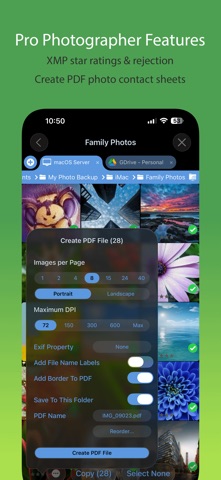
- Pro photographer XMP sidecar file support for rating images
- VPN on-demand support for third-party VPN clients
- Supports Microsoft Distributed File System (DFS)
- Requires no additional software on company servers
Office App Integration
- No more duplication of documents between apps
- Launch an Office app to edit a network document in-place
- Changes are automatically saved to the original document
- Scan documents or images direct to multi page PDF
- Automatic colour and perspective correction of scanned documents
MDM Integration
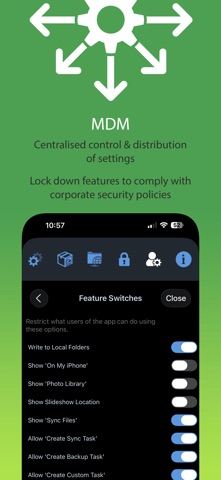
- Centralised distribution of FileBrowser configuration settings
- Enforced security lockdown
- Conform to corporate Mobile Security Policies
- Prevent users from changing local settings
- Selectively override any local configuration setting
- Distribute file server connection details
- Control whether offline viewing/storage is permitted
- Control whether content can be shared
FileBrowser Professional uses the SMB1, SMB2, and SMB3 network access protocols (also known as CIFS or Windows File Sharing) to connect to:
- Macs
- PCs
- NAS drives
- Windows File Servers (including Windows Server Clusters)
Access local storage
- USB Drives
- SD Cards
- Folders of other apps
- iCloud Drive folders of other apps
- iOS Photo Library
You can also connect to the following cloud storage
- Microsoft OneDrive
- Microsoft OneDrive for Business
- Microsoft SharePoint 2013 or later
- Box.com
- Google Drive (including Shared Team Drives)
- Dropbox (including Dropbox for Business)
- Backblaze B2
- Amazon S3
- Nextcloud
- pCloud
- Digital Ocean S3
- FileBase S3
- Google Cloud S3
- iDrive Cloud S3
- Storj S3
- Wasabi S3
- WebDAV servers
- FTP/FTPS servers
- SFTP servers
Unlike other file manager apps, we never gather any of your data. We also don't require you to create an account or register an email address with us.
For fast friendly support please email support@stratospherix.com. We are happy to receive support emails in any language, but are only able to reply in English.