

Files - Media File Manager
Files - Media File Manager is made and published by ZipoApps. AppBrain is an independent app data site and isn't affiliated with ZipoApps. The app name, icon, screenshots and description belong to ZipoApps and are shown as published on the App Store.
AppBrain's verdict
Loved by users- Rating on App Store
- 4.58
- 328 ratings
- Last updated
- April 13, 2026
Users love it: 4.6 stars from 328 ratings.
Rankings
App Store top chartsApp Store Rankings for Files - Media File Manager
Competitors
Similar apps and more from ZipoAppsAlternatives to Files - Media File Manager






More from ZipoApps


Releases
Updates seen on the App Store- Version
- 2.1.1
- Launched
- December 2022
No changelog data
User feedback
Ratings and reviews on the App StoreComments on Files - Media File Manager for iOS
We don't have enough comments to show example comments. Please check back later.
Technology
Found in the app by AppBrain- Price
- Free
- App size
- 138.0 MB
- Content rating
- Everyone
Technologies used by Files - Media File Manager
About the app and developer
About Files - Media File Manager
Files - Media File Manager is a photo & video app developed by ZipoApps.
What is the rating of Files - Media File Manager?
Files - Media File Manager is rated 4.58 out of 5 stars, based on 330 ratings.
Is Files - Media File Manager free?
Files - Media File Manager is free. The app size is 137.99 MB. The latest version available is 2.1.1. The last update was on April 13, 2026.
What are the requirements for Files - Media File Manager?
The app has a content rating of Everyone. The app has been available on the App Store since December 2022.
Developer information for ZipoApps
Address:
Store listing
By ZipoApps, from the App Store

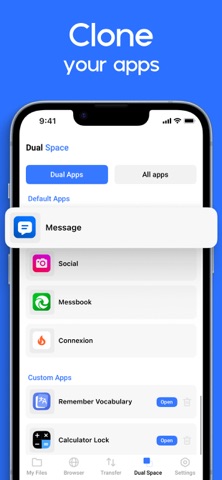


Description by ZipoApps Written by the developer, not by AppBrain. Click to read.
It’s free, fast, and full-featured. Because of its simple UI, it’s extremely easy to use. You can easily manage storage on your device, NAS(Network-attached storage), and cloud storage.
What’s more, you can find out how many files & apps you have on your device at a glance immediately after opening the app.
It supports every file management action (open, search, navigate directory, copy and paste, cut, delete, rename, compress, decompress, transfer, download, bookmark, and organize) for various file formats, including media and apk.
Major locations and functions of File Manager Plus are as follows:
◆ Main Storage: You can manage all files and folders on both your internal storage and external storage.
◆ Downloads / New files / Images / Audio / Videos / Documents: Your files and folders are automatically sorted by their types and characteristics so that you can easily find what you are looking for.
◆ Apps: You can see and manage all applications installed on your local device.
◆ Cloud / Remote: You can access your cloud storage and also remote/shared storage like NAS and FTP server. (Cloud storage: Google Drive™, OneDrive, Dropbox, Box, and Yandex)
◆ Add Data from PC: You can add any files to the device storage from a PC using FTP(File Transfer Protocol).
◆ Storage analysis: You can analyse local storage to clean up useless files. You can find out which files and apps take up the most space.
◆ Internal image viewer / Internal music player/ Internal text editor: You can choose to use built-in utilities for faster and better performance.
Get unlimited access to all premium files and media storage
Subscribe to the Monthly File Manager Pro at $1.99 and the Yearly File Manager Pro at $9.99 to use ad-free versions of the premium app, which you can cancel anytime.
Privacy Policy: https://zipoapps.com/mediamanagerios/privacy/
Terms: https://zipoapps.com/mediamanagerios/terms/