FileShift: Send Files Offline is an utilities app developed by ExtreemTek BV.
User Ratings
FileShift: Send Files Offline is rated 5.00 out of 5 stars. The rating is based on one rating ratings.
App Information
FileShift: Send Files Offline is freely available from the App Store. The app size is 73.14 MB. The latest version available is 1.4.8. The last update was on October 15, 2026.
Technical Requirements
The app has a content rating of Everyone. The app has been available on the App Store since March 2026.
Description by ExtreemTek BV(from the App Store)
FileShift — The Fastest Way to Transfer Files Between Devices
Tired of slow Bluetooth, messy cables, or burning through mobile data just to send a file? FileShift lets you transfer anything — photos, videos, music, documents and more — directly between devices at lightning speed. No internet required. No cloud. No limits.
WHY FILESHIFT?
Most file sharing apps are slow, complicated, or need both devices on the same WiFi network. FileShift creates its own direct peer-to-peer connection, so you can transfer files anywhere — at home, at the office, or somewhere with zero signal. It just works.
TRANSFER ANYTHING
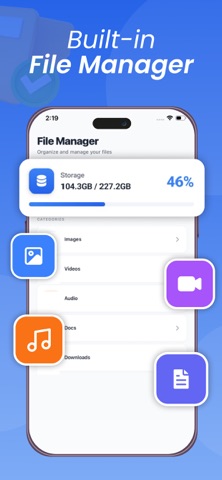
Photos and videos in full original quality. Music and audio files. Documents, PDFs, spreadsheets and apps. Even large files that other apps simply refuse to handle. If it's on your device, FileShift can send it.
BLAZING FAST SPEEDS
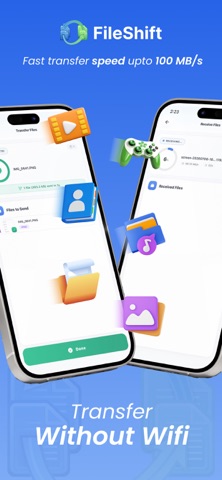
FileShift uses direct WiFi peer-to-peer technology to achieve transfer speeds up to 200x faster than Bluetooth. Send a full HD movie in seconds, not minutes. Share hundreds of photos in one go without the wait.
100% OFFLINE — NO INTERNET NEEDED
Unlike cloud-based sharing apps, FileShift works completely offline. Your files go directly from one device to another — they never touch a server, never get stored in the cloud, and never cost you a single MB of mobile data.
PRIVATE AND SECURE BY DEFAULT
Your files are yours. FileShift uses encrypted peer-to-peer connections so nobody can intercept your transfers. No account needed. No sign-up. We don't see, store, or have access to the files you transfer.
WORKS ACROSS ALL APPLE DEVICES
Send and receive between iPhone, iPad, and other supported devices with no setup.
HOW IT WORKS
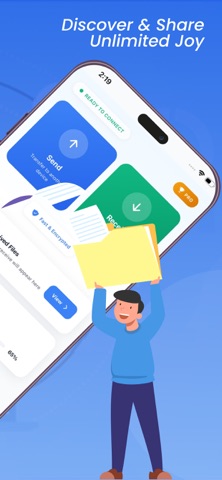
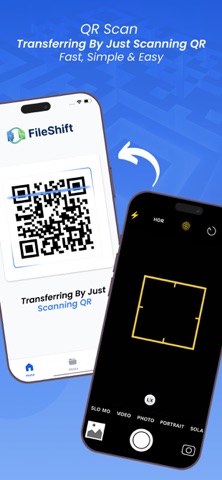
Open FileShift on both devices. One taps send, the other taps receive. Select your files and the transfer begins instantly. Most transfers complete in seconds. That's really all there is to it.
Perfect for sharing photos and videos with friends and family, moving files between your own devices without a cable, sending large files that WhatsApp or email won't allow, and backing up content to another device offline. It's also ideal when you're traveling, in a remote area, or anywhere without a reliable internet connection.
FREE TO USE — OPTIONAL PREMIUM
FileShift is free to download and use, with no caps on file size or number of transfers. The free version is supported by ads. Want a cleaner experience? FileShift Premium removes all ads and unlocks the full experience as an optional auto-renewing subscription. The core file-transfer features remain free.
SUBSCRIPTION DETAILS
FileShift Premium is an auto-renewable subscription.
Payment is charged to your Apple ID account at confirmation of purchase. The subscription renews automatically unless it is canceled at least 24 hours before the end of the current period. Your account is charged for renewal within 24 hours before the end of the current period. You can manage or cancel your subscription any time in your App Store account settings after purchase. Any unused portion of a free trial, if offered, is forfeited when you purchase a subscription.
Privacy Policy: https://sites.google.com/view/file-shift-privacy-policy/home Terms of Use (EULA): https://www.apple.com/legal/internet-services/itunes/dev/stdeula/
(The Terms of Use link above is Apple's standard EULA, which Apple accepts and resolves this rejection immediately. If you prefer your own custom EULA, publish the FileShift Terms of Use page — e.g. on Google Sites, the same way as the privacy policy — and replace the link above with that URL.)
Each subscription will automatically renew 3 days before the expiration date for
the same time period. Subscriptions can be cancelled at any time before the renewal.