Download Android Apps and Games
AppBrain
  • Apps
  • Apps being viewed right now Trending apps today Most popular apps All-time most downloaded apps Top rated apps
  • Intelligence ▾
    Intelligence overview → Track any Android app or your whole market
    Track & analyze
    Keyword Tracker & OptimizerTrack & improve Play rankings App Performance ReportOne-off PDF for any app StatisticsFree Android & Play market stats
    Promote your app
    Featured Apps App Links
  • Intelligence
  • Pricing
  • Dashboard
  • Sign up
  • Log in
Last updated on: 2026-06-26
App Store Apps > Business > FileViewer USB for iPhone
FileViewer USB for iPhone icon

FileViewer USB for iPhone

6.8
Mitchell COHEN
4.00
2 reviews
$3.99

Not recently updated — last update was on 2024-06-03. This app may no longer be actively maintained.
FileViewer USB for iPhone Screenshot 1 of 9
FileViewer USB for iPhone Screenshot 2 of 9
FileViewer USB for iPhone Screenshot 3 of 9
FileViewer USB for iPhone Screenshot 4 of 9
FileViewer USB for iPhone Screenshot 5 of 9
FileViewer USB for iPhone Screenshot 6 of 9
FileViewer USB for iPhone Screenshot 7 of 9
FileViewer USB for iPhone Screenshot 8 of 9
FileViewer USB for iPhone Screenshot 9 of 9
Download from the App Store

About FileViewer USB for iPhone

FileViewer USB for iPhone is an overall app developed by Mitchell COHEN.

Download Statistics

User Ratings

FileViewer USB for iPhone is rated 4.00 out of 5 stars. The rating is based on 2 ratings.

App Information

FileViewer USB for iPhone costs $3.99 to download. The APK download size is 16.76 MB. The latest version available is 6.8. The last update was on June 3, 2024.

Technical Requirements

The app has a content rating of Everyone. The app has been available on Google Play July 2010.

Description
OVERVIEW
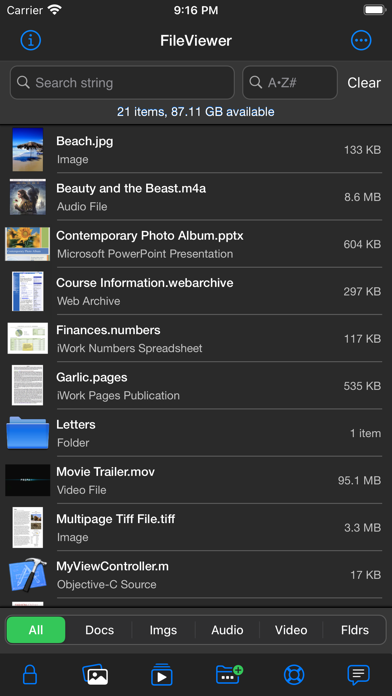
• FileViewer USB is a file viewing, storage, transfer, printing, and email application for the iPhone. It includes one of the best PDF viewers for the iPhone and can also view many other file types. Files are transferred to FileViewer USB, via iTunes (Finder in Mac OS 10.15 Catalina), using a Wi-Fi or USB connection, or via email, AirDrop, the Files app, or connected devices such as thumb drives.

FILE VIEWING
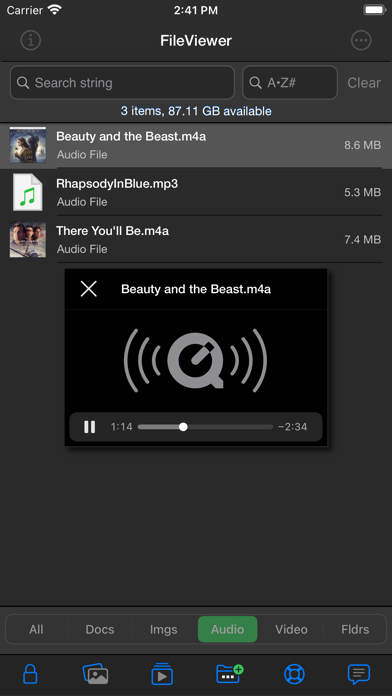
• Supported file types for direct viewing or listening include portable document format (.pdf), Microsoft Word (.doc & .docx), rich text format (.rtf), plain text files (.txt), Microsoft Excel (.xls & .xlsx), Microsoft PowerPoint (.ppt & .pptx), iWork files (.pages, .key, & .numbers), HTML documents (.html & .htm), web archives (.webarchive), image files (.jpg, .jpeg, .jp2, single & multipage .tif/.tiff, .gif, .bmp, & .png), audio files (.m4a - Apple Lossless & AAC formats, .mp3, .wav, and .aif), video files (.mp4, .m4v, .mov, and .3gp), and other file types (.h, .m, .c, .java, .js, .csv, & .log).
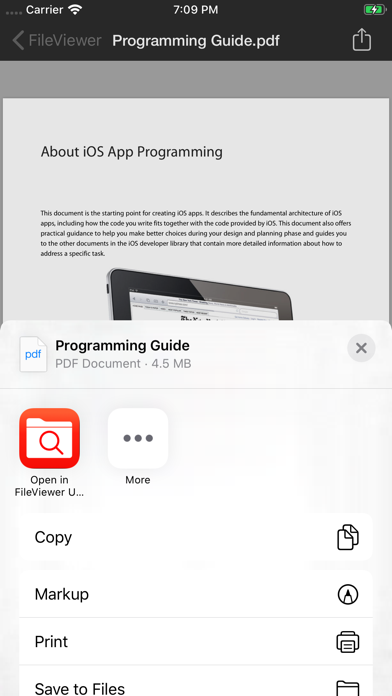
• PDF reader is fast, handles large pdf files, and opens password-protected pdfs. A thumbnail scroll bar feature facilitates viewing of long documents. Pages can be bookmarked. Other features include search, markup functionality, and table of contents view.
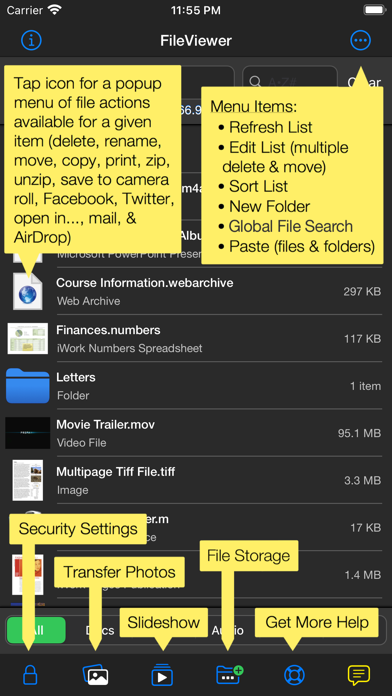
• Photos from the Photos app on the iPhone can be transferred to and viewed in FileViewer.
• Images can be copied from this app to the device's camera roll. Images in a given folder can be viewed as a slide show.
• Landscape mode as well as zooming and panning is supported for viewing documents and images.

FILE & FOLDER MANAGEMENT
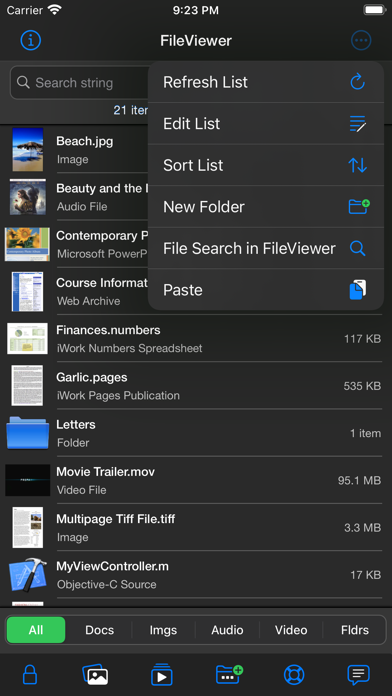
• Folders can be created to organize files.
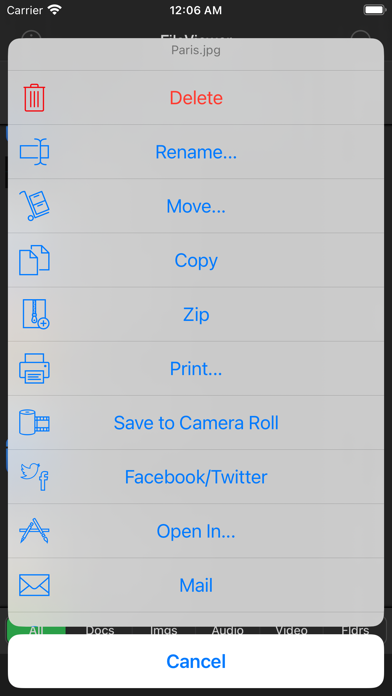
• Files and folders can be deleted and renamed as well as moved or copied from one folder to another.
• Multiple files can be deleted or moved to a different folder at the same time.
• FileViewer files can be opened in other apps on the iPhone.
• File and folder lists can be filtered by file type, folders, search phrase, and first letter of name.
• Files and folders can be sorted by date, size, and modification date (ascending & descending).
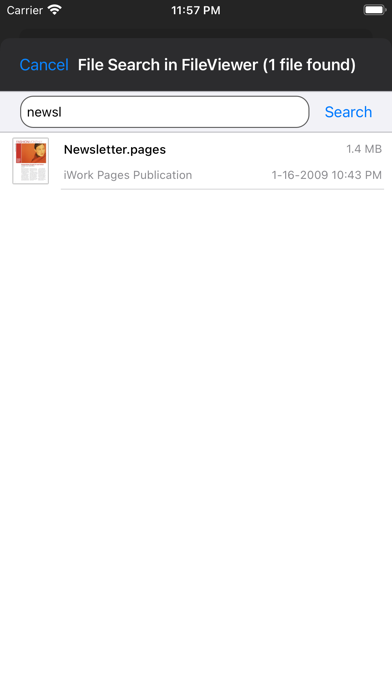
• Global file search.
• Zip archives can be transferred to and unzipped in FileViewer, providing easy one-step transfer of groups of files and/or folders. Zip archives can be created from files and folders stored in FileViewer USB.
• Capability to save many document types as a PDF.
• Dragging and dropping of files into folders.

AIRDROP
• With AirDrop, users can share files directly between supported iOS devices, as well as between an iOS device and computer.

SOCIAL MEDIA
• Post images and web pages to Facebook and Twitter.

EMAIL
• Files ≤ 20 MB can be emailed as an attachment.
• Email attachments can be transferred from the Mail app to FileViewer USB.

PRINTING
• Documents and images can be printed to AirPrint/ePrint compatible printers.

CLOUD STORAGE
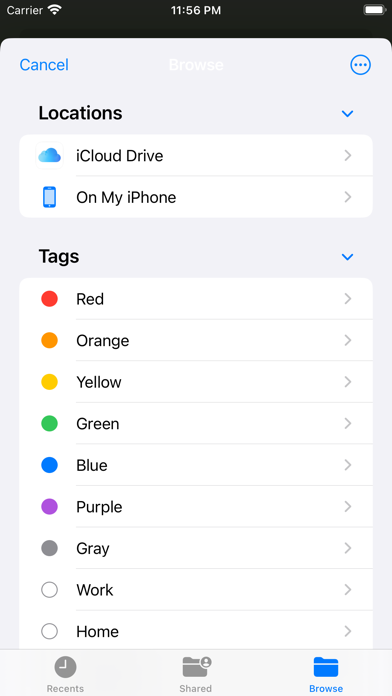
• Connectivity to iCloud Drive, Box, Dropbox, Google Drive, and Microsoft OneDrive.

AIRPLAY & DISPLAYING FILES ON AN EXTERNAL DISPLAY
• Using AirPlay, you can wirelessly stream iPhone screen output, via an Apple TV, to an HDTV.
• Audio can be wirelessly streamed using AirPlay, via an Apple TV, to an audio system.

REQUIREMENTS
• iOS 15 (or higher).
• Files are transferred to FileViewer USB, via iTunes (Finder in Mac OS 10.15 Catalina), using a Wi-Fi or USB connection, or via email, AirDrop, the Files app, or connected devices such as thumb drives.

SECURITY
• Use your fingerprint, Face ID, or a password to protect access to FileViewer USB.
• Individual files are protected using iOS data protection.

HELP
• Help is built into and available from within the FileViewer USB application.
Show more Show less

More data about FileViewer USB for iPhone

Price $3.99
Rating 4.00 based on 2 ratings
Ranking Highly ranked
Version 6.8
App download size 16.8 MB
Suitable for Everyone

Alternative downloads for the FileViewer USB for iPhone app

QRcode reader 2020 icon QRcode reader 2020
Aleksandar Mlazev
0.0
$0.99
WHAT-A-CANINE icon WHAT-A-CANINE
Anthony Terrazas
5.0
Free
1 ratings
Hunt Property Official icon Hunt Property Official
Tejasvi Kapoor
0.0
Free
FoxScanner icon FoxScanner
Dhara DilipKumar
4.7
$4.99
72 ratings
One Young World Summit 2021 icon One Young World Summit 2021
Hubilo Softech Private Limited
5.0
Free
1 ratings
TextP2P icon TextP2P
Textp2p, LLC
4.3
Free
6 ratings
BnB Host icon BnB Host
Mondayless Inc.
4.5
Free
10 ratings
FlashAir Image Share icon FlashAir Image Share
江 朱
5.0
$1.99
1 ratings

More from Mitchell COHEN

FileViewer XL for iPad icon FileViewer XL for iPad
Mitchell COHEN
0.0
$3.99

Changelog of FileViewer USB for iPhone

No changelog data

Developer information for Mitchell COHEN

Mitchell COHEN

Address:

Share FileViewer USB for iPhone

Comments on FileViewer USB for iPhone for iOS

We don't have enough comments to show example comments. Please check back later.

App Store Rankings for FileViewer USB for iPhone

Top rankings

Rank Country Category List
47 France Business Top Paid
72 Germany Business Top Paid
43 South Korea Business Top Paid
94 Canada Business Top Paid
52 Italy Business Top Paid
53 Mexico Business Top Paid
55 Spain Business Top Paid
61 Slovakia Business Top Paid
61 Turkey Business Top Paid
64 Austria Business Top Paid

Ranking history in France

AppBrain offers valuable information about your app and those of your competitors. Join AppBrain for free and claim this app to view more ranking data, view history etc.
I'm the developer of this app

Technologies used by FileViewer USB for iPhone

QRcode reader 2020 icon QRcode reader 2020
WHAT-A-CANINE icon WHAT-A-CANINE
Hunt Property Official icon Hunt Property Official
FoxScanner icon FoxScanner
One Young World Summit 2021 icon One Young World Summit 2021
TextP2P icon TextP2P
BnB Host icon BnB Host
FlashAir Image Share icon FlashAir Image Share

Back to top
AppBrain Intelligence premium content

Subscribe now to get full and unlimited access to AppBrain Intelligence. You'll have access to:

  • App Intelligence dashboard (performance timeline, competitor comparison, country rankings, insight cards)
  • Detailed ranking data per app
  • Full timeline per developer
  • Device market shares data per country
1 Month

$75/mo
(billed every month)

SAVE 0%
Subscribe
3 Months

$65/mo
($195 billed every 3 months)

SAVE 13%
Subscribe
1 Year

$57.50/mo
($690 billed every year)

SAVE 23%
Subscribe
Each subscription will automatically renew 3 days before the expiration date for the same time period. Subscriptions can be cancelled at any time before the renewal.

AppBrain is a directory focused on discovering great apps and games. We give statistics, rankings and search options that Google Play and the App Store don't have. All trademarks are owned by their respective owners. AppBrain doesn't offer APKs or binaries, and always lets users install the official version from Google Play or the App Store.

More apps

  • Top Android apps being viewed
  • NiSi ND Calculator
  • Streamtape Player & Downloader
  • Axium (requires Axium system)

Android Statistics

  • Android statistics
  • Google Play Developer stats
  • Trending Android Apps
  • Top popular Apps
  • Buy the best Android phone

About AppBrain

  • Contact
  • Privacy
  • Documentation
  • DMCA takedowns
  • Articles
  • Blog
  • Android Interstitial Ads: Best practices to optimize your app's earnings
© 2010-2026 - AppBrain