
film12
film12 is made and published by Tokyo Cartographic CO.,LTD. AppBrain is an independent app data site and isn't affiliated with Tokyo Cartographic CO.,LTD. The app name, icon, screenshots and description belong to Tokyo Cartographic CO.,LTD. and are shown as published on the App Store.
AppBrain's verdict
Established- Rating on App Store
- 4.26
- 23 ratings
- Last updated
- January 24, 2018
It doesn't have enough ratings yet to judge what users think.
Rankings
App Store top chartsApp Store Rankings for film12
Competitors
Similar apps and more from Tokyo Cartographic CO.,LTD.Alternatives to film12

 NOMO CAM - Point and Shoot


More from Tokyo Cartographic CO.,LTD.
Releases
Updates seen on the App Store- Version
- 3.0.0
- Launched
- December 2016
No changelog data
User feedback
Ratings and reviews on the App StoreComments on film12 for iOS
We don't have enough comments to show example comments. Please check back later.
Technology
Found in the app by AppBrain- Price
- Free
- App size
- 83.4 MB
- Content rating
- Everyone
Technologies used by film12
About the app and developer
About film12
film12 is a photo & video app developed by Tokyo Cartographic CO.,LTD.
User Ratings
film12 is rated 4.26 out of 5 stars. The rating is based on 23 ratings.
App Information
film12 is freely available from the App Store. The app size is 83.36 MB. The latest version available is 3.0.0. The last update was on January 24, 2018.
Technical Requirements
The app has a content rating of Everyone. The app has been available on the App Store since December 2016.
Developer information for Tokyo Cartographic CO.,LTD.
Address:
Frequently asked questions about film12
Is film12 free?
Yes. film12 is free on the App Store.
Is film12 still available?
Yes. film12 is on the App Store, and the last update we saw was on January 24, 2018.
How large is film12?
film12 is 83.36 MB.
Is film12 suitable for children?
App Store rates the content of film12 as suitable for everyone.
How do people rate film12?
film12 scores 4.26 out of 5 stars, from 23 ratings on the App Store.
Who made film12?
film12 was developed by Tokyo Cartographic CO.,LTD. It is listed in the photo & video category on the App Store.
What are the best alternatives to film12?
People looking at film12 also look at these photo & video apps: CALLA CAM, NOMO CAM - Point and Shoot, FOMO Cam - Vintage Film Camera, LoFi Cam: Film Digital Camera, OldRoll - Vintage Film Camera.
Store listing
By Tokyo Cartographic CO.,LTD., from the App Store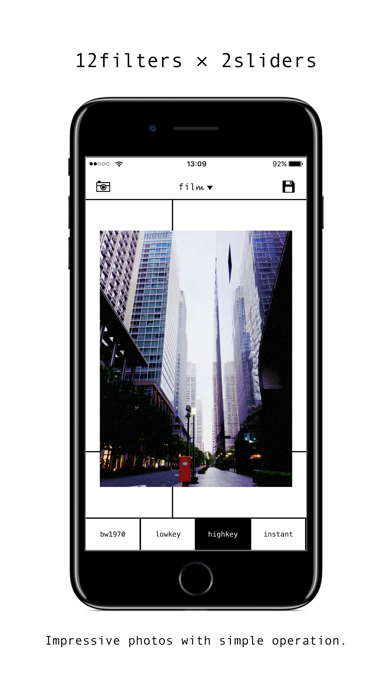

Description by Tokyo Cartographic CO.,LTD. Written by the developer, not by AppBrain. Click to read.
With intuitive and simple operation, any photo can be processed into a tasteful finish as if filmed with a film camera.
◆ 12 filters
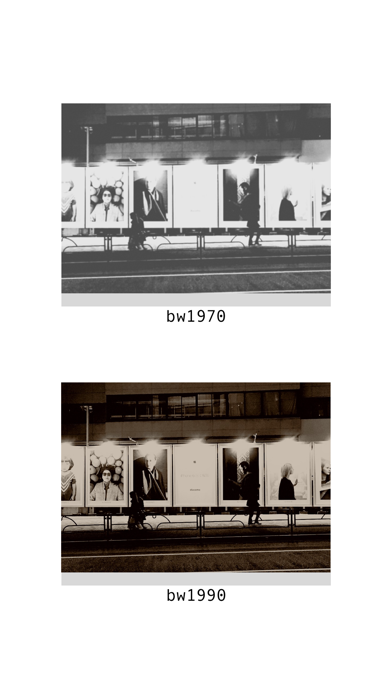
bw1970 : A monochrome filter like the 1970's. Finished in a unique black-and-white photograph feels old and new.
lowkey : Filter of low tone with reduced exposure. Sharp color finish. For metal and night view etc.
highkey : A bright and soft high tone filter. Pictures of gentle atmosphere such as women and flowers.
instant : Combine shades like photos taken with instant camera.
bw1990 : Sepia's toning-style filter. Unique sepia tone with black shine.
artfilm : Filter expressing the color tone of the digital age. Colorful photos.
television : A filter filled with a little playfulness of a television style of a CRT.
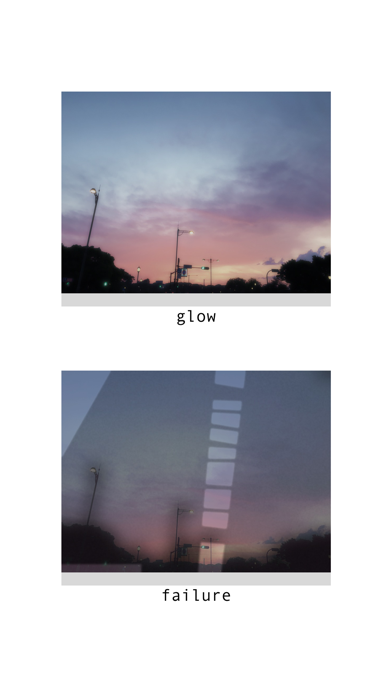
glow : The photo of noon is like blur of light, the picture of night is like brightening effect.
failure : Modern version of a failed photo style unique filter. No other pictures.
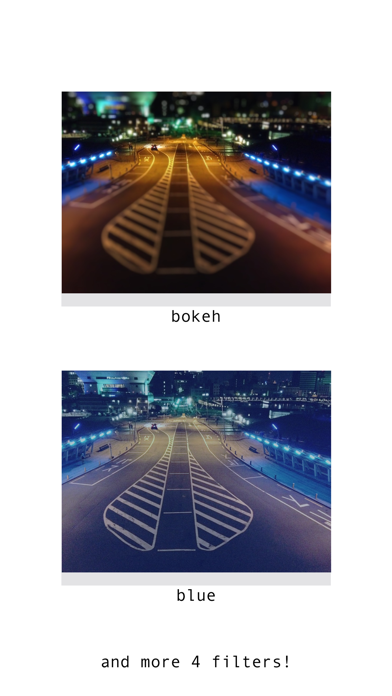
bokeh : A filter expressing bokeh. Diorama style photos as well.
blue : Filter collecting various blue. Favorite blue according to pictures.
poster : Stalization filter. To a more graphical picture.
◆ How to use
Just select a photo with the camera button on the upper left, and move the vertical and horizontal sliders. don't need difficult knowledge.
When you are satisfied with the image, save it with the save button on the upper right.
◆ Other functions
MENU is displayed with the [film 12 ▼] button.
Share Photo : Open the share menu.
Remove filter Remove the currently applied filter and display the original image.
Save current filter : Save the parameters of the currently applied filter.
Show filter list : Display the list of saved filters. You can select and apply the list.
About filters : Explanation about each filter can be seen.
App Info : Display the application information page.