

Find Air tag & Device Tracker
Find Air tag & Device Tracker is made and published by Quoc Tri Son. AppBrain is an independent app data site and isn't affiliated with Quoc Tri Son. The app name, icon, screenshots and description belong to Quoc Tri Son and are shown as published on the App Store.
AppBrain's verdict
- Last updated
- September 23, 2026
Rankings
App Store top chartsApp Store Rankings for Find Air tag & Device Tracker
Competitors
Similar apps and more from Quoc Tri SonAlternatives to Find Air tag & Device Tracker


More from Quoc Tri Son





Releases
Updates seen on the App Store- Version
- 1.0
- Launched
- September 2026
No changelog data
User feedback
Ratings and reviews on the App StoreComments on Find Air tag & Device Tracker for iOS
We don't have enough comments to show example comments. Please check back later.
Technology
Found in the app by AppBrain- Price
- Free
- App size
- 6.75 MB
- Content rating
- Everyone
Technologies used by Find Air tag & Device Tracker
About the app and developer
About Find Air tag & Device Tracker
Find Air tag & Device Tracker is an utilities app developed by Quoc Tri Son.
User Ratings
The app has no ratings yet.
App Information
Find Air tag & Device Tracker is freely available from the App Store. The app size is 6.75 MB. The latest version available is 1.0. The last update was on September 23, 2026.
Technical Requirements
The app has a content rating of Everyone. The app has been available on the App Store since September 2026.
Developer information for Quoc Tri Son
Address:
Store listing
By Quoc Tri Son, from the App Store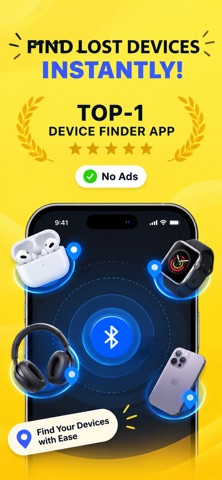

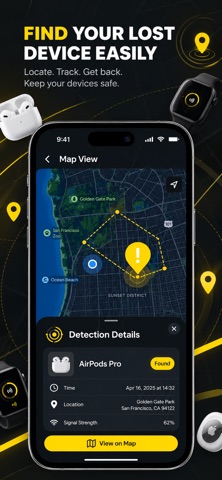
Description by Quoc Tri Son Written by the developer, not by AppBrain. Click to read.
Never waste time searching for your lost Bluetooth devices again. Find Air makes it easy to discover nearby devices and helps you locate the gadgets you use every day.
Whether you’re looking for AirPods, earbuds, headphones, a smartwatch, fitness tracker, phone, tablet, or speaker, Find Air gives you a simple way to identify nearby Bluetooth devices and get back to what matters.
Key Features
* Find Bluetooth Devices Discover nearby headphones, earbuds, earphones, smartwatches, fitness trackers, phones, tablets, speakers, and more.
* Find Apple Devices Easily discover compatible Apple devices such as AirPods, iPhone, iPad, and Apple Watch.
* Bluetooth Scanner Quickly scan your surroundings and identify nearby Bluetooth devices.
* All Your Devices in One Place Keep your Bluetooth device search simple with one convenient app.
* Simple & Intuitive A clean, easy-to-use interface designed to help you find devices without unnecessary complications.
Stop Searching. Start Finding.
Wondering “How can I find my lost Bluetooth device?” Find Air helps you scan for nearby Bluetooth devices and identify the one you’re looking for.
Keep your favorite gadgets closer and spend less time searching.
Download Find Air today and make finding your Bluetooth devices easier.
Subscription Options
Choose the plan that works best for you:
* 1-Week Subscription
* Pay once, use forever
- Subscribe to free all ads and have access to the all premium content!
- Check it's advantages, by getting a free 3-day trial. After 3 days, the trial will automatically turn to the month paid subscription.
- The paid subscription is monthly.
- Or you can choose to buy Lifetime to unlock all content forever.
- Payment will be charged to your iTunes Account at confirmation of purchase.
- You can cancel the subscription or a free trial at any time, but at least 24-hours before the end of the current period. OTHERWISE, it will be automatically renewed.
- The account will be charged for renewal within 24-hours prior to the end of the current period.
- You can manage the subscription and turn off the auto-renewal in your Account Settings after purchase.
- Any unused portion of a free trial will be forfeited when you purchase the subscription.
Terms of use : https://sites.google.com/view/sonquoctri/terms-of-use
Privacy Policy : https://sites.google.com/view/sonquoctri/privacy-policy