

Find My LAN Device
Find My LAN Device is made and published by Oscar Robert-Besle. AppBrain is an independent app data site and isn't affiliated with Oscar Robert-Besle. The app name, icon, screenshots and description belong to Oscar Robert-Besle and are shown as published on the App Store.
AppBrain's verdict
- Rating on App Store
- 5.00
- 1 ratings
- Last updated
- October 10, 2026
It doesn't have enough ratings yet to judge what users think.
Rankings
App Store top chartsApp Store Rankings for Find My LAN Device
Competitors
Similar apps and more from Oscar Robert-BesleMore from Oscar Robert-Besle


Releases
Updates seen on the App Store- Version
- 2.4.0
- Launched
- August 2025
No changelog data
User feedback
Ratings and reviews on the App StoreComments on Find My LAN Device for iOS
We don't have enough comments to show example comments. Please check back later.
Technology
Found in the app by AppBrain- Price
- Free
- App size
- 12.4 MB
- Content rating
- Everyone
Technologies used by Find My LAN Device
About the app and developer
About Find My LAN Device
Find My LAN Device is an utilities app developed by Oscar Robert-Besle.
User Ratings
Find My LAN Device is rated 5.00 out of 5 stars. The rating is based on one rating ratings.
App Information
Find My LAN Device is freely available from the App Store. The app size is 12.41 MB. The latest version available is 2.4.0. The last update was on October 10, 2026.
Technical Requirements
The app has a content rating of Everyone. The app has been available on the App Store since August 2025.
Developer information for Oscar Robert-Besle
Address:
Store listing
By Oscar Robert-Besle, from the App Store


Description by Oscar Robert-Besle Written by the developer, not by AppBrain. Click to read.
Photograph a device label or choose an image to read a MAC address, model, serial number or QR code and find matching devices in the current scan. Photos are processed on your device and are not saved by the app.
On iOS 26 and later, a scan you start can continue after you leave the app, when iOS allows it. Partial results are saved if interrupted. On a wide iPad window, view devices beside their details and SSH commands beside their results. Keyboard shortcuts and drag-and-drop command import are also supported.
Just connected a new device? Run a scan and use monitoring to follow new arrivals. Sonar tracks an address and plays a sound when it responds, with latency and response history.
The built-in SSH client lets you run a command without saving a shortcut. Connect using an IP address or hostname, then read, copy or share the output. Commands run on the remote device. Interactive terminal applications are not supported.
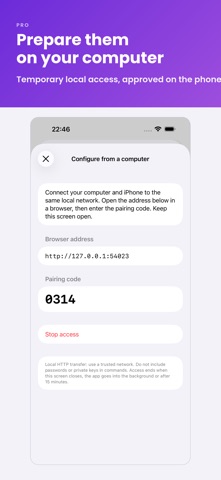
With Pro, create your own commands, organize them into groups and add parameters to fill in before execution. Confirmation can protect sensitive operations. Prepare commands in a computer browser on the same local network, then review and approve the import on your phone. Web access is temporary and stops when you close the configuration screen or the app becomes inactive.
Keep output in history, read large results and delete only the entries you choose. Import commands from a file or by copying and pasting.
The download includes basic scanning, SSH connections and manual commands. Pro is a one-time purchase that adds Sonar, monitoring, custom IP ranges, exports, device names and tags, personal commands and command history. If you bought the app before it became free to download, your Pro access remains available.
No Find My LAN Device account is required. SSH passwords and private keys are stored in the iOS Keychain. You choose which devices the app connects to.
Available in English, French and Corsican.