Finger Timer is an utilities app developed by Yu-Mao Feng.
User Ratings
Finger Timer is rated 4.16 out of 5 stars. The rating is based on 350 ratings.
App Information
Finger Timer is freely available from the App Store. The app size is 22.95 MB. The latest version available is 1.0.7. The last update was on May 15, 2026.
Technical Requirements
The app has a content rating of Everyone. The app has been available on the App Store since December 2012.
Finger Timer is made and published by
Yu-Mao Feng.
AppBrain is an independent app data site and isn't affiliated with Yu-Mao Feng.
The app name, icon, screenshots and description belong to Yu-Mao Feng and are shown as published on the App Store.
Description by Yu-Mao Feng(from the App Store)
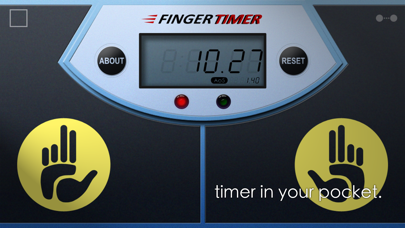
Finger Timer is a speedcubing/speedstacking timer in your pocket! It's a simple and elegant timer app that you must have!
[HOW TO USE] 1. Put your fingers on the left and right pads, and hold. 2. When the red and green lights are both on, the timer is ready, and then you can release your fingers to start the timer. 3. When you want to stop the timer, put your fingers back on the left and right pads. 4. If you want to restart the timer, press "RESET" and do the steps 1 to 3.
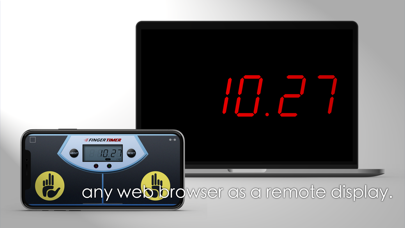
[DISPLAY CONNECTION] 1. Connect your Timer device (with this app) and Display device (any computer or mobile device with a web browser) to the same Wi-Fi network. (Sometimes Internet also works.) 2. In Timer device, tap the top-right icon, and check "Allow display connection" checkbox. 3. In Display device, enter the Timer address into the address bar of your browser, and then press "START". 4. Enjoy it!
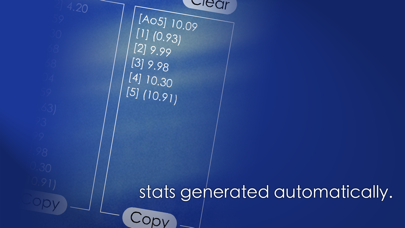
[Stats] When you using the timer, stats are generated automatically. The average time, Ao5 and Ao12 (full version only), are displaying the summary in the LED panel, and you can also get the details in About page. In About page, you can clear the stats or copy them to show off!
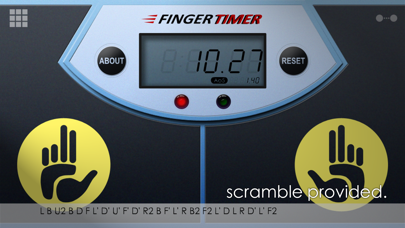
Free version: > The maximum time is 10 minutes. > Display connection. (max 10 mins) > Scramble for only cube 2x2x2 and 3x3x3. > Showing Ao5 (average of 5) only. > With ads
Full version: > The maximum time is 60 minutes. > Display connection. (max 60 mins) > Scramble for cube 2x2x2, 3x3x3, 4x4x4, and 5x5x5. > Showing both Ao5 (average of 5) and Ao12 (average of 12). > No ads, no distractions!
Subscribe our YouTube channel to watch the latest cubing videos: https://youtube.com/omgcrafts
Like us on Facebook for the latest news: https://facebook.com/omegastudiopage
Each subscription will automatically renew 3 days before the expiration date for
the same time period. Subscriptions can be cancelled at any time before the renewal.