

Fingerboard - Metronome -
Fingerboard - Metronome - is made and published by hidehiko aihara. AppBrain is an independent app data site and isn't affiliated with hidehiko aihara. The app name, icon, screenshots and description belong to hidehiko aihara and are shown as published on the App Store.
AppBrain's verdict
- Last updated
- January 18, 2025
Rankings
App Store top chartsApp Store Rankings for Fingerboard - Metronome -
Competitors
Similar apps and more from hidehiko aiharaAlternatives to Fingerboard - Metronome -




More from hidehiko aihara







Releases
Updates seen on the App Store- Version
- 1.2.6
- Launched
- December 2020
No changelog data
User feedback
Ratings and reviews on the App StoreComments on Fingerboard - Metronome - for iOS
We don't have enough comments to show example comments. Please check back later.
Technology
Found in the app by AppBrain- Price
- Free
- App size
- 107.9 MB
- Content rating
- Everyone
Technologies used by Fingerboard - Metronome -
About the app and developer
About Fingerboard - Metronome -
Fingerboard - Metronome - is a productivity app developed by hidehiko aihara.
User Ratings
The app has no ratings yet.
App Information
Fingerboard - Metronome - is freely available from the App Store. The app size is 107.88 MB. The latest version available is 1.2.6. The last update was on January 18, 2025.
Technical Requirements
The app has a content rating of Everyone. The app has been available on the App Store since December 2020.
Developer information for hidehiko aihara
Address:
Store listing
By hidehiko aihara, from the App Store

Description by hidehiko aihara Written by the developer, not by AppBrain. Click to read.
カバーする曲は覚えてきたけど、指板上の音名の配置は記憶出来ていない・・
よりベースへの理解を深めたい・・
アドリブ力をつけたい・・
そんな方々、是非このアプリでトレーニングしてみてください
■使い方
実際にベースを持って指板上の各音名の位置を確認しながら、このアプリを利用しましょう
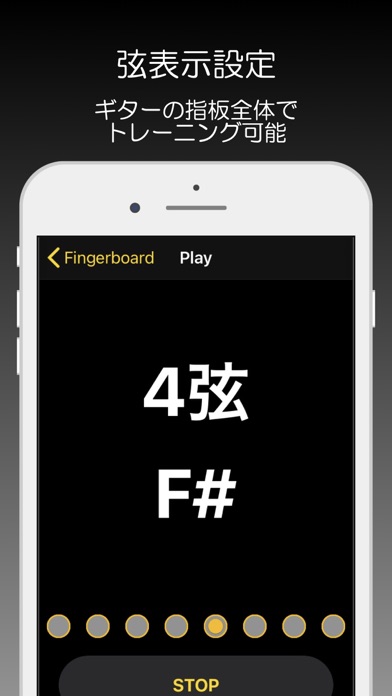
クリック音に合わせて音名を表示し、数拍後に正解の音、及び指板の位置を表示します
ご自身のベースで位置を確認して覚えていきましょう
1.クリック音のbpmを決定する
2.「Settings」で以下の内容を決定する
Strings
オフ:音名のみ表示し、弦指定は行いません(例:B)
また指板の位置も表示しません
どの弦でトレーニングするかはご自身で決めます
オン:音名と合わせ、弦指定を行います(例:3弦B)
1-4弦それぞれで選定出来ますので、
自身に必要な組み合わせで弦を指定して下さい
オンの場合、正解の音と同時に指板の位置を表示します
Positon
low:開放弦から11フレットまでを指します。初心者の方はまずはlowから練習してみましょう
high:12フレットから20フレットまでを指します
random:low/highをランダムに表示させます
3.「START」を押す
8拍カウントするうちの3拍目に音名を表示する(弦指定するの場合は弦も)ので、次の1拍目でご自身のベースで該当する音を鳴らします
1拍目で鳴るアプリの音と合っているか確認します
これを繰り返します
4.終わるときは「FINISH」ボタンを押す
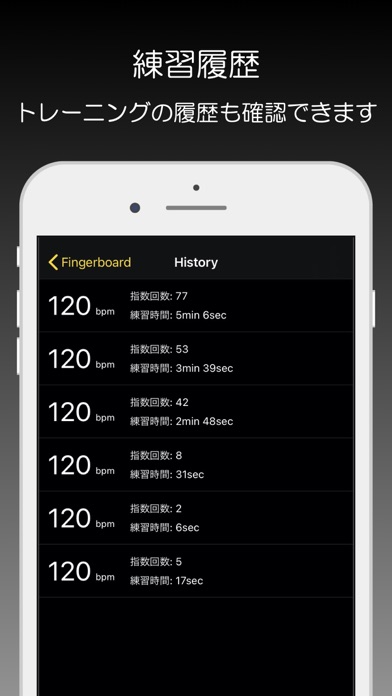
bpm決定画面の右上のストップウォッチマークで、練習履歴を確認できます