

First Then Board
First Then Board is made and published by Angelo Cipollaro. AppBrain is an independent app data site and isn't affiliated with Angelo Cipollaro. The app name, icon, screenshots and description belong to Angelo Cipollaro and are shown as published on the App Store.
AppBrain's verdict
- Rating on App Store
- 5.00
- 3 ratings
- Last updated
- September 15, 2026
It doesn't have enough ratings yet to judge what users think.
Rankings
App Store top chartsApp Store Rankings for First Then Board
Releases
Updates seen on the App Store- Version
- 1.6.2
- Launched
- April 2026
No changelog data
User feedback
Ratings and reviews on the App StoreComments on First Then Board for iOS
We don't have enough comments to show example comments. Please check back later.
Technology
Found in the app by AppBrain- Price
- Free
- App size
- 10.6 MB
- Content rating
- Everyone
Technologies used by First Then Board
About the app and developer
About First Then Board
First Then Board is an education app developed by Angelo Cipollaro.
User Ratings
First Then Board is rated 5.00 out of 5 stars. The rating is based on 3 ratings.
App Information
First Then Board is freely available from the App Store. The app size is 10.58 MB. The latest version available is 1.6.2. The last update was on September 15, 2026.
Technical Requirements
The app has a content rating of Everyone. The app has been available on the App Store since April 2026.
Developer information for Angelo Cipollaro
Address:
Store listing
By Angelo Cipollaro, from the App Store



Description by Angelo Cipollaro Written by the developer, not by AppBrain. Click to read.
Whether you're a parent, teacher, therapist, or caregiver, First Then Board provides a clear, calming way to communicate daily activities, transitions, and expectations without relying on words. With Premium, log each completed routine or note when more time was needed, then export a progress report to share with your care team.
This began as a personal project to help my daughter with autism navigate daily routines, and it has grown into a tool designed to support other families facing the same challenges.
FREE FEATURES
• Free version supported by ads
• Simple First and Then photo board
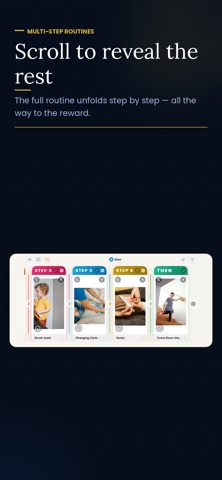
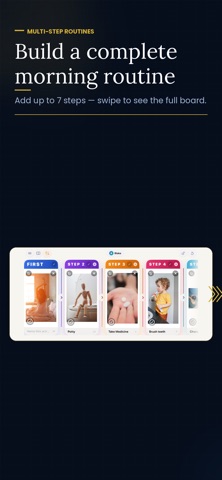
• Add up to 5 middle steps for multi-step routines
• Use photos from your camera or photo library
• Add text labels under each image
• Pinch to zoom and reposition photos
• Drag to swap panels
• Switch between vertical and side-by-side layouts
• Reset boards quickly
• English and Spanish
• Step-by-step tutorial
• Contact support from the menu
PREMIUM FEATURES
• Ad-free experience
• Unsplash photo search
• Activity timer with automatic celebration
• Screen lock
• Dark and light mode
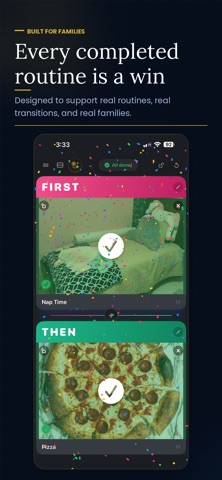
• Task completion overlays
• Custom panel titles and header colors
• Quick Boards to save and reuse routines
• Scheduled routine reminders
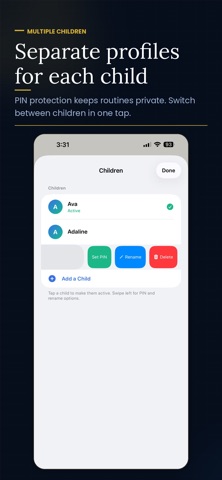
• Child profiles with separate photos, saved boards and history
• Optional per-child PIN protection
• Record completed activities and activities that needed more time
• Reload boards from history
• Export history to CSV
• 90-day completion history
• Saved photo library, favorites and search
Premium is available through a yearly subscription or a lifetime purchase. Prices and any eligible offers are shown before purchase. Redeem App Store offer codes from the menu.
Terms of Use (EULA): https://www.apple.com/legal/internet-services/itunes/dev/stdeula/