

Flight Display
Flight Display is made and published by Daria Tokareva. AppBrain is an independent app data site and isn't affiliated with Daria Tokareva. The app name, icon, screenshots and description belong to Daria Tokareva and are shown as published on the App Store.
AppBrain's verdict
- Last updated
- March 15, 2024
Rankings
App Store top chartsApp Store Rankings for Flight Display
Competitors
Similar apps and more from Daria TokarevaMore from Daria Tokareva

Releases
Updates seen on the App Store- Version
- 1.1.0
- Launched
- March 2024
No changelog data
User feedback
Ratings and reviews on the App StoreComments on Flight Display for iOS
We don't have enough comments to show example comments. Please check back later.
Technology
Found in the app by AppBrain- Price
- $12.99
- App size
- 3.44 MB
- Content rating
- Everyone
Technologies used by Flight Display
About the app and developer
About Flight Display
Flight Display is a navigation app developed by Daria Tokareva.
User Ratings
The app has no ratings yet.
App Information
Flight Display costs $12.99. The app size is 3.44 MB. The latest version available is 1.1.0. The last update was on March 15, 2024.
Technical Requirements
The app has a content rating of Everyone. The app has been available on the App Store since March 2024.
Developer information for Daria Tokareva
Address:
Frequently asked questions about Flight Display
Is Flight Display free?
No. Flight Display costs $12.99 on the App Store.
Is Flight Display still available?
Yes. Flight Display is on the App Store, and the last update we saw was on March 15, 2024.
How large is Flight Display?
Flight Display is 3.44 MB.
Is Flight Display suitable for children?
App Store rates the content of Flight Display as suitable for everyone.
Who made Flight Display?
Flight Display was developed by Daria Tokareva. It is listed in the navigation category on the App Store.
Store listing
By Daria Tokareva, from the App Store
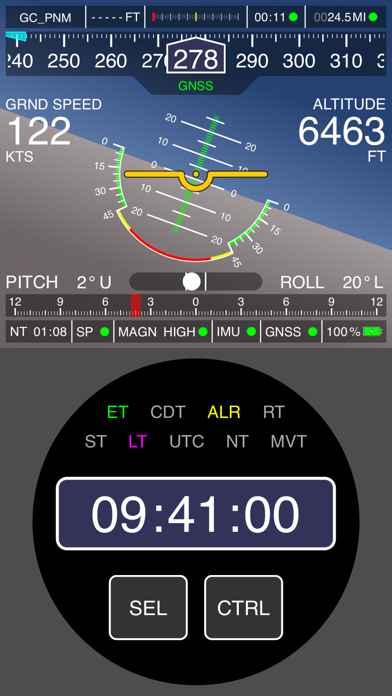

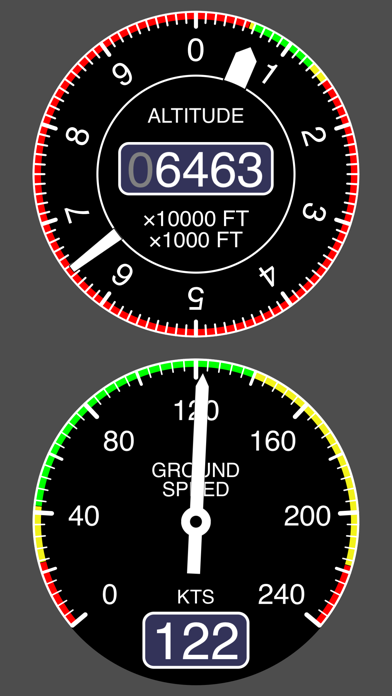


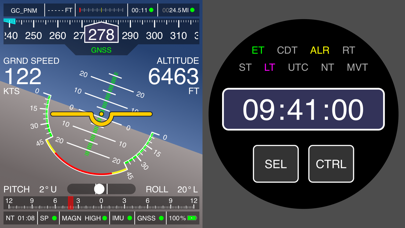

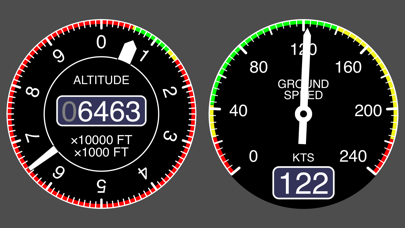

Description by Daria Tokareva Written by the developer, not by AppBrain. Click to read.
NOTE: Device internal GNSS module does not provide required stability and precision? Just connect an external GNSS sensor (receiver) to your device and it is ready for more!
The Flight Display app is simple and flexible, offering you to:
- Create multiple profiles for different aircrafts or conditions. One profile – one unique set of settings;
- Setup units and ranges of displayed parameters. Enable alarms for parameters and adjust alarm intervals;
- Customize appearance of indicators;
- Select portrait or landscape interface orientation;
- Mount the device in any position inside the cabin – the app is smart enough to perform correct calculation of attitude and all other parameters even if the device axes are not aligned with the aircraft axes. Just run app’s built-in device orientation adjustment mode and fix the device in any convenient position.
List of indicators:
- Primary Display indicator;
- Ground speed indicator;
- Altitude indicator;
- Heading indicator;
- Turn coordinator/Turn indicator;
- Chronometer (with multiple time display modes);
- Flight info indicator;
- GNSS info indicator;
- Device status info indicator;
- Destination point info indicator.
Result fusion parameters / calculated parameters:
- Heading (based on GNSS course/magnetic heading/true magnetic heading);
- Ground speed;
- Altitude;
- Attitude angles (pitch and roll);
- Coordinates;
- Heading rate;
- Flight parameters (time, passed distance, average speed, distance to start point);
- Destination point parameters (distance, azimuth, course, reach time).