

Flow AI 2.0 - Video Maker
Flow AI 2.0 - Video Maker is made and published by Xiongju Tech. AppBrain is an independent app data site and isn't affiliated with Xiongju Tech. The app name, icon, screenshots and description belong to Xiongju Tech and are shown as published on the App Store.
AppBrain's verdict
- Rating on App Store
- 3.36
- 11 ratings
- Last updated
- October 15, 2026
It doesn't have enough ratings yet to judge what users think.
Rankings
App Store top chartsApp Store Rankings for Flow AI 2.0 - Video Maker
Competitors
Similar apps and more from Xiongju TechAlternatives to Flow AI 2.0 - Video Maker


More from Xiongju Tech

Releases
Updates seen on the App Store- Version
- 1.1.1
- Launched
- December 2025
No changelog data
User feedback
Ratings and reviews on the App StoreComments on Flow AI 2.0 - Video Maker for iOS
We don't have enough comments to show example comments. Please check back later.
Technology
Found in the app by AppBrain- Price
- Free
- App size
- 35.8 MB
- Content rating
- High
Technologies used by Flow AI 2.0 - Video Maker
About the app and developer
About Flow AI 2.0 - Video Maker
Flow AI 2.0 - Video Maker is a photo & video app developed by Xiongju Tech.
User Ratings
Flow AI 2.0 - Video Maker is rated 3.36 out of 5 stars. The rating is based on 11 ratings.
App Information
Flow AI 2.0 - Video Maker is freely available from the App Store. The app size is 35.81 MB. The latest version available is 1.1.1. The last update was on October 15, 2026.
Technical Requirements
The app has a content rating of High Maturity. The app has been available on the App Store since December 2025.
Developer information for Xiongju Tech
Address:
Frequently asked questions about Flow AI 2.0 - Video Maker
Is Flow AI 2.0 - Video Maker free?
Yes. Flow AI 2.0 - Video Maker is free on the App Store.
Is Flow AI 2.0 - Video Maker still available?
Yes. Flow AI 2.0 - Video Maker is on the App Store, and the last update we saw was on October 15, 2026.
How large is Flow AI 2.0 - Video Maker?
Flow AI 2.0 - Video Maker is 35.81 MB.
Is Flow AI 2.0 - Video Maker suitable for children?
App Store gives Flow AI 2.0 - Video Maker a high maturity rating. It is meant for adults.
How do people rate Flow AI 2.0 - Video Maker?
Flow AI 2.0 - Video Maker scores 3.36 out of 5 stars, from 11 ratings on the App Store.
Who made Flow AI 2.0 - Video Maker?
Flow AI 2.0 - Video Maker was developed by Xiongju Tech. It is listed in the photo & video category on the App Store.
What are the best alternatives to Flow AI 2.0 - Video Maker?
People looking at Flow AI 2.0 - Video Maker also look at these photo & video apps: AI Video Generator · Reel AI, HG : AI Video Generator, Dola: Video & Photo Editor, Travel Animator 3D Video-TripQ, AI Home Design & Interior.
Store listing
By Xiongju Tech, from the App Store




Description by Xiongju Tech Written by the developer, not by AppBrain. Click to read.
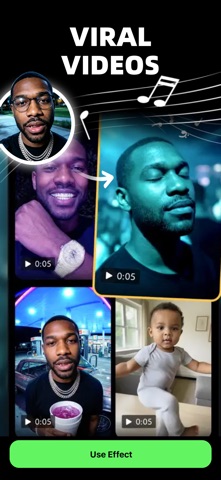
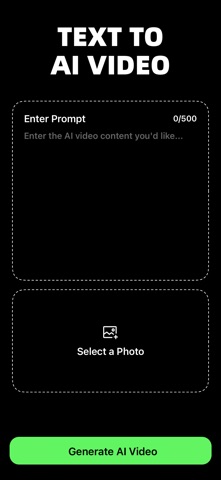
Flow AI is a powerful tool for generating AI videos from text or photos—similar to Sora, Luma, Hailuo, and Kling. Creating stunning visuals is simple:
1. Download the app
2. Enter a prompt or upload a photo
3. Receive your AI-generated video in moments
- Bring your photos to life with Flow AI
Flow turns still images into dynamic animations with just a few taps. Animate portraits, enhance old memories, or create imaginative short clips with natural, expressive motion. Whether you're crafting creative content, storytelling, or just having fun, Flow gives your photos new energy and depth.
Discover endless creative possibilities and watch your images come alive like never before.
To support us you can choose to subscribe to our auto-renewing subscriptions.
Automatic subscription service instructions:
1. Subscription service: Flow AI Pro
2. Subscription:
- Flow AI Pro Weekly
- Flow AI Pro Monthly
You will be charged in your local currency at the prevailing exchange rate as defined by iTunes.
3. Payment: Subscriptions can be managed by the user, and the payment will be credited to the iTunes account after the user confirms the purchase and payment.
4. Renewal: Apple's iTunes account will be deducted within 24 hours before expiration. After the deduction is successful, the subscription period will be extended by one subscription period.
5. Unsubscribe: to unsubscribe, please open the "Settings" section of your Apple phone 24 hours before the expiration of the current subscription period, enter the "iTunes Store and App Store" section, click on "App ID", select "View Apple ID", enter the "Account Settings" page, click "Subscribe", and choose to unsubscribe. If you do not unsubscribe at least 24 hours before the end of the subscription period, your subscription will be automatically renewed.
Privacy Policy:https://app.xiongjutech.com/help/verse/PrivacyPolicy
Terms of Use:https://app.xiongjutech.com/help/verse/TermsOfUse
Your feedback helps us make the app even better! Reach out anytime at support@xiongjutech.com