

Fokus is made and published by Hermon Forlag AS. AppBrain is an independent app data site and isn't affiliated with Hermon Forlag AS. The app name, icon, screenshots and description belong to Hermon Forlag AS and are shown as published on the App Store.
AppBrain's verdict
- Last updated
- November 20, 2023
Rankings
App Store top chartsApp Store Rankings for Fokus
Competitors
Similar apps and more from Hermon Forlag ASAlternatives to Fokus







More from Hermon Forlag AS

Releases
Updates seen on the App Store- Version
- 1.3.1
- Launched
- May 2021
No changelog data
User feedback
Ratings and reviews on the App StoreComments on Fokus for iOS
We don't have enough comments to show example comments. Please check back later.
Technology
Found in the app by AppBrain- Price
- Free
- App size
- 70.4 MB
- Content rating
- Everyone
Technologies used by Fokus
About the app and developer
About Fokus
Fokus is an education app developed by Hermon Forlag AS.
What is the rating of Fokus?
Fokus has no ratings yet.
Is Fokus free?
Fokus is free. The app size is 70.41 MB. The latest version available is 1.3.1. The last update was on November 20, 2023.
What are the requirements for Fokus?
The app has a content rating of Everyone. The app has been available on the App Store since May 2021.
Developer information for Hermon Forlag AS
Address:
Frequently asked questions about Fokus
Is Fokus free?
Yes. Fokus is free on the App Store.
Is Fokus still available?
Yes. Fokus is on the App Store, and the last update we saw was on November 20, 2023.
How large is Fokus?
Fokus is 70.41 MB.
Is Fokus suitable for children?
App Store rates the content of Fokus as suitable for everyone.
Who made Fokus?
Fokus was developed by Hermon Forlag AS. It is listed in the education category on the App Store.
What are the best alternatives to Fokus?
People looking at Fokus also look at these education apps: P7 Kristen Riksradio, Oase 2025, TenOase, New Life School, Katolsk.
Store listing
By Hermon Forlag AS, from the App Store

Description by Hermon Forlag AS Written by the developer, not by AppBrain. Click to read.
Appen er enkel å bruke:
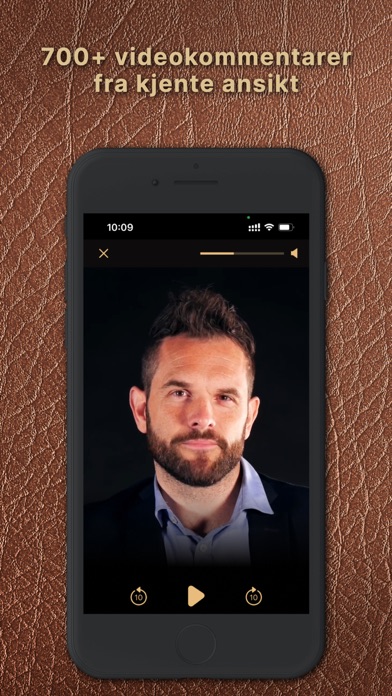
Pek iPhonens eller iPadens kamera mot koden for den kommentaren du vil se, og hold inne Skann-knappen. Riktig video kommer da opp, og du kan starte, pause og hoppe frem og tilbake i kommentaren som du ønsker.
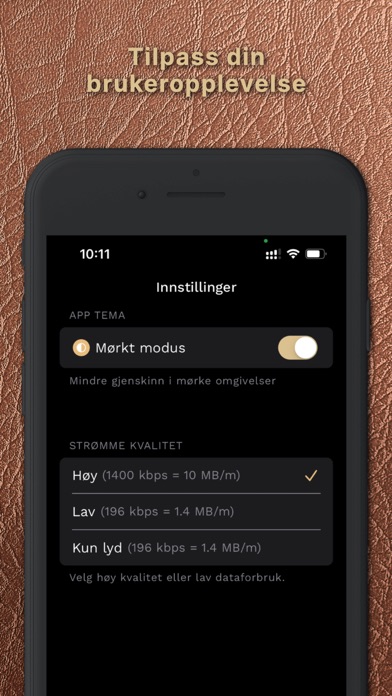
Du kan også velge kvalitet, (og dermed forbruk av mobildata), for avspilling av kommentarene:
Høy kvalitet, hvis du er på et bredbåndsnett eller ikke har behov for å spare på mobildataforbruket.
Lav kvalitet, (som fortsatt gir utmerket bilde og lyd), hvis du bruker appen via mobilnettet, og vil redusere mobildataforbruket.
Kun lyd, hvis du kun skal lytte. (Bruker også svært lite mobildata.)