

Font Size Decrease for Safari
Font Size Decrease for Safari is made and published by Stefan Van Damme. AppBrain is an independent app data site and isn't affiliated with Stefan Van Damme. The app name, icon, screenshots and description belong to Stefan Van Damme and are shown as published on the App Store.
AppBrain's verdict
- Last updated
- December 7, 2025
Rankings
App Store top chartsApp Store Rankings for Font Size Decrease for Safari
Competitors
Similar apps and more from Stefan Van DammeAlternatives to Font Size Decrease for Safari


More from Stefan Van Damme


Releases
Updates seen on the App Store- Version
- 1.1.3
- Launched
- December 2025
No changelog data
User feedback
Ratings and reviews on the App StoreComments on Font Size Decrease for Safari for iOS
We don't have enough comments to show example comments. Please check back later.
Technology
Found in the app by AppBrain- Price
- Free
- App size
- 18.9 MB
- Content rating
- High
Technologies used by Font Size Decrease for Safari
About the app and developer
About Font Size Decrease for Safari
Font Size Decrease for Safari is an utilities app developed by Stefan Van Damme.
What is the rating of Font Size Decrease for Safari?
Font Size Decrease for Safari has no ratings yet.
Is Font Size Decrease for Safari free?
Font Size Decrease for Safari is free. The app size is 18.86 MB. The latest version available is 1.1.3. The last update was on December 7, 2025.
What are the requirements for Font Size Decrease for Safari?
The app has a content rating of High Maturity. The app has been available on the App Store since December 2025.
Developer information for Stefan Van Damme
Address:
Frequently asked questions about Font Size Decrease for Safari
Is Font Size Decrease for Safari free?
Yes. Font Size Decrease for Safari is free on the App Store.
Is Font Size Decrease for Safari still available?
Yes. Font Size Decrease for Safari is on the App Store, and the last update we saw was on December 7, 2025.
How large is Font Size Decrease for Safari?
Font Size Decrease for Safari is 18.86 MB.
Is Font Size Decrease for Safari suitable for children?
App Store gives Font Size Decrease for Safari a high maturity rating. It is meant for adults.
Who made Font Size Decrease for Safari?
Font Size Decrease for Safari was developed by Stefan Van Damme. It is listed in the utilities category on the App Store.
What are the best alternatives to Font Size Decrease for Safari?
People looking at Font Size Decrease for Safari also look at these utilities apps: Super Size Text, Quantum Many, Watch Notes: Notes for Watch, FontFore: Beautiful Font Texts, PuriFi.
Store listing
By Stefan Van Damme, from the App Store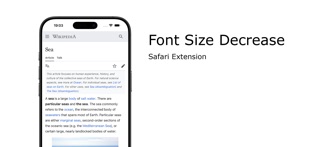
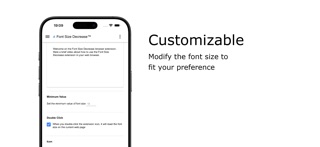
Description by Stefan Van Damme Written by the developer, not by AppBrain. Click to read.
Font Size Decrease is perfect for users who prefer an easy, no-fuss solution to improve readability, including those with visual impairments or anyone who spends long hours reading online. With just one button to decrease the font size, this extension is designed for simplicity and ease of use.
If you are also looking to decrease font size with a single click, we offer a companion extension, Font Size Increase, for complete control over your text size preferences.
https://chromewebstore.google.com/detail/font-size-increase/ombpcpigmndepfckcifdblemkabaoihk
Browser extension features:
◆ One-Click Font Size Decrease:
Easily enlarge text on any website with a single click.
◆ Dark Mode Support:
Designed to work seamlessly with dark mode, ensuring comfortable use regardless of your browser's theme.
◆ Toolbar Icon Customization:
Choose from 6 custom icons for your toolbar to personalize the look of the extension.
◆ Double-Click Reset:
Enable the option to reset the font size on the current web page by simply double-clicking the button.
◆ Right-Click Menu Integration:
Optionally enable a right-click menu option to incrdecreaseease the font size on the current web page for quick access.
◆ Simple and Lightweight:
No complicated settings—just a single button to decrease font size instantly without slowing down your browsing experience.
◆ Companion Extension Available:
If you want to decrease font size, check out our Font Size Decrease extension for a similarly easy-to-use tool.
Project Information:
https://www.stefanvd.net/project/font-size-decrease/browser-extension
Required Permissions:
◆ "contextMenus": This is to add the "Decrease font size on this page" menu item in the web browser context menu.
◆ "activeTab": Allow the decrease the font size function to be accessible on the currently visible tab page.
◆ "storage": Save settings locally and sync with your web browser account.