
Ford Radio Code is made and published by Ali Goktas. AppBrain is an independent app data site and isn't affiliated with Ali Goktas. The app name, icon, screenshots and description belong to Ali Goktas and are shown as published on the App Store.
AppBrain's verdict
- Rating on App Store
- 5.00
- 2 ratings
- Last updated
- January 24, 2022
- Size
- 19.6 MB
It doesn't have enough ratings yet to judge what users think.
User feedback
Ratings and reviews on the App StoreComments on Ford Radio Code for iOS
We don't have enough comments to show example comments. Please check back later.
Store listing
By Ali Goktas, from the App Store

Description by Ali Goktas Written by the developer, not by AppBrain. Click to read.
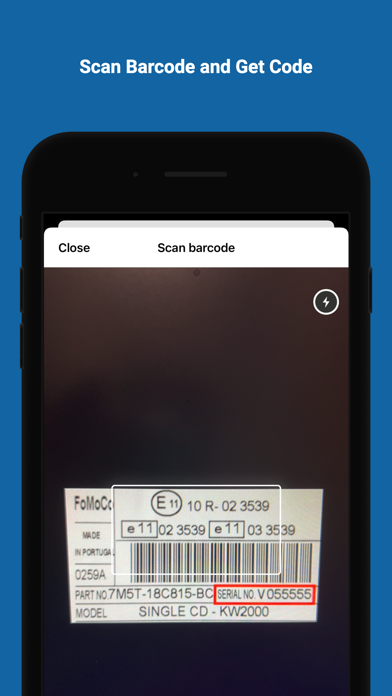
Generate the required 4 digit code by simply entering the M or V serial number of your radio into the app and receive your code instantly!
Every code available - From 000000 to 999999 for both M and V serial numbers.
-----
To get your serial number of your radio, you may need to remove the radio from the dash. As the serial number is written on a sticker on the radio itself.
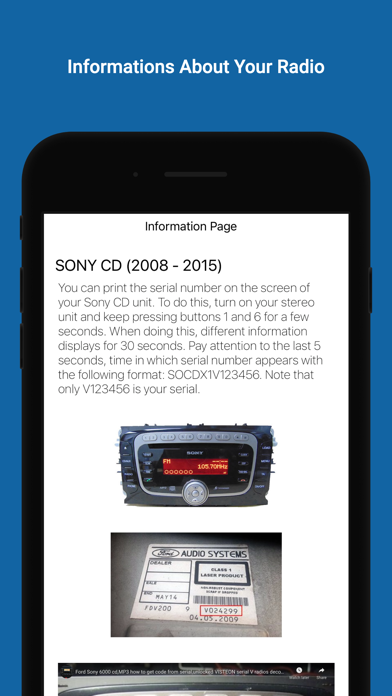
With older 6000cd models it may be possible to display the serial on the radio by turning the radio on, even if it's asking for the code.
Then simply press and hold buttons 1 & 6 together, The radio will cycle through some information and if you are lucky you will see the serial code displayed on the final screen.
The code will most likely start with an 'M' and then 6 digits. e.g M123456
However with the Sony MP3 and 6CD Changer models this doesn't always work so unfortunately you will need to take the radio out by using the correct radio removal keys, these can be found very cheap online.
The keys you need are the "PC5-132" sometimes listed as for Mercedes.
If you are in the UK then Halfords has these available if you can't wait for online delivery options :)
-----
To enter the unlock code after you have generated it from within this app you need to press the numbers 1 to 4 on the radio to enter the corresponding digits and then press the number 5 to save the code.
E.g.. If your unlock code was 1234 you would press the number 1 button once, then the number 2 button twice, the number 3 button three times and finally the number 4 button four times. The code should then be displayed on the radio. If it is displaying correctly then just press the number 5 button to unlock the radio.. The radio should then switch on as normal and automatically switch to FM radio reception.
It is now safe to turn the radio on and off as normal :)
-----
Works for 99% of all Ford radios - Excluding Blaupunkt and TravelPilot Sat-Nav models.
*Please note this app is not officially recognized by Ford *
Safety and technology
Found in the app by AppBrain- Price
- Free
- App size
- 19.6 MB
- Content rating
- Everyone
Technologies used by Ford Radio Code
Releases
Updates seen on the App Store- Version
- 1.0.2
- Launched
- January 2022
No changelog data
Alternatives
Similar apps and more from Ali GoktasAlternatives to Ford Radio Code





More from Ali Goktas


Rankings
App Store top chartsApp Store Rankings for Ford Radio Code
About the app and developer
About Ford Radio Code
Ford Radio Code is an utilities app developed by Ali Goktas.
What is the rating of Ford Radio Code?
Ford Radio Code is rated 5.00 out of 5 stars, based on 2 ratings.
Is Ford Radio Code free?
Ford Radio Code is free. The app size is 19.61 MB. The latest version available is 1.0.2. The last update was on January 24, 2022.
What are the requirements for Ford Radio Code?
The app has a content rating of Everyone. The app has been available on the App Store since January 2022.
Developer information for Ali Goktas
Address: