It doesn't have enough ratings yet to judge what users think.
Frequency Generator (Sound) is made and published by
NETIGEN Kluzowicz sp. j.
AppBrain is an independent app data site and isn't affiliated with NETIGEN Kluzowicz sp. j.
The app name, icon, screenshots and description belong to NETIGEN Kluzowicz sp. j. and are shown as
published on the App Store.
About Frequency Generator (Sound)
Frequency Generator (Sound) is a music app developed by NETIGEN Kluzowicz sp. j.
What is the rating of Frequency Generator (Sound)?
Frequency Generator (Sound) is rated 3.17 out of 5 stars, based on 6 ratings.
Is Frequency Generator (Sound) free?
Frequency Generator (Sound) is free. The app size is 27.73 MB. The latest version available is 1.0.18. The last update was on January 21, 2025.
What are the requirements for Frequency Generator (Sound)?
The app has a content rating of Everyone. The app has been available on the App Store since October 2024.
Description by NETIGEN Kluzowicz sp. j.(from the App Store)
Would you like to generate sounds, test your speakers or tune your instruments? If the answers is yes, download Frequency Genrator!
Using this application you can generate sound waves in different frequencies. The player lets you generate a sine, square, sawtooth or triangle sound wave with a frequency between 1Hz and 22000Hz (hertz).
Single Oscillator Mode Frequency Sound Generator allows you to easily change the soundwaves from the main menu. Simply tap on the sound wave icon and pick between sine, square, sawtooth or triangle.
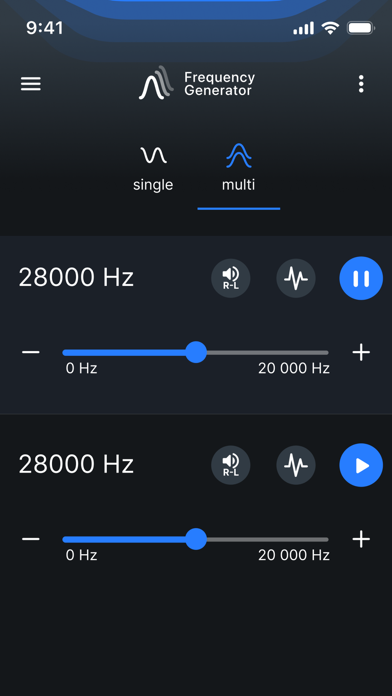
Adjust the sound generating frequency easily by dragging the dot. Make use of the - & + buttons for added adjusting precision.
Change volume and balance. Tap on the R-L icon.
Multi Oscillator Mode In this mode you can generate in one time three sounds. Set different freqencies, waves and volume.
Theme Change the colour of your application.
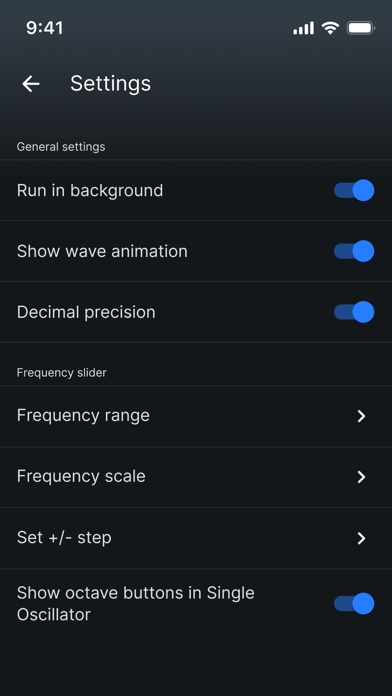
Settings in Frequency Genarator: - change frequency range slider range to allow you more precision while selecting frequencies, - enable or disable run in background option, - choose between two slider scales: linear or logarithmic, - enable or disable volume booster, - enable or disable decimal precision up two decimals in case of need for more precise sound generation, - change +/- button step for even easier adjustments, - enable or disable show octave buttons in Single Oscillator - low latency setting enables high-performance low latency audio which makes slider more responsive and eliminates lag. (NOTE: Low latency setting may result in high frequencies on some devices sound inaccurate, especially on higher volume.)
Attention! Please, for the best experience of using the app, use a pair of good quality headphones. Mobile devices are not high-quality audio sources.
Each subscription will automatically renew 3 days before the expiration date for
the same time period. Subscriptions can be cancelled at any time before the renewal.