

Fresh Ventilation
Fresh Ventilation is made and published by Fresh AB. AppBrain is an independent app data site and isn't affiliated with Fresh AB. The app name, icon, screenshots and description belong to Fresh AB and are shown as published on the App Store.
AppBrain's verdict
- Last updated
- June 18, 2024
- Size
- 54.6 MB
User feedback
Ratings and reviews on the App StoreComments on Fresh Ventilation for iOS
We don't have enough comments to show example comments. Please check back later.
Store listing
By Fresh AB, from the App Store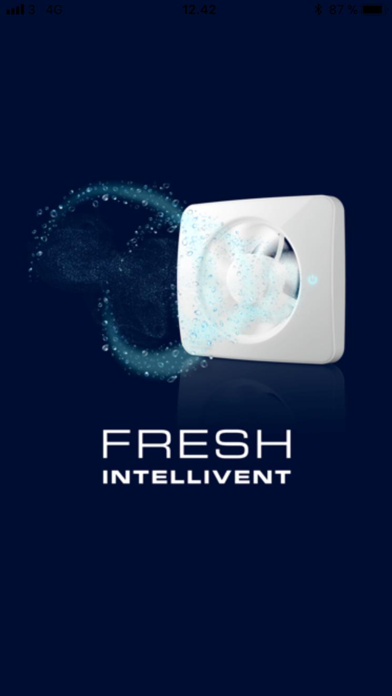


Description by Fresh AB Written by the developer, not by AppBrain. Click to read.
Product information:
The Fresh Intellivent SKY bathroom fan, a completely ground-breaking, one-of-a-kind fan smarter and more powerful than anything that has come before. With a unique air quality sensor, unrivalled extraction capacity, and advanced moisture control, Intellivent SKY is optimised to produce a fresh and comfortable bathroom climate.
Pairing the device and app:
Push once on the touch panel on/off symbol and then hold the light/air quality symbol for 8 seconds to activate Bluetooth mode, the symbol starts flashing, then continue in the app by press “Connect” on the paring screen, in a few steps your product is ready.
Basic app functions:
Press + symbol to add more devices, top right to of the first page to add extra devices into the same app.
Press (cogwheel symbol) top right on the main page for additional settings such as: Change name of product, Delete the product from the app or Reset function to factory default setting.
App main view:
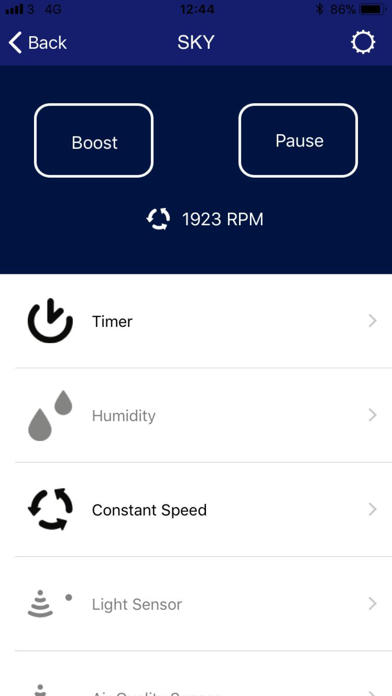
Buttons to activate Boost or Pause.
Current running mode shown live with a small icon and the fan speed in rpm.
It shows activated functions as black and non-activated functions as grey.
There are separate pages for adjusting Timer, Humidity, Constant speed, Light sensor, Air quality sensor, Airing and Pause settings.
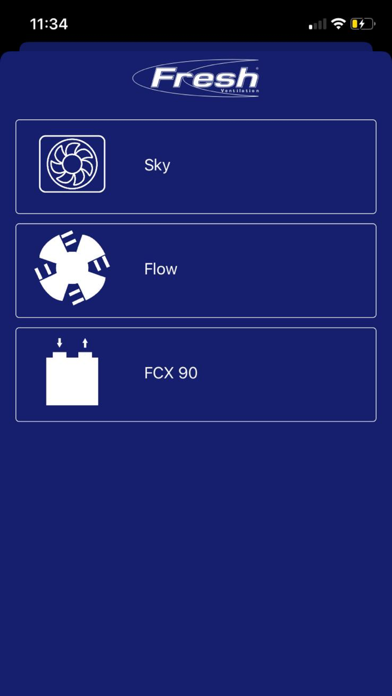
Fresh FCX 90
Product information
Fresh Advance FCX 90 is a quiet ventilation unit with high energy efficiency and high heat recovery rate
Paring the device and app
Go into the settings of your phone and search for available Wi-Fi networks.
Locate the network which matches the device ID (found on the front of the module) and select this.
Before going to the next step, make sure that the Wi-Fi symbol is shown at the upper left corner (usually next to your carrier info)
Start the Fresh Ventilation App
Press + symbol to add a device.
Choose FCX 90 and enter the Security Key. (found on the front of the module)
Choose your device name.
Enter your SSID and Password to your local Wi-Fi network (note that FCX 90 only supports 2.4 GHz networks)
Close the app and go to settings on your phone and reconnect to your local Wi-Fi network.
Basic app
Check the device status, change operation mode, see outdoor, extract and supply temperature, schedule own programs and more.
Press (cogwheel symbol) top right on the main page for additional settings such as: Change date/time, Modify WLAN settings, access the commissioner mode, rename the device or remove/delete the device.
Safety and technology
Found in the app by AppBrain- Price
- Free
- App size
- 54.6 MB
- Content rating
- Everyone
Technologies used by Fresh Ventilation
Releases
Updates seen on the App Store- Version
- 4.0.0 (5)
- Launched
- November 2018
No changelog data
Alternatives
Similar apps and more from Fresh ABAlternatives to Fresh Ventilation


Rankings
App Store top chartsApp Store Rankings for Fresh Ventilation
About the app and developer
About Fresh Ventilation
Fresh Ventilation is an utilities app developed by Fresh AB.
What is the rating of Fresh Ventilation?
Fresh Ventilation has no ratings yet.
Is Fresh Ventilation free?
Fresh Ventilation is free. The app size is 54.58 MB. The latest version available is 4.0.0 (5). The last update was on June 18, 2024.
What are the requirements for Fresh Ventilation?
The app has a content rating of Everyone. The app has been available on the App Store since November 2018.
Developer information for Fresh AB
Address: