

Funny Widgets for Screen
Funny Widgets for Screen is made and published by Theme Widget Inc. AppBrain is an independent app data site and isn't affiliated with Theme Widget Inc. The app name, icon, screenshots and description belong to Theme Widget Inc. and are shown as published on the App Store.
AppBrain's verdict
Established- Rating on App Store
- 5.00
- 6 ratings
- Last updated
- November 5, 2021
- Size
- 156.6 MB
It doesn't have enough ratings yet to judge what users think.
User feedback
Ratings and reviews on the App StoreComments on Funny Widgets for Screen for iOS
We don't have enough comments to show example comments. Please check back later.
Store listing
By Theme Widget Inc., from the App Store
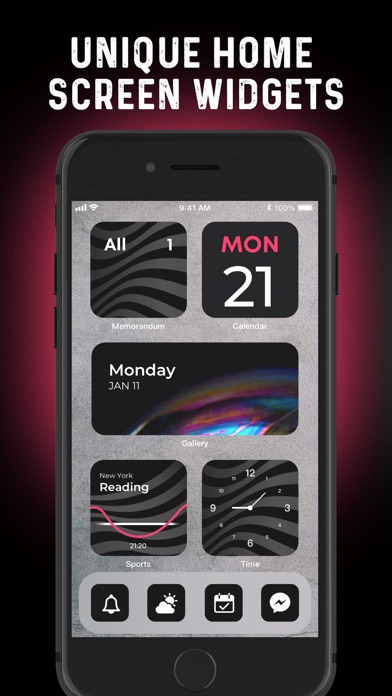


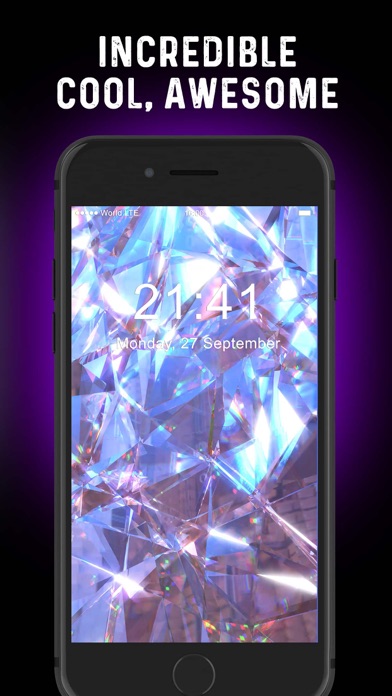
Description by Theme Widget Inc. Written by the developer, not by AppBrain. Click to read.
Customize each widget fully. Add photos to your widgets, edit their font, create your own color-scheme, and so much more! Frequently updates new useful widgets.
App includes many kind of contents & useful widgets:
● Calendar
● Digital Clock
● Photo/Album
● Daily Motivational Quotes
● Contact
● Weather
● More useful widgets are coming soon.
Download this Widget to make your phone more beautiful, more difference & unique! Upgrade to premium to enjoy all widgets & themes.
There are 1-week, 1-month and 1-year subscription service available.
Subscription automatically renews unless auto-renew is turned off at least 24 hours before the end of the current period. For 24 hours before the end of subscription period from your account will be charged a payment for subscription renew and the cost of renewal is determined. You can manage own subscriptions. If you want to disable auto renew, you need go to Account Settings after subscription purchase. Any unused part of the trial period, if it exists, will be canceled after subscription purchase, where it's applicable.
privacy:
https://www.theme.estheticwidget.com/privacy
terms:
https://www.theme.estheticwidget.com/terms
Safety and technology
Found in the app by AppBrain- Price
- Free
- App size
- 156.6 MB
- Content rating
- Everyone
Technologies used by Funny Widgets for Screen
Releases
Updates seen on the App Store- Version
- 3.1.0
- Launched
- August 2021
No changelog data
Alternatives
Similar apps and more from Theme Widget Inc.Alternatives to Funny Widgets for Screen






Rankings
App Store top chartsApp Store Rankings for Funny Widgets for Screen
About the app and developer
About Funny Widgets for Screen
Funny Widgets for Screen is a productivity app developed by Theme Widget Inc.
What is the rating of Funny Widgets for Screen?
Funny Widgets for Screen is rated 5.00 out of 5 stars, based on 6 ratings.
Is Funny Widgets for Screen free?
Funny Widgets for Screen is free. The app size is 156.59 MB. The latest version available is 3.1.0. The last update was on November 5, 2021.
What are the requirements for Funny Widgets for Screen?
The app has a content rating of Everyone. The app has been available on the App Store since August 2021.
Developer information for Theme Widget Inc.
Address:
Frequently asked questions about Funny Widgets for Screen
Is Funny Widgets for Screen free?
Yes. Funny Widgets for Screen is free on the App Store.
Is Funny Widgets for Screen still available?
Yes. Funny Widgets for Screen is on the App Store, and the last update we saw was on November 5, 2021.
How large is Funny Widgets for Screen?
Funny Widgets for Screen is 156.59 MB.
Is Funny Widgets for Screen suitable for children?
App Store rates the content of Funny Widgets for Screen as suitable for everyone.
How do people rate Funny Widgets for Screen?
Funny Widgets for Screen scores 5.00 out of 5 stars, from 6 ratings on the App Store.
Who made Funny Widgets for Screen?
Funny Widgets for Screen was developed by Theme Widget Inc. It is listed in the productivity category on the App Store.
What are the best alternatives to Funny Widgets for Screen?
People looking at Funny Widgets for Screen also look at these productivity apps: 1wdgt - Widgets & Wallpaper, Fun Widget -Custom Home Screen, KeyLink - Shortcuts, Securden PAM, Themie: Wallpapers & Theme.